 By Alex
 Introducing a way to reflect on how you use Claude
Anthropic’s new Reflect beta turns Claude usage into a personal dashboard of habits, topics and AI fluency—while raising a larger question about deliberate dependence on AI.
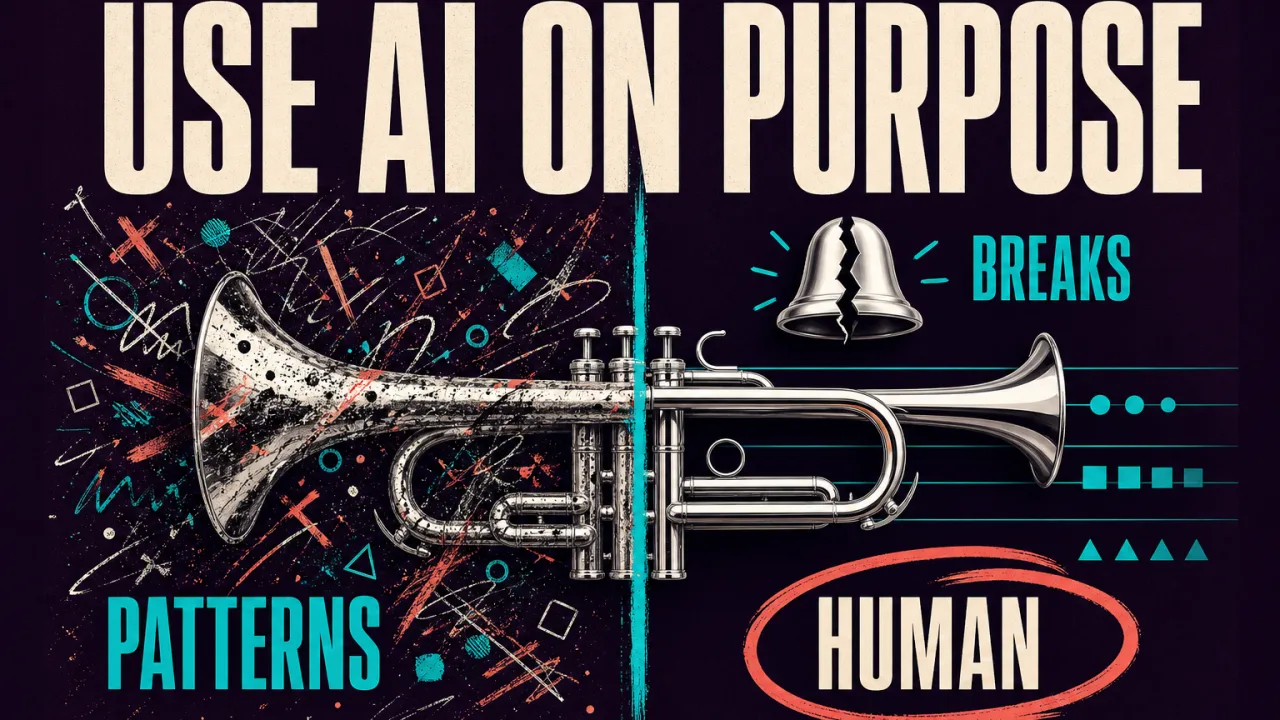
Anthropic’s new Reflect feature asks Claude users to examine their relationship with Claude. The beta dashboard summarizes what people discuss, when they use the assistant and what kinds of tasks they hand over. It can also ask what users still want to do themselves, even if Claude could do it faster.
That makes Reflect more than a usage report. It is a product feature about product dependence: a dashboard intended to help people use Claude more deliberately, while also making Claude’s role in their daily work more visible.
Definition: Claude Reflect is a personal usage-and-reflection dashboard in Claude’s web and desktop settings.
Example: A report might show the topics a user returns to, their busiest day or hour, and patterns in how they collaborate with Claude.
Key takeaway: Anthropic is framing better AI use as a question of judgment and habit, not just prompt technique.
Business impact: If users understand where AI helps, where they over-delegate and where review is still needed, they can build more intentional workflows instead of simply increasing usage.
What Reflect does
Anthropic says Reflect can review Claude activity over one, three, six or twelve months. The resulting report summarizes key topics, usage patterns and the types of work a person often does with Claude. It also breaks down when usage is concentrated and what the user spends that time working on. Background: How to Avoid Claude Code Usage Limits: Planning, Memory, Models, and Tools. Related reading: Claude Cowork on web and mobile: most users aren't coding.
The feature is available from Settings in Claude for web or the desktop app. Anthropic says it is currently in beta for Free, Pro and Max users who have Memory turned on.
A future view of how much time someone has spent using Claude is planned, but the initial feature focuses on chat activity and patterns rather than a precise time total. That distinction matters: conversation counts and topic summaries can show where an assistant is used without yet showing the complete opportunity cost of that use.
The unusual question inside the dashboard
The most revealing part of Reflect is not the chart. It is the prompt it may surface:
“What’s one thing you want to keep doing yourself, even if Claude could do it faster?”
That question changes the frame from optimization to choice. Most software analytics are designed to increase retention, reduce friction or help users complete more actions. Reflect asks users to decide where speed is not the only value.
A writing workflow is a useful example. Someone may want Claude to summarize research or produce a first draft, but still keep the act of forming an argument, choosing a voice or making the final judgment. Those boundaries are not captured by a productivity counter. They are decisions about learning, authorship and responsibility.
Reflect periodically invites the user to think through those decisions with Claude. That creates an obvious tension: a tool meant to help someone step back from AI also keeps Claude as the conversation partner for that reflection. The design can be both sincere wellbeing work and another way of making Claude central to the user’s routine.
From usage history to AI fluency
Anthropic connects Reflect to a 4D AI Fluency Framework with four dimensions:
| Dimension | Practical question |
|---|---|
| Delegation | What should be handed to AI, and what should remain a human decision? |
| Description | Can the user describe the goal and context clearly enough to get useful behavior? |
| Discernment | Can the user assess whether an output is accurate, useful and appropriate? |
| Diligence | Does the user take responsibility for what they do with AI and how they do it? |
The report can summarize how a user tends to collaborate across those dimensions. Anthropic gives examples such as reworking email drafts in one’s own voice or waiting to delegate a task until the strategy is settled.
It can also offer practical suggestions. If someone repeatedly re-explains the same context, Reflect may suggest using a Claude Project rather than restarting from scratch. That is useful advice, but it is also product education: the dashboard helps users discover more of Claude’s workflow features.
This is where Reflect has two simultaneous roles. It can help a person become more deliberate and capable with AI. It can also improve the person’s fit with Anthropic’s product, making Claude easier to use and harder to replace.
The wellbeing controls
Reflect includes quiet hours and the ability to schedule a nudge to take a break after a certain amount of time. Anthropic describes these controls as reminders of the user’s own preferences, and says they can be dismissed.
The controls are modest by design. They do not block access, enforce a quota or claim that a specific amount of AI use is unhealthy. Instead, they add a moment of friction to a product category built around immediate, always-available responses.
That friction is valuable because AI chat can blur work, learning, entertainment and emotional support. The system may respond helpfully in each context, while the user loses track of how often they are outsourcing decisions or seeking another round of reassurance.
A break reminder cannot solve that by itself. It can, however, make usage visible enough for a person to ask whether the activity is aligned with their goals.
What Reflect leaves out
Anthropic says Reflect does not draw from incognito chats. It also does not pull in underlying files from connected tools. For example, a summary of an inbox-related conversation might appear, but the source emails do not become part of the reflection itself.
Conversations connected to a health integration tool are excluded entirely, according to Anthropic. The company also says sensitive conversations may appear only at a high level and that the information and insights remain in Reflect rather than being used for other purposes.
Those boundaries are important, but users should still understand the product’s basic tradeoff: a useful reflection requires analyzing a history of interactions. Before enabling Memory or generating the report, a person should know what kind of activity may be summarized, who can access the account and how deletion or retention works under the applicable privacy policy.
The privacy question is not only whether raw files are copied into a report. It is also whether a high-level pattern can be sensitive. A list of recurring topics, unusual activity periods or inferred work habits can reveal more than an individual chat title.
What Reflect cannot measure yet
The first version can show patterns of use, but usage is not the same as value. A high number of chats may indicate productive research, repeated confusion, emotional reliance or a workflow that has not been designed well.
Similarly, a topic appearing often does not show whether Claude helped. To understand value, users would need to connect the activity report with outcomes:
- Which tasks were actually completed?
- How much work did Claude remove, and how much review did it add?
- Which answers were checked against reliable sources?
- Which skills did the user build rather than outsource?
- Where did the user make a better decision because Claude was available?
Reflect is better understood as a mirror of behavior than as a return-on-investment dashboard. It can show patterns worth examining, but it cannot by itself prove that more Claude use means more productivity or better thinking.
This is the same reason an AI agent workflow needs explicit evaluation rather than a simple activity count. Systems should be judged by outcomes, quality and human control, not just by how much interaction they generate.
A practical way to use the report
Start with one pattern
Do not treat the entire report as a verdict on your relationship with AI. Choose one recurring topic, time period or task category and ask whether the pattern reflects a goal you actually have.
Separate acceleration from delegation
Using Claude to speed up a task is not the same as handing over the judgment that makes the task meaningful. Write down which part you want Claude to do faster and which part you still want to own.
Check for repeated context
If the report shows that you repeatedly explain the same background, improve the workflow. A Project, a stable reference document or a clearer task boundary may reduce repetition. The right fix is not always “use Claude more”; sometimes it is to redesign the work.
Add a quality check
For research, writing, coding and decisions, define what a good result requires. Review accuracy, evidence, privacy and policy boundaries. Discernment is the part of AI fluency that prevents convenient output from becoming unexamined truth.
Use quiet hours as a question
A break reminder is not a moral judgment. Use it as a prompt to ask whether you are continuing because the task requires it or because the next response is always available.
The larger product question
Anthropic’s choice to build Reflect is notable because it resists the simplest growth metric. The company could have shown only chat counts, streaks and popular topics. Instead, it includes questions about what people should keep doing themselves and tools for taking breaks.
But the feature still lives inside Claude, is powered by Claude and can recommend deeper Claude workflows. That does not invalidate it. It means the user should read it with the same discernment the feature is trying to encourage. More on this: Claude Code CLAUDE.md: A Lean Project Memory Guide. More on this: Claude AI Watermarks and C2PA Marks: What They Mean. Background: Claude Gmail replies can now go out unattended.
Reflect’s strongest contribution is not the promise of a perfect personal AI score. It is the invitation to treat AI use as something that can be designed. People can decide which tasks to delegate, which skills to practice, which outputs to challenge and which boundaries to keep.
The useful question after opening the dashboard is therefore not “How much did I use Claude?” It is “What kind of user am I becoming through this pattern, and does that match what I want?”
FAQ
Is Claude Reflect available to everyone?
Anthropic says the beta is available to Free, Pro and Max users who have Memory turned on. The report can be generated from Claude Settings on the web or desktop app.
Does Reflect show exactly how much time I spent with Claude?
Not in the initial version. Anthropic says a view of total time spent using Claude is planned for the future. The current report focuses on activity patterns, topics and task types.
Does Reflect read files from connected tools?
Anthropic says it does not pull underlying files from connected tools. A conversation about summarizing an inbox may appear at a high level, but the source emails do not appear in the reflection.
Does Reflect include private or health-related conversations?
Anthropic says incognito chats and conversations connected to health integration tools are excluded. Sensitive conversations may still appear at a high level, so users should review the product’s privacy information before generating a report.
Is Reflect designed to make people use Claude more?
Anthropic presents it as a tool for more intentional and effective use, including break reminders and questions about what users want to keep doing themselves. It can also deepen product familiarity and suggest Claude features, so both effects are possible.
Frequently asked questions
What is Claude Reflect?
Claude Reflect is an Anthropic beta feature in Claude’s web and desktop settings. It summarizes how someone has used Claude, including topics, activity patterns and task types, then offers reflective questions, break-related controls and suggestions for improving AI fluency.
What time periods does Claude Reflect cover?
Reflect can look back over one, three, six or twelve months of Claude chat activity. Anthropic says a view of total time spent using Claude is planned for a future update and is not currently part of the initial report.
Who can use Claude Reflect?
Anthropic says the beta is available to Free, Pro and Max users who have Memory turned on. It can be opened from Settings in Claude on the web or the desktop app.
What data does Claude Reflect use?
Anthropic says Reflect does not use incognito chats, underlying files from connected tools or conversations connected to a health integration. Sensitive conversations may still appear at a high level, and Anthropic says the insights are not used for other purposes.
Alex
Founder & Lead AI Writer
Alex is the founder of Yowox and lead AI writer since 2024, breaking down complex information into clear, actionable insights for thousands of readers every day. Alex has built AI automation systems for businesses since 2024, focusing on AI agents, workflow automation, and business process optimization.
Save hours. Save thousands.
Practical guides, real workflows, and the latest AI and automation news that matters — straight to your inbox.


