By Alex
 Claude Code CLAUDE.md: A Lean Project Memory Guide
CLAUDE.md gives Claude Code durable project instructions, but its value depends on keeping rules concise, scoped, and easy to verify.

Claude Code can read a repository, run commands, and modify files, but it starts each session without the project-specific context you gave it last time. CLAUDE.md is the persistent instruction layer that carries a project’s conventions, commands, and non-obvious constraints into future Claude Code sessions. For a team, that means writing down the facts an agent cannot reliably infer and checking them into the same repository as the code.
Definition: CLAUDE.md is a Markdown file Claude Code loads as persistent project context.
Example: A project can record its real test command, API response shape, and protected directories in one shared file.
Key takeaway: Keep the always-loaded layer short and specific; move narrow guidance into narrower scopes.
Business impact: Less repeated explanation can make coding-agent work easier to review, but CLAUDE.md is guidance rather than a technical enforcement boundary.
The Towards AI guide that prompted this article frames the file as project memory and argues that its quality comes from what you remove as much as what you add. Anthropic’s current Claude Code memory documentation confirms the core model: CLAUDE.md files and Auto Memory are complementary context systems, while hooks and permissions are the tools for hard enforcement.
What problem does CLAUDE.md solve?
CLAUDE.md solves the repeat-explanation problem for Claude Code by storing project facts that are stable, specific, and easy to verify. In a codebase where the package manager, test command, import convention, or migration policy is not obvious from the file being edited, a project-level CLAUDE.md gives Claude Code that context at session start. The practical action is to write down the rule that would otherwise be typed into chat again. More on this: Claude AI Watermarks and C2PA Marks: What They Mean. Background: Claude Gmail replies can now go out unattended. Related reading: Introducing a way to reflect on how you use Claude.
CLAUDE.md is not a replacement for a README, and it is not a guarantee that Claude Code will obey every sentence. A README explains the project to human readers; CLAUDE.md should change the agent’s next decision. If a requirement must run before every commit or must block a dangerous path regardless of model behavior, use a hook or permission policy instead of relying on prose alone.
Which CLAUDE.md scope should hold a rule?
The right CLAUDE.md scope is the narrowest location that matches who needs the instruction and where it applies. Anthropic documents managed policy, user instructions, project instructions, and local instructions as separate scopes; nested files and .claude/rules/ can add more specific guidance when Claude works in a matching directory. Use this split to prevent personal preferences, team standards, and organization policy from becoming one contradictory file.
| Scope | Typical location | Best use |
|---|---|---|
| Managed | Organization-managed Claude Code path | Company-wide security or compliance guidance |
| User | ~/.claude/CLAUDE.md | Personal preferences shared across projects |
| Project | ./CLAUDE.md or ./.claude/CLAUDE.md | Version-controlled team conventions |
| Local | ./CLAUDE.local.md | Private project preferences; keep it gitignored |
| Path-scoped | .claude/rules/*.md | Guidance for matching files or directories |
Claude Code discovers applicable files by walking from the working directory toward the repository root, and the files are concatenated into context rather than treated as a strict override chain. More specific files are read later, but conflicting instructions can still create ambiguity. Put a rule in one deliberate scope, then inspect the loaded set instead of assuming that the most specific file will silently win.
What belongs in a project CLAUDE.md?
A useful project CLAUDE.md contains facts Claude Code should know before touching the repository. The source guide’s examples and Anthropic’s documentation point to the same practical categories: commands that are not inferable, conventions that affect implementation, non-obvious rationale, and boundaries that protect sensitive or irreversible work.
A project file can earn its place with entries such as:
## Commands
- Test: `pnpm test:integration -- --runInBand`
- Lint: `pnpm lint:strict`

## Conventions
- API routes return `{ data, error }`.
- Import from `@company/utils-v2`; the old package is deprecated.

## Guardrails
- Use plan mode before editing `src/billing/`.
- Do not modify migrations already shipped to production.
Each line above changes a likely decision: which command to run, which package to import, or when to pause. The rationale matters when a choice looks counterintuitive; “use package X” is easier to preserve when the file also records that package Y silently drops a required value. Keep examples accurate to the repository, and remove anything that does not prevent a real mistake.
What should stay out of CLAUDE.md?
Repository facts Claude Code can discover cheaply should usually stay out of the always-loaded file. A complete dependency list, a directory tree, generic instructions to “be a good engineer,” and reminders that the project uses Git consume context without adding a project-specific decision. The Towards AI guide describes this as context dilution and recommends keeping the file roughly within a 200-to-300-line range, while Anthropic’s documentation recommends path-scoped rules when detailed guidance is not needed every session.
The useful test is operational: if removing a line would not make Claude Code more likely to make a specific mistake, delete the line or move it elsewhere. A short file is not automatically good, but a short file whose every rule is concrete is easier to audit, update, and keep consistent with the code.
Do imports reduce context usage?
CLAUDE.md imports improve organization but do not reduce launch-time context usage. Anthropic documents the @path/to/file.md syntax and says imported files are expanded into the context; recursive imports are supported to a bounded depth. Use imports when a team wants separate ownership for testing, deployment, or architecture guidance, but use .claude/rules/ when the detail should load only for matching paths.
For example, a compact project file can point to a shared workflow document:
# Project instructions
@docs/claude-testing.md

## Project-specific guardrail
- Plan before editing `src/billing/`.
This arrangement makes the repository easier for people to navigate, but Claude Code still receives the imported content when it loads the file. The takeaway is simple: use imports for maintainability, not as a promise of a smaller context window.
How should teams use .claude/rules/?
.claude/rules/ is the right place for detailed instructions that apply only to a file family or directory. A rule with path frontmatter can load when Claude Code works on matching files, so an API validation convention does not compete with unrelated documentation work in every session. This lets the project-level CLAUDE.md stay focused on universal team rules.
---
paths:
  - "src/routes/api/**/*.ts"
---

API routes validate input at the boundary and return the shared error shape.
Keep the scope expression and the rule together, then test the result by checking the loaded memory files in a session. If a rule should apply everywhere, omit path scoping deliberately rather than copying it into several files.
How do /init, /memory, and /doctor fit together?
The three commands serve different maintenance jobs: /init creates or proposes a starting project memory file, /memory shows and edits memory files, and /doctor can identify removable material in a checked-in CLAUDE.md. The source guide recommends deleting much of the default /init output because Claude Code can derive obvious repository facts; Anthropic’s documentation likewise recommends refining generated content with rules the tool could not know in advance.
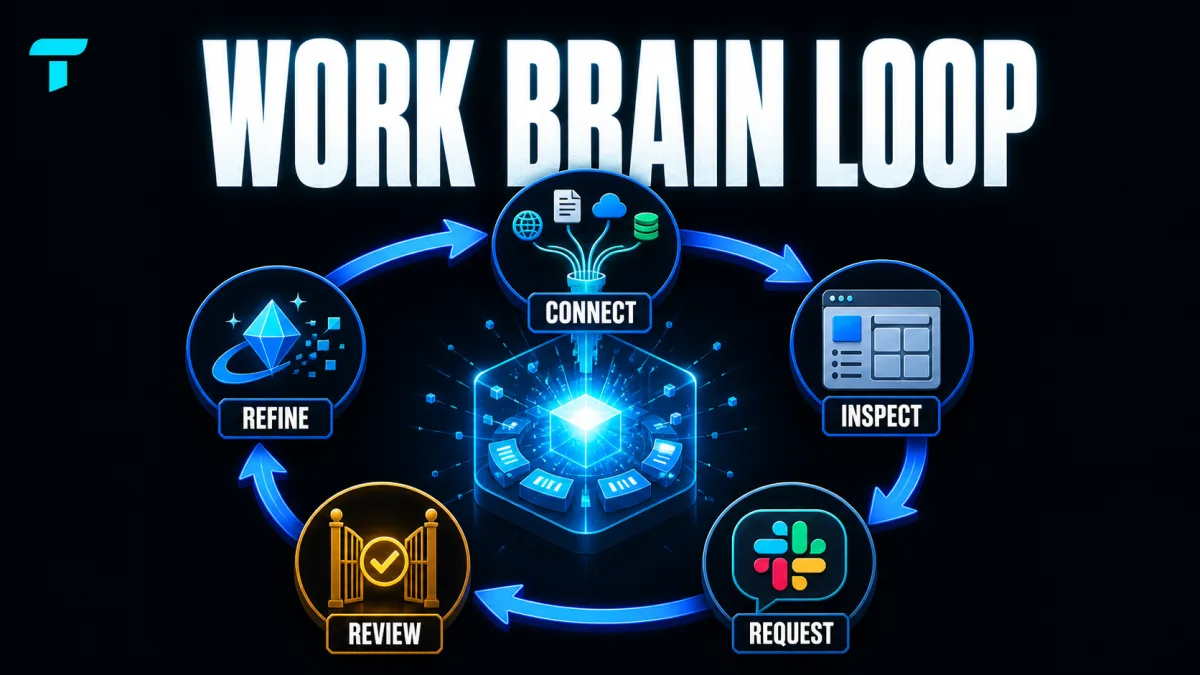
Use the commands as a loop rather than a one-time setup ritual:
- Run
/initto get a starting inventory. - Delete facts that the repository already makes obvious.
- Add commands, conventions, rationale, and guardrails that would change a decision.
- Run
/memoryor/contextto check what Claude Code loaded. - Use
/doctorwhen the file grows and needs a pruning pass.
The maintenance goal is not a perfect template. It is a file that reflects the current project and captures corrections while the reason for each correction is still clear.
How does Auto Memory differ from CLAUDE.md?
CLAUDE.md holds requirements that people choose to write, while Auto Memory holds learnings and patterns Claude Code records from work. Anthropic documents the distinction directly: CLAUDE.md is for coding standards, workflows, and project architecture; Auto Memory is for build commands, debugging insights, and preferences Claude discovers, with a per-repository memory store and a startup limit for its index.
That separation gives a useful operating rule. Put a team requirement or a deliberate guardrail in version-controlled CLAUDE.md; let Auto Memory retain personal, observed context that may help future sessions. Review both, because memory is still context and the official documentation says it is not a hard configuration layer.
What is the maintenance habit that keeps the file useful?
The highest-value maintenance habit is turning repeated correction into one concise, testable rule. If Claude Code makes the same mistake twice, or a code review catches a project-specific convention the agent should have known, update the appropriate memory file while the failure is fresh. Then remove obsolete rules and check for conflicts across scopes.
This is where CLAUDE.md connects to the broader coding-agent workflow: durable instructions can reduce repeated setup, but they do not replace verification. For more on designing reliable agent work rather than relying on a single prompt, see Yowox’s guide to engineering loops in Claude Code. For a related discussion of keeping agent context fresh during long tasks, read the Claude Code context verifier article. Background: How to Avoid Claude Code Usage Limits: Planning, Memory, Models, and Tools.
The practical conclusion from the source story is modest and useful: CLAUDE.md works best as a lean project memory, not as a second copy of the repository. Put non-obvious facts in the scope that needs them, use path rules for local detail, use Auto Memory for observed learnings, and keep hooks or permissions responsible for anything that must be enforced.
Frequently asked questions
What is CLAUDE.md in Claude Code?
CLAUDE.md is a Markdown file that gives Claude Code persistent instructions for a project, a user's workflow, or an organization. Claude reads applicable files at session startup, so the file is useful for conventions and facts that would otherwise be repeated: build commands, architecture rules, naming conventions, and explicit guardrails. It is context, not a hard enforcement layer; use hooks or permissions when a rule must be enforced regardless of Claude's decision.
Where should a CLAUDE.md file live?
Use a project CLAUDE.md for team-shared standards that belong in version control, a user-level file for preferences that apply across projects, and CLAUDE.local.md for private project-specific preferences. Claude Code also supports managed organization-level instructions and path-scoped files in .claude/rules/. Choose the narrowest scope that matches the rule so a personal preference does not become a team requirement and a directory-specific rule does not load everywhere.
Do CLAUDE.md imports save context?
No. The @path/to/file.md syntax helps organize a large instruction set, but imported content is expanded into the launch context. Imports can make ownership and maintenance clearer, while path-scoped rules can limit when detailed guidance loads. Use imports for structure, not as a token-saving technique. If you need less startup context, move detail into path-scoped rules.
How do you keep CLAUDE.md useful over time?
Treat each recurring correction as a maintenance signal. Add a rule when Claude repeats a project-specific mistake, remove text Claude can infer from the repository, and run /memory or /context when you need to confirm what loaded. Review conflicting scopes and move one-area procedures into path-scoped rules or skills instead of making the always-loaded file longer.
Alex
Founder & Lead AI Writer
Alex is the founder of Yowox and lead AI writer since 2024, breaking down complex information into clear, actionable insights for thousands of readers every day. Alex has built AI automation systems for businesses since 2024, focusing on AI agents, workflow automation, and business process optimization.
Save hours. Save thousands.
Practical guides, real workflows, and the latest AI and automation news that matters — straight to your inbox.