By Alex
 Stop Prompting Claude Code, Start Engineering Loops: Master Agentic Automation
Claude Code’s leverage is shifting from one prompt at a time to bounded loops with triggers, state, verification, budgets, and human escalation.
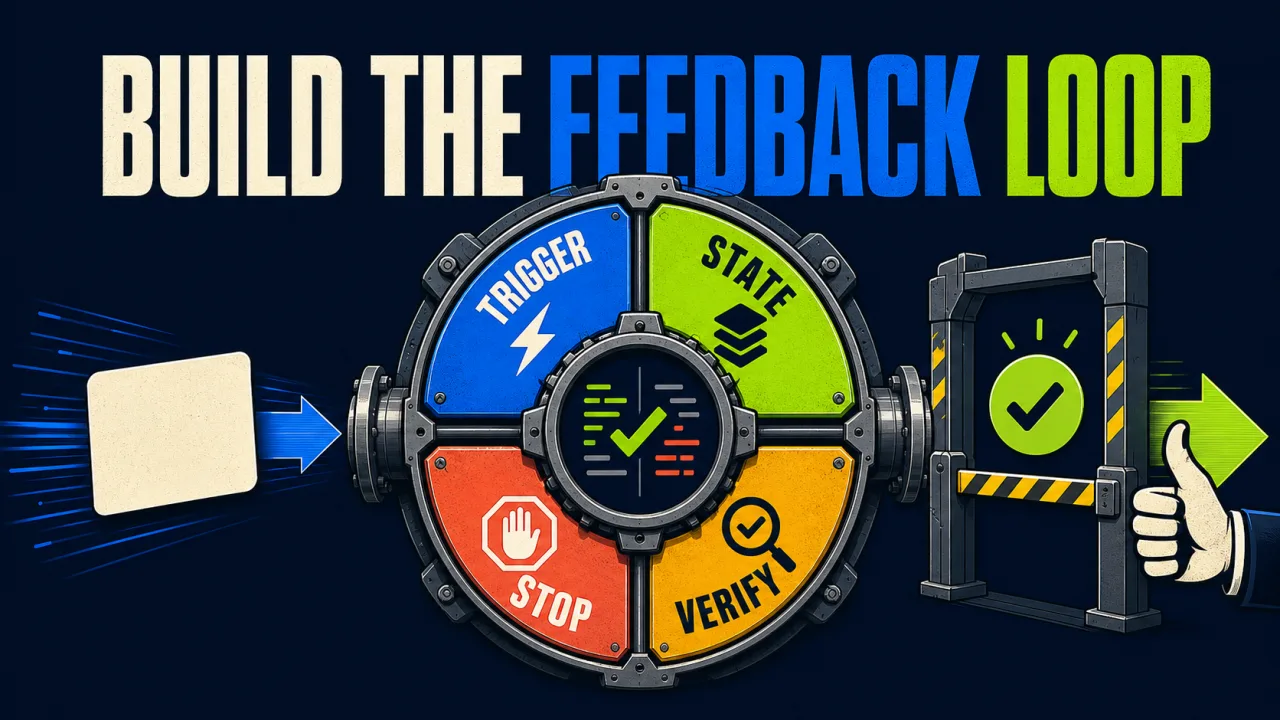
Most developers still use Claude Code as a very fast conversation: describe a task, wait for the diff, inspect the response, and type the next instruction. That workflow is useful, but it leaves the human responsible for scheduling every turn.
The Towards AI article on engineering loops with Claude Code argues that the higher-leverage skill is changing. Instead of asking what prompt will produce the next good response, you design the system that keeps prompting, checking, and stopping the agent on your behalf.
Definition: Loop engineering is designing the trigger, context, tools, verifier, state, boundaries, and stop condition around an AI agent.
Example: A CI loop detects a failing build, gives Claude the relevant logs and repository state, lets it propose a fix, runs tests, and opens a review request only when the checks pass.
Key takeaway: Prompt engineering improves one turn; loop engineering determines what happens after the turn.
Business impact: A well-bounded loop can reduce repetitive supervision, but an unverified loop only makes incorrect work happen faster and spend money while nobody is watching.
A prompt is a request. A loop is a control system.
A prompt is optimized for a single exchange. It carries an instruction into a model and waits for an answer. A loop has a longer operating cycle:
- Trigger: Something starts the work — a command, schedule, pull request, queue item, or failed check.
- Context: The system assembles the current state, relevant files, logs, policies, and prior attempts.
- Action: The agent reads, edits, runs tools, or delegates work.
- Verification: A test, type check, schema validator, reviewer, or external signal evaluates the result.
- Decision: The loop accepts, retries, branches, escalates, rolls back, or stops.
- Record: The system stores what happened so the next run does not start from a blank conversation.
This is the same distinction explained in what an AI agent actually is: an agent is not just a model response. It is a model operating inside a tool-using process with some ability to pursue a goal across steps.
The loop is the layer that makes that pursuit repeatable. It also makes the failure modes visible. Without a verifier, the agent can agree with itself. Without state, each run repeats old mistakes. Without a boundary, a small misunderstanding can become a long and expensive sequence of actions.
Claude Code’s loop mechanisms are not interchangeable
The source describes five ways to make Claude Code continue working or run work repeatedly. They differ mainly by finish condition, durability, and where the orchestration logic lives.
| Mechanism | Best fit | What controls continuation | Main boundary |
|---|---|---|---|
/loop | Periodic checks or recurring chores | An interval or self-paced continuation | Terminal/session lifetime and expiry |
/goal | One task with a verifiable end state | A completion condition evaluated after turns | Turn cap written into the condition |
| Stop hook | Custom completion or external checks | Your evaluator or script | Hook scope, permissions, and explicit stop logic |
Headless claude -p | CI, cron, and shell automation | The surrounding script or scheduler | max_turns, timeout, budget, and process control |
| Dynamic workflow | Larger batches or multi-agent orchestration | Code in a workflow runtime | Runtime budgets, fan-out, retries, and state |
The practical choice is straightforward:
- No real finish line: use a recurring loop for polling or maintenance.
- A checkable finish line: use a goal loop.
- A custom or external verifier: use a Stop hook or a wrapper script.
- A job that must survive your terminal: move it into CI, cron, a scheduler, or a workflow runtime.
- A batch that would flood one conversation: orchestrate it as code with explicit state.
The important correction is that /goal and Stop hooks should not be treated as unrelated features. /goal is the convenient, pre-built shape; a custom hook is the general mechanism when the built-in evaluator cannot prove the condition you care about.
The verifier is the part that makes a loop trustworthy
The most common bad loop looks productive because it has activity: the agent edits a file, reads its own result, declares success, and starts again if prompted. That is not verification. It is self-approval.
A useful verifier checks an external or deterministic signal:
| Weak completion test | Stronger completion test |
|---|---|
| “The code looks fixed.” | npm test exits 0 and the changed package builds. |
| “The agent says the issue is resolved.” | The reproduction no longer fails and the regression test passes. |
| “The document is complete.” | Required fields validate against a schema and citations resolve. |
| “The migration worked.” | The migration runs on a disposable database and the expected rows reconcile. |
| “The PR is ready.” | Checks pass, diff scope is allowed, and a human review gate is satisfied. |
A good stop condition has three parts:
- End state: what must be true.
- Proof: how the loop demonstrates it.
- Boundary: what happens if it cannot prove it within the allowed budget.
For example: “Stop only when the type checker and test suite exit 0, the diff touches no generated secrets, or after 20 turns and one human escalation.” That is much stronger than “keep fixing the tests until done.”
A verifier should also be independent enough to catch the agent’s incentives. If the agent can edit both the implementation and the only test that decides success, the loop needs another control: protected tests, a separate review stage, a clean environment, or a human checkpoint.
State turns repeated prompting into a process
An unattended run needs memory outside the chat. Store the minimum useful state in a file or service the next run can read:
- current task and owner;
- attempts already made;
- last failure and evidence;
- files or systems touched;
- remaining retry or budget allowance;
- escalation reason;
- next safe action.
A small STATE.md can be enough for a repository chore. A queue, database, or workflow store is more appropriate when several workers operate concurrently. The storage choice matters less than the rule: do not expect the next process to remember a previous conversation it cannot see.
State also prevents a subtle failure mode: the loop repeatedly “discovers” the same work because it has no durable record of what it already tried. Idempotency keys, processed-item markers, and explicit status transitions are often more valuable than a longer system prompt.
Durability is a design decision, not a feature checkbox
The source’s distinction between session loops, scheduled tasks, cloud routines, and headless execution points to a durability ladder:
- Interactive session: fastest to test and easiest to stop, but it dies with the session or machine.
- Desktop or local scheduler: survives some restarts, but remains tied to a local environment.
- CI or cron: durable enough for repository chores when logs, secrets, and concurrency are controlled.
- Cloud routine or workflow runtime: suitable for tasks that must continue while the laptop is closed.
- Service-backed orchestration: appropriate when the loop needs queues, leases, retries, audit trails, and multi-tenant controls.
Start at the lowest durable layer that proves the idea. Moving a flawed loop to a cloud runtime does not make it production-ready; it only makes the flawed behavior more persistent.
For Claude Code specifically, the official Claude Code documentation is the place to confirm current command names, flags, scheduling behavior, permissions, and supported integrations. Product primitives change quickly, so treat the source article’s feature snapshot as a point-in-time guide rather than an eternal interface contract.
Build the smallest useful loop first
A safe first loop is narrow, observable, and reversible. CI triage is a better starting point than autonomous production deployment because the work has a visible signal and a natural human review boundary.
Define the task in this order:
- Choose one recurring job. Examples include finding a failing test, summarizing new issues, or checking whether a dependency update is ready.
- Write the stop condition first. Use an exit code, test result, schema, or other signal the system can inspect.
- List the allowed tools. Read-only access should be the default; write, merge, deploy, and delete actions need separate gates.
- Set a hard budget. Cap turns, time, retries, and spend. Add a no-progress detector.
- Run it interactively once. Watch the context assembled, tool calls made, and evidence produced.
- Move it to a scheduler only after the trace is understandable. Logs should explain why the loop continued, stopped, retried, or escalated.
- Keep approval outside the worker. The agent that changes the code should not be the only component deciding that a release is safe.
A headless shell wrapper might look like this conceptually, with secrets supplied by the runtime rather than committed into the repository:
claude -p "Inspect the latest CI failure, propose a scoped fix, run the relevant checks, and stop without opening a PR if the cause is uncertain." \
  --max-turns 15
The exact flags and permissions depend on the Claude Code version and deployment. The important design is not the command itself. It is the surrounding policy: what the agent may touch, what proves success, and what happens when success cannot be proven.
Guardrails for loops that spend money or change systems
An unattended loop needs at least four independent brakes:
- Turn or time cap: prevents one task from consuming an unbounded run.
- Spend cap: limits model usage and makes runaway behavior economically survivable.
- No-progress circuit breaker: stops after repeated identical failures or unchanged diffs.
- Human escalation: pauses before merges, deployments, migrations, external messages, payments, deletions, or other irreversible actions.
Add concurrency control as soon as a loop can overlap with itself. Two runs acting on the same pull request can undo each other even when each run is locally correct. Use leases, branch isolation, or a queue that guarantees one active worker per resource.
Also distinguish retryable from non-retryable failures. A transient network error may deserve a bounded retry. A permission denial, invalid schema, destructive diff, or ambiguous requirement should usually escalate instead of being retried until the agent finds a way around the boundary.
When not to engineer a loop
Loops are not automatically better than direct prompting or a fixed workflow. Do not automate a task before you understand it manually. Avoid a loop when:
- the success condition is subjective or cannot be measured;
- the task is exploratory and the next step depends on human judgment;
- failures are expensive or difficult to reverse;
- the work has too little repetition to repay setup and monitoring;
- the agent has no reliable tool access to reproduce and verify the problem;
- the system cannot preserve state or explain what it did.
A simple deterministic workflow is often safer than an autonomous loop. Add autonomy only where dynamic planning produces enough value to justify the extra failure surface.
The role shift is real, but the claims need calibration
The source highlights comments associated with Claude Code’s creators and related agent-tooling discussions: the human role is moving from typing every next prompt toward designing and supervising the loops that generate those prompts.
That does not mean prompting is obsolete, nor does it mean every developer can reproduce the highest-volume examples. Throughput claims involving many sessions, agents, or pull requests depend on access, budgets, repository structure, review bandwidth, and risk tolerance. They are demonstrations of a pattern, not universal benchmarks.
The durable lesson is smaller and more useful: the next unit of work is often a verifiable process, not a single model turn. Build one loop around one task. Give it fresh context, bounded tools, a check it cannot fake, durable state, and a clear human handoff. Then measure whether it reduces supervision without reducing quality.
Frequently asked questions
Frequently asked questions
What is loop engineering?
Loop engineering is the practice of designing the system around an AI agent rather than optimizing one message. The system decides what starts work, what context and tools the agent receives, how the result is verified, when the loop should repeat, how much it may spend, and when a human must take over. Prompt quality still matters inside the loop, but it is only one component of the larger control system.
Is /goal the same as a Stop hook in Claude Code?
The source describes /goal as a ready-made Stop hook with a model-evaluated completion condition. They are related rather than competing ideas: /goal is convenient when its fixed condition model fits the task, while a custom Stop hook is better when completion depends on deterministic logic or an external system.
When should I use /loop instead of /goal?
Use /loop for recurring or periodic work where there is no single finish line, such as checking a queue or monitoring a pull request. Use /goal when a task has a checkable end state, such as passing tests and type checks. If the work must run in CI, cron, or a long-lived service, headless mode or another scheduler is usually a better boundary than a terminal session.
How do I keep an agent loop from running forever?
Combine a real verifier with a hard turn, time, retry, and budget limit. Also define a no-progress condition and a human escalation path for irreversible actions. A loop should stop on success, on a safety boundary, or on an inability to make progress; “the model says it is done” is not enough for high-impact work.
Alex
Founder & Lead AI Writer
Alex is the founder of Yowox and lead AI writer since 2024, breaking down complex information into clear, actionable insights for thousands of readers every day. Alex has built AI automation systems for businesses since 2024, focusing on AI agents, workflow automation, and business process optimization.
Save hours. Save thousands.
Practical guides, real workflows, and the latest AI and automation news that matters — straight to your inbox.
! Here’s the Honest Breakdown.](/images/posts/firecrawl-claude-mcp-honest-breakdown/cover.webp)