 By Alex
 Gemini Spark comes to AI Pro, not just Ultra
Google is expanding Gemini Spark beyond AI Ultra, bringing its background task agent to Google AI Pro subscribers in the US with Skills, Schedules, Connected Apps, and Workspace actions.
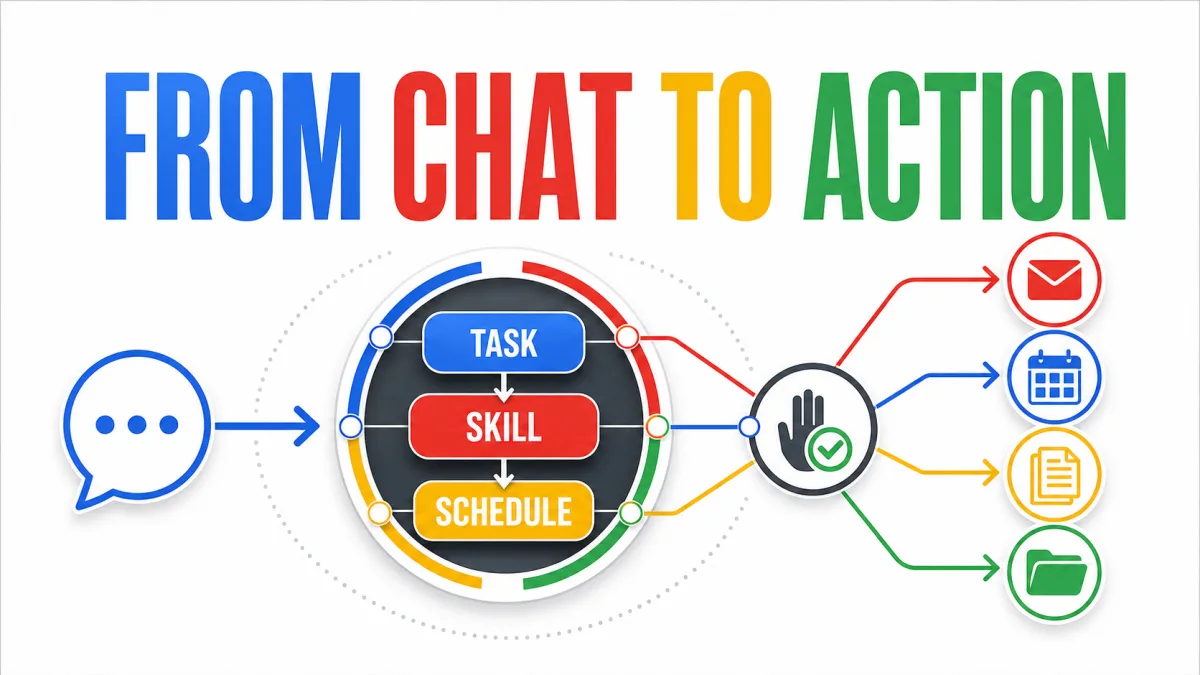
9to5Google reports that Gemini Spark is rolling out to Google AI Pro subscribers in the United States after starting with Google AI Ultra. The move matters because Spark is not just another chat mode: it is Google’s attempt to turn Gemini into a background operator for multi-step digital work. See also Gemini Spark can now use Chrome to auto browse, AI Pro access goes international.
Definition: Gemini Spark is a personal AI agent that performs tasks across connected services under the user’s direction.
Example: A user can ask Spark to manage a trip, then attach a Skill for travel booking and a Schedule that reacts to a flight delay.
Key takeaway: Google is moving Spark from an Ultra-only experiment toward a broader subscription product.
Business impact: The rollout makes agentic automation more accessible, but permissions, confirmations, usage limits, and regional availability still shape what it can safely do.
What is changing for Google AI Pro users?
Google’s Gemini Apps help page lists US Pro subscriber access in English as a July rollout. The expansion follows Gemini Spark’s initial availability for AI Ultra subscribers, and Google says AI Pro access in other countries is coming later. See also Create, edit and star in videos with two Google Vids updates. Related reading: Gemini task automation expands to 40+ apps, Samsung shows off two more Android XR glasses.. Background: Gemini Chrome for Android adds a paid task agent.
The important shift is distribution rather than a completely new agent architecture. Spark already represents Google’s agentic direction: it can work on a high-level task, use connected capabilities, and continue activity in the background. AI Pro access brings that model to a wider group of paid users, while Google still controls the rollout by account, geography, language, and product surface.
This is also why the word “rolling out” matters. A plan being eligible does not necessarily mean the feature appears immediately for every account. Users may see a new Spark tab on the web or a dedicated page in the Android and iOS apps as access reaches them.
What can Gemini Spark actually do?
Spark is designed for work that crosses several steps and services. The reported experience combines Google Workspace with Search, Personal Intelligence, a remote web browser and computer with code execution, chats, Canvas, and location.
Examples include:
- checking a Calendar and suggesting times that work for everyone;
- searching Gmail threads, summarizing them, and drafting replies;
- finding, renaming, or organizing files in Drive;
- creating and editing Docs, Sheets, and Slides;
- reading comments in Workspace files;
- turning Keep notes into Tasks;
- researching a trip and coordinating related booking or confirmation steps;
- watching for a condition, such as a flight delay, and proposing the next action.
Google’s earlier Gemini Spark product announcement describes the service as a 24/7 personal agent that can take action under a user’s direction. The practical value is not that Spark can answer one more question; it is that the user can delegate a goal and let the system coordinate several tools. See also Google Maps turns Ask Maps into an agentic task assistant. Related reading: Google AI Targets the Forward-Deployed Bottleneck.
That distinction is the foundation of an AI agent rather than a conventional chatbot. The agent interprets a goal, selects actions, observes results, and continues until it reaches a stopping point or needs human input.
How do Tasks, Skills, and Schedules fit together?
Google’s Spark model separates the goal from the instructions and the trigger. That makes the system easier to reason about than one enormous prompt:
| Concept | Role | Example |
|---|---|---|
| Task | The outcome Spark should accomplish | Plan and manage a business trip to London |
| Skill | Reusable instructions and context | Use Travel Booking and Gmail Writing guidance |
| Schedule | A time or condition that starts work | When a flight is delayed, review the itinerary |
A Task is the unit a user wants completed. A Skill supplies repeatable operating context, such as how to book travel or write a particular kind of message. A Schedule turns the task into an ongoing automation rather than a one-time request.
That decomposition is significant for business automation. Reusable instructions can be reviewed and improved separately from triggers, and a schedule can be paused without rewriting the underlying task. It also exposes where governance belongs: a company needs to know not only what an agent can do, but which skills and automated conditions can activate it.
What is new in Google Workspace?
Spark’s Workspace reach is a major part of the rollout. Gmail, Calendar, Drive, Docs, Sheets, Slides, Keep, and Tasks create a connected operating surface for personal work. Instead of copying information between applications manually, a user can ask an agent to search, transform, and update information across them.
The permissions model remains important. Spark can search and manage files, create documents, build spreadsheets, and edit presentations, but the reported experience requires users to review and confirm planned edits to shared Docs, Sheets, and Slides. Google also notes that some bulk actions on private Google Tasks can happen without an extra confirmation.
Those different rules are a useful reminder that “agent access” is not one permission. Reading an email, drafting a reply, editing a shared presentation, deleting a file, and changing a private reminder have different consequences. A useful deployment needs action-specific controls rather than a single all-or-nothing toggle.
Is Gemini Spark a replacement for an assistant?
Spark is closer to a delegated operator than a replacement for judgment. Google positions it as working on the user’s behalf and under the user’s direction, with confirmation for higher-stakes actions such as sending emails or adding calendar events in the initial product description.
The agent can handle execution, but the user still defines the objective, grants app access, reviews consequential edits, and decides whether an automated schedule should continue. For business workflows, that human boundary matters more than the marketing label. The useful question is not “Can Spark do this?” but “Which steps can Spark do without creating an unacceptable permission or quality risk?”
What are the limits of this rollout?
The clearest limit is availability. The current Pro expansion is for users in the US and in English, with other countries expected later. A staged rollout also means that access can differ between accounts even when the subscription tier is the same.
The second limit is compute and task capacity. The reported rollout allows up to 15 tasks to run at once, using the same compute-based usage limits as the rest of Gemini. That is a capacity boundary, not a promise that every user can run 15 unrestricted workflows continuously.
The third limit is action reliability. A multi-step agent can fail because a source is ambiguous, a permission changes, a website moves, a document contains conflicting instructions, or a downstream action needs confirmation. A broader rollout increases the number of real-world edge cases Google must handle, not just the number of potential users.
What does the rollout signal for Google’s AI strategy?
Gemini Spark moves Google’s AI subscription from model access toward delegated work. An AI plan is no longer only a way to get higher usage limits or a stronger model; it increasingly becomes a bundle of agent capabilities connected to the user’s files, messages, calendar, browser, and third-party services.
Google has been building that direction into the product. Its June Spark update added a macOS experience, more Connected Apps, and support for custom MCP connections. Those additions make Spark more useful, but they also make the permission surface larger and the need for transparent activity history stronger.
For Google AI Pro users, the immediate story is simple: Spark is becoming available without the Ultra tier in the US. For Google, the strategic story is broader: the Gemini app is becoming a control layer for tasks that span the company’s software ecosystem.
What should teams watch before delegating work to Spark?
Teams evaluating Spark-like agents should begin with low-risk, reversible workflows. Good early candidates are research summaries, draft generation, file classification, calendar suggestions, and reports that a person reviews before sending or publishing.
Measure more than completion rate. Track:
- how often the agent asks for clarification;
- the number of human corrections and rejected edits;
- permission and data-sharing boundaries;
- time saved after review, not before it;
- failures caused by changed websites or missing context;
- concurrent task usage and compute limits;
- whether scheduled workflows remain useful over time.
The rollout is a meaningful step toward consumer agent infrastructure, but access alone does not make an automation dependable. Spark’s value will be determined by how predictably it handles permissions, context, confirmations, and failure recovery across the messy systems people actually use.
FAQ
What is Gemini Spark?
Gemini Spark is Google’s personal AI agent for completing multi-step tasks across connected services while remaining under the user’s direction.
Who can use it now?
Google is rolling it out in English to Google AI Pro subscribers in the US after its initial AI Ultra launch. Other countries are expected later, but availability is staged.
What are Skills and Schedules?
Skills are reusable instructions with additional context. Schedules are time- or condition-based triggers. A Task is the larger goal they help Spark complete.
Can Spark edit Workspace files?
It can work with Workspace services, but shared-file edits require review and confirmation in the described experience. Permissions and confirmation rules vary by action and data type.
Is Gemini Spark fully autonomous?
No. It can perform background and multi-step work, but it operates under user direction and may require confirmation, clarification, or fallback when an action is ambiguous or consequential.
Frequently asked questions
What is Gemini Spark?
Gemini Spark is Google’s personal AI agent for completing multi-step tasks under a user’s direction. It can work with connected apps, Google Workspace, Search, a remote browser and computer, code execution, chats, Canvas, and location, depending on the enabled experience and permissions.
Who is getting Gemini Spark in this rollout?
Google is rolling out Gemini Spark in English to Google AI Pro subscribers in the United States. The feature first launched for Google AI Ultra users, and Google says AI Pro access in other countries will follow later. Availability can still depend on account, age, language, region, and staged rollout conditions.
What are Skills, Schedules, and Tasks in Gemini Spark?
A Task is the high-level goal, a Skill is reusable instructions with extra context, and a Schedule is a time- or condition-based trigger. Together they let a user define what should happen, how Spark should approach it, and when it should run.
Can Gemini Spark edit Google Workspace files?
Spark can work with Gmail, Calendar, Docs, Sheets, Slides, Drive, Keep, and Google Tasks in the described rollout. Google requires review and confirmation before edits to shared documents, spreadsheets, and presentations, while some actions on private tasks can be performed in bulk without an extra confirmation.
Alex
Founder & Lead AI Writer
Alex is the founder of Yowox and lead AI writer since 2024, breaking down complex information into clear, actionable insights for thousands of readers every day. Alex has built AI automation systems for businesses since 2024, focusing on AI agents, workflow automation, and business process optimization.
Save hours. Save thousands.
Practical guides, real workflows, and the latest AI and automation news that matters — straight to your inbox.


