 By Alex
 Gemini Spark runs web errands in desktop Chrome
Gemini Spark can now use desktop Chrome for permissioned web errands, while Google AI Pro access expands to more than 160 additional countries.
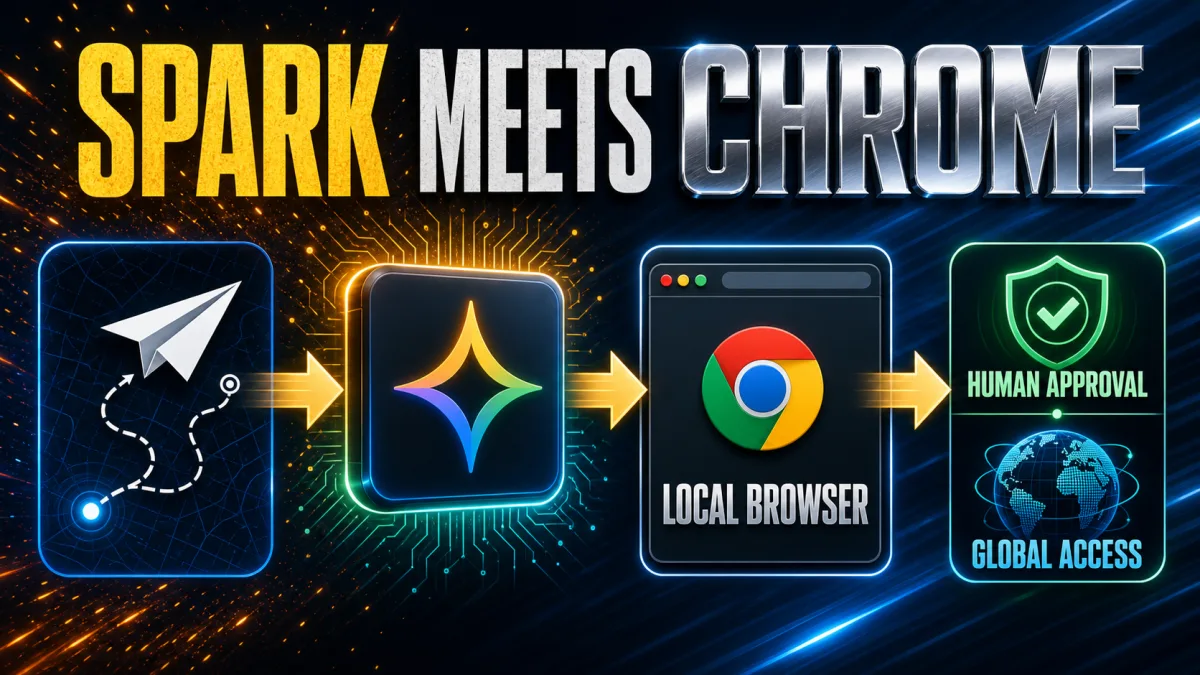
Gemini Spark can now use desktop Chrome for permissioned web errands, and Google AI Pro access is expanding to more than 160 additional countries. The July 30 update gives Google's personal AI agent a path into the browser a user already uses, while the Chrome integration starts in the United States and the broader Spark expansion reaches additional AI Pro markets, according to 9to5Google's report. For operators, the practical change is permissioned browser action rather than another chat-only feature.
Definition: Gemini Spark is Google's personal AI agent for managing complex tasks and workflows, now with an option to use desktop Chrome's auto browse capability.
Example: With permission, Gemini Spark can research flight options or schedule a viewing for an apartment saved by the user, using the browser context the task requires.
Key takeaway: Gemini Spark can act through a user's local Chrome session, but payments and other sensitive actions still return to the user for approval.
Business impact: Browser automation can reach workflows that depend on logged-in websites, while regional rollout and permission boundaries remain part of the implementation decision.
What changed in Gemini Spark's Chrome integration?
Gemini Spark now connects its task-running agent to Chrome auto browse on desktop, so Gemini Spark can work through websites using a user's existing browser context after permission is granted. The change extends Spark beyond its previously available remote browser and joins its other connected capabilities, including Workspace and Search connections, Personal Intelligence, Canvas and computer use. The useful distinction for an operator is simple: test the workflow as a permissioned browser task, not as a generic web-search prompt.
Google's official announcement says Gemini Spark can use logged-in accounts and saved passwords for tedious web errands, including scheduling apartment viewings and researching flight options before starting a booking process. Gemini Spark therefore reaches a class of tasks where the hard part is not finding information but navigating a site with an existing account; teams evaluating it should start with one bounded, reversible workflow.
Which web errands can Gemini Spark handle?
Gemini Spark's Chrome auto browse is aimed at multi-step web errands that require navigation, information gathering and a possible handoff to the user. Google's examples are apartment-viewing schedules and flight research that can begin a booking process, which makes the feature relevant to travel, housing and other account-based workflows without proving that every site or transaction is supported. The immediate takeaway is to evaluate a specific website and task sequence instead of assuming universal browser compatibility.
Gemini Spark can also choose between a local Chrome browser and a remote browser for web work, according to Google's Gemini help documentation. The local path can use websites where the user is already signed in, while the remote path is a separate browser instance that may continue when the user's device is closed; a workflow owner should decide which path fits the data, uptime and supervision requirements.
What safety controls stay in the loop?
Gemini Spark does not turn every browser step into an invisible autonomous action: Google says the Chrome integration is designed to protect against prompt injection and hand sensitive actions such as payments back to the user. Gemini Spark's safety model therefore combines permission to connect Chrome with explicit human involvement at higher-risk moments; teams should keep payment, account-change and other consequential steps supervised rather than treating the agent as a replacement for approval.
The Gemini Spark help guidance also says that a first browser connection requires Chrome permission and that subsequent browsing tasks ask for confirmation first. Gemini Spark can access the same sites as the user when local Chrome is connected, including sites where the user is signed in, so the right implementation question is not only whether the agent can finish the task but also what information and authority that connection exposes.
Where is Gemini Spark available to Google AI Pro users?
Gemini Spark is expanding to Google AI Pro subscribers in more than 160 additional countries, while the Chrome integration itself is initially rolling out in the United States. Google's announcement separates those two rollouts: international AI Pro access increases who can use Spark, but it does not establish immediate Chrome auto browse availability in every newly included market. Businesses should therefore check the capability by region before designing a customer-facing workflow around it.
Google's help page currently lists Gemini Spark availability wherever Gemini Apps are supported except the European Economic Area, Nigeria, Switzerland and the United Kingdom, and it requires a personal Google Account, an eligible Google AI Pro or Ultra subscription and Keep Activity turned on. The regional and account requirements mean that a Spark workflow can be technically sound yet unavailable to a particular user; product teams should make eligibility a visible preflight check. Background: Gemini Spark rolling out to Google AI Pro users in the US.
What should operators watch next?
Gemini Spark's most important change is the connection between an agent's goal and the user's authenticated browser, not the label "auto browse" by itself. The July 30 announcement starts the Chrome rollout in the United States, and Google's help documentation says local Chrome requires the device and browser to stay awake and running; operators should map those availability and uptime conditions before promising unattended completion. Background: Gemini Chrome for Android adds a paid task agent.
Gemini Spark also illustrates the broader difference between a chatbot and an AI agent: an agent can plan and act through tools, but a useful deployment still needs a defined goal, bounded permissions and a handoff path. For the underlying distinction, see what an AI agent does differently from a chatbot. The practical next step is a small pilot with one website, one task type and explicit review points for sign-ins, payments and other sensitive actions.
Gemini Spark's Chrome integration is a meaningful step for browser-based automation, but the rollout is deliberately uneven. The feature begins in the United States, AI Pro access expands internationally, and Google's own controls keep sensitive actions visible to the user. That combination makes the update useful for testing now while leaving availability, permissions and human oversight as first-class parts of the workflow design.
Frequently asked questions
What can Gemini Spark do with Chrome auto browse?
Gemini Spark can use desktop Chrome to browse websites on a user's behalf after the user grants permission. Google says Spark can use logged-in accounts and saved passwords for tasks such as scheduling apartment viewings or researching flight options and starting a booking process. Spark still hands sensitive actions such as payments back to the user, so Chrome auto browse is permissioned task execution, not unrestricted autonomous purchasing.
Is Gemini Spark's Chrome integration available everywhere?
No. Google says Gemini Spark's Chrome auto browse capabilities are initially rolling out in the United States, with additional regions planned later. The broader Spark service is expanding to Google AI Pro subscribers in more than 160 additional countries, but that international expansion does not mean the Chrome integration is already available in every one of those countries.
Does Gemini Spark use a local or remote browser?
Gemini Spark can use a local desktop Chrome browser or a separate remote browser, depending on the task and available setup. Local Chrome can access sites where the user is already signed in, but the device and Chrome need to remain awake and running. A remote browser can continue when the device is closed, although some sign-in steps still require the user to take over.
What does the Gemini Spark rollout mean for businesses?
The Gemini Spark rollout makes browser-based AI automation more practical for tasks that depend on a user's existing web accounts, but it also makes permissions and human checkpoints more important. Businesses should treat Chrome auto browse as a bounded workflow capability: define the allowed sites and actions, keep payment and other sensitive steps supervised, and verify regional availability before promising the workflow to users.
Alex
Founder & Lead AI Writer
Alex is the founder of Yowox and lead AI writer since 2024, breaking down complex information into clear, actionable insights for thousands of readers every day. Alex has built AI automation systems for businesses since 2024, focusing on AI agents, workflow automation, and business process optimization.
Save hours. Save thousands.
Practical guides, real workflows, and the latest AI and automation news that matters — straight to your inbox.


