 By Alex
 Meta AI Links Small-Business Data to Daily Work
Meta is introducing business features that connect Meta AI to Facebook, Instagram, Meta Ads and Google Workspace for sharper insights, documents and recurring tasks.
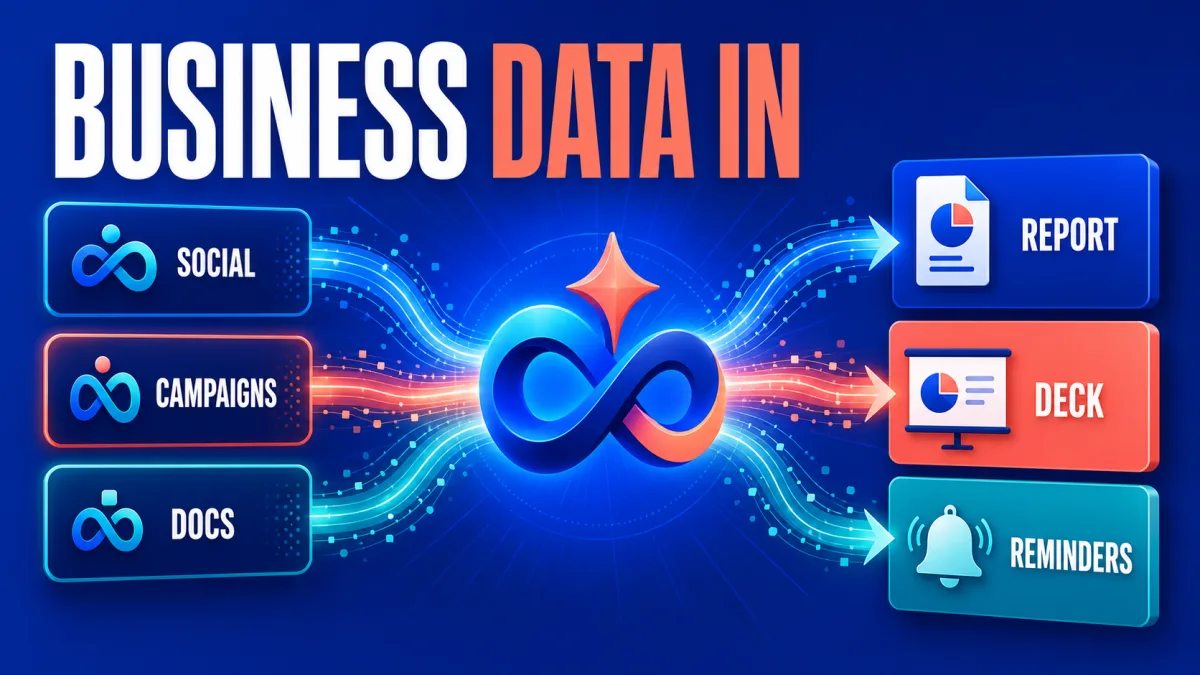
Meta is introducing new Meta AI features for small businesses that connect the assistant to Facebook and Instagram analytics, Meta Ads and Google Workspace. The goal is to let a business owner ask questions against the company’s own performance context, turn the answers into working documents, and schedule recurring updates instead of assembling every report manually.
The announcement matters because Meta AI is moving from a general-purpose chat window toward a connected business workspace. The first release is still framed as an introduction, not a promise of fully autonomous marketing. Small businesses should read it as a new way to inspect their data and prepare actions while keeping permissions, rollout limits and human review visible.
Definition: Meta AI’s new small-business features connect selected Facebook, Instagram, Meta Ads and Google Workspace context to business questions.
Example: A business owner can ask which Instagram content performed best over the last month, request recommendations, and schedule a recurring report.
Key takeaway: The update combines business context, analysis and document creation inside one Meta AI conversation.
Business impact: Small teams can spend less time collecting routine marketing information, but they still need to verify the data, access scope and recommendations.
What did Meta add for small businesses?
Meta is starting to introduce features that let Meta AI work with a company’s Facebook and Instagram accounts, Meta ad campaigns and Google Workspace. Meta says the connected context can make answers more specific because the assistant can consider account engagement, ad performance and business information in the same conversation. Owners should treat the rollout as staged and confirm which surfaces are available to their account. See also Meta Removes Instagram AI Photo Remix Feature After Backlash.
The features span Meta AI on the web, the Meta AI mobile app and a new desktop app. Meta also says the Mac app can respond to a shared window and includes dictation that works across Mac apps. Those desktop functions extend the assistant beyond a question-and-answer box, but the announcement does not say that Meta AI can independently change every connected business asset. See also Meta AI Mac app adds screen context and dictation.
Which business data can Meta AI analyze?
Meta AI can analyze organic Facebook and Instagram content using engagement signals such as reach, saves, shares, comments and profile visits, according to Meta’s announcement. That lets an owner ask which content resonated with the audience and request suggestions tied to the account’s own recent activity rather than generic social-media advice.
Meta AI can also review Meta ad performance and surface patterns in audiences, creative and budget use. The useful boundary is that the assistant’s answer depends on the connected account data and the question asked; a recommendation about the best-performing ad is not the same as a controlled experiment proving why that ad won.
For market context, Meta says the assistant can examine publicly available content and engagement patterns from comparable brands on Facebook and Instagram. A benchmark can help an owner choose what to investigate next, but a comparison is only meaningful when the brand list and comparison period are appropriate. The owner should confirm which businesses are included before treating the result as a competitive conclusion.
What can Meta AI produce from that context?
Meta says Meta AI can turn business information and web research into decks, documents and spreadsheets. That makes the feature more operational than a simple analytics summary: an owner can ask for an analysis and then request a shareable artifact for a team meeting or planning session. The generated file still needs a human check for missing context, incorrect calculations and conclusions that go beyond the underlying data.
Meta also says users can create recurring tasks and reminders. Its example is a Monday report about the strongest Instagram content from the previous month. Recurring delivery is useful when the question is stable and the source data is trusted; it is risky when the task silently changes scope or when a business owner assumes that a scheduled report is a verified performance review.
This is the point where Meta AI begins to resemble the connected workflows described in the AI automation stack: useful output depends not only on the model, but also on the data source, permissions, workflow definition and review step. The Meta announcement describes the new connections; it does not establish that every business process should be delegated to the assistant.
How do account permissions work?
Meta’s help guidance says a Meta AI profile must be in the same Accounts Center as the Facebook or Instagram profile used to manage the business assets. The owner then specifies the asset in a prompt and grants permission before Meta AI works with it. Google Workspace is connected from the Meta AI app’s settings under connected apps, where the owner can review the requested access before allowing it.
Meta also says a business can disconnect Gmail or Google Drive in settings and can ask Meta AI to revoke permission to read business data. Owners should therefore begin with the narrowest useful connection, record what was authorized, and remove access when the task no longer needs it. This is the same practical boundary that separates a useful AI agent from a chatbot: action and context require explicit access, not just a well-written prompt.
Availability is not universal. Meta’s help page says the Meta AI and Vibes apps and websites are not yet available everywhere, and that some features may not be available in every area even when the product is available. A small business should verify access in its own account instead of assuming that the announcement describes an immediate global rollout.
What should a small business test first?
A small business should start with a repeatable question whose data source and success condition are clear. A weekly content-performance review is a sensible first test because Meta names the required engagement signals and provides a recurring-report example. The owner can compare the generated summary with the native account metrics before expanding the task to ad recommendations or cross-brand benchmarking.
A second test can focus on ad performance over a fixed period. Meta’s announcement suggests asking which audiences, creative patterns and budget choices are working, then turning the result into a short deck. The business should keep the original reporting view beside the generated deck and check whether every number, date range and recommendation is traceable to the selected campaigns.
This measurement discipline connects to how to measure AI automation ROI. Time saved collecting a report is only one input; the business should also track review time, correction rate, exception cases and whether the resulting decision improved the workflow. A polished deck is an output, not an ROI result.
What remains uncertain about Meta’s rollout?
Meta says the features are free to get started with, while businesses that want to use them more extensively may later be able to subscribe to Meta One. The announcement does not define the future subscription’s price, limits or exact feature split. Businesses should avoid building a critical reporting process around an assumption about future access or pricing.
The announcement also presents these features as an early step toward broader AI support for businesses. That direction is clear, but the current release should not be described as a fully autonomous marketing operator. The concrete capabilities Meta lists today are connected analysis, benchmarking, artifact creation and recurring tasks, with availability and permissions that owners still need to check.
Meta’s update gives small businesses a more connected way to inspect their own marketing context. The practical next step is a narrow pilot: connect only the accounts needed, test one recurring question, compare the answer with source metrics, and keep a human responsible for the decision that follows.
Frequently asked questions
What new business data can Meta AI use?
Meta says its new business features can work with Facebook and Instagram analytics, Meta ad campaigns and Google Workspace services including Gmail, Docs, Sheets and Slides. The connected context is intended to help Meta AI answer questions about engagement, ad performance and comparable brands, then turn the findings into business documents, spreadsheets and presentations. Availability can vary by region and product surface.
Can Meta AI create reports for a small business?
Yes. Meta says Meta AI can use business information and the web to create decks, documents and spreadsheets. It can also run recurring tasks and reminders, such as sending a weekly report about which Instagram content performed best. The output is a starting point for review, not proof that every recommendation is correct for the business.
How does a business connect its accounts to Meta AI?
Meta's help guidance says the Meta AI profile must be in the same Accounts Center as the Facebook or Instagram profile that manages the business assets. The owner then asks Meta AI to work with a specific asset and grants permission. Google Workspace is connected from Meta AI settings, and Meta says permissions can be revoked by asking Meta AI to stop reading the business data.
Are Meta AI's new business features free?
Meta says the features are free to get started with. The company also says that businesses wanting to use them more extensively may later be able to subscribe to Meta One. Meta has not provided a full pricing or feature boundary for that future subscription in the announcement, so businesses should treat current access and future terms as separate questions.
Alex
Founder & Lead AI Writer
Alex is the founder of Yowox and lead AI writer since 2024, breaking down complex information into clear, actionable insights for thousands of readers every day. Alex has built AI automation systems for businesses since 2024, focusing on AI agents, workflow automation, and business process optimization.
Save hours. Save thousands.
Practical guides, real workflows, and the latest AI and automation news that matters — straight to your inbox.


