 By Alex
 Meta AI Mac app adds screen context and dictation
Meta's dedicated Mac app can use a shared window as context, dictate across apps, and connect business workflows to Instagram, Facebook, ad campaigns, and Google Workspace.
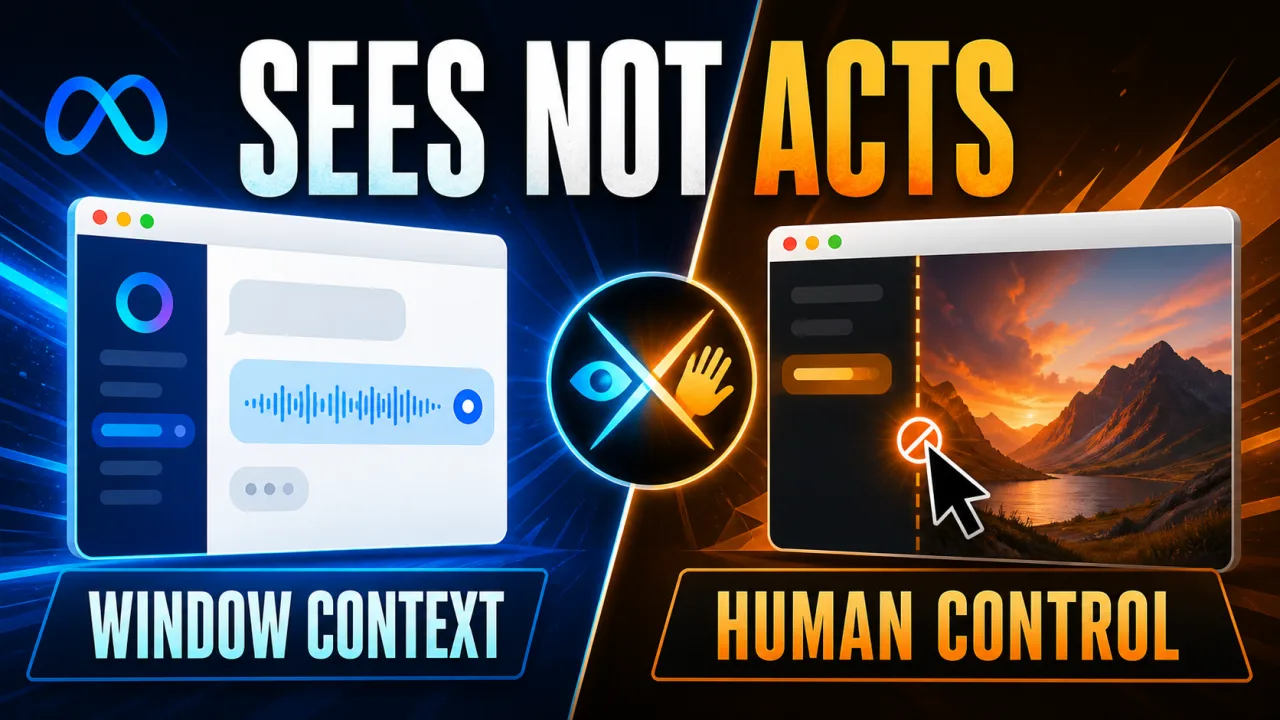
Meta AI now has a dedicated Mac app that can use a shared window as context and dictate across other apps. In its announcement covered by The Verge, Meta says the assistant can answer questions, offer suggestions, and create content from what is visible on screen. For operators, the important distinction is that Meta AI can inspect the current workspace, but the announced feature set does not describe it taking control of the Mac. That boundary is the difference between a screen-aware assistant and the goal-and-tool loop of an AI agent.
Definition: Meta AI's Mac app is a desktop assistant that can receive a shared window as visual context and accept dictation across Mac apps.
Example: A user can share a window, ask Meta AI about the visible content, and use the answer or generated content without leaving the conversation.
Key takeaway: Meta is moving Meta AI from a browser-or-mobile destination into the Mac workspace, but the launch is primarily about context and creation rather than autonomous computer control.
Business impact: Creators and businesses already working in Instagram, Facebook, Meta advertising, or Google Workspace get a more direct desktop entry point for analysis and content tasks.
What does the Meta AI Mac app add?
Meta AI's Mac app adds screen-aware assistance to the chatbot's desktop presence. When a user shares a window, Meta says Meta AI can use the visible content to provide suggestions, answer questions, or create content; the same app also supports dictation across all apps. The concrete workflow is therefore context in, generated help out: users should begin with a window or document they want explained, revised, or turned into something else, rather than expecting the app to operate that window for them. More on this: Meta is using AI to ship more standalone apps.
Meta AI's Mac app also adds a low-friction way to move spoken ideas into other software. Dictation works across Mac apps, so a user can speak while working in a document or another application instead of copying text between a browser chatbot and the active workspace. The announced capability is input assistance, not proof of a fully autonomous workflow; teams should test transcription quality and review generated text before relying on it for customer-facing or operational work.
How does Meta AI connect to business workflows?
Meta AI's business connections are the launch's clearest differentiator for creators and small teams. Meta's earlier assistant productivity push on Yowox established the broader move beyond one-off answers; Meta now says its web, mobile, and Mac experiences can work directly with Instagram and Facebook accounts, Meta ad campaigns, and Google Workspace, allowing the assistant to analyze post reach, likes, shares, and saves and suggest what to publish next. A practical starting point is a read-and-recommend workflow: connect the relevant account, ask for a performance summary, and have a human approve the next content decision. More on this: Meta AI Links Small-Business Data to Daily Work.
Meta AI can also use business-account and web information to create decks, documents, and spreadsheets, while handling recurring tasks such as weekly performance updates. That changes the Mac app from a general chat window into a possible reporting surface for teams already using Meta's platforms. The safe operational boundary is clear: begin with summaries and drafts, verify the source data and generated files, and only then consider recurring work that has a defined owner and review step.
Is Meta AI a computer-use agent on Mac?
Meta AI's Mac launch should be read as screen context, not computer control. The announcement describes sharing a window so Meta AI can see what is on screen and respond with suggestions, answers, or content; it contrasts that experience with ChatGPT and Claude apps that can take control of a computer. Businesses evaluating the tool should map each proposed task to the announced capability: explanation, drafting, dictation, and content generation are in scope, while unattended clicking or editing is not established by this launch.
That boundary matters because screen-aware assistance and computer-use automation carry different operational risks. A screen-aware assistant can help a person understand a campaign dashboard or draft a report, but a computer-use agent could potentially change records or submit actions. Meta AI's Mac app therefore looks most useful today as a supervised co-pilot for information and content work. Teams should keep approvals around publishing, advertising changes, and any workflow that can affect customers or spend.
Where does Meta AI fit among Mac assistants?
Meta AI is arriving after other desktop assistants have made screen context part of the category. The existing Gemini for macOS coverage on Yowox gives readers a related comparison point, while the launch reporting describes Google's Gemini as supporting shared windows and OpenAI's ChatGPT and Anthropic's Claude as going further into computer control. Meta's response is less about claiming a new interaction model and more about connecting the assistant to Meta's own social and advertising data.
Meta AI's Instagram, Facebook, and Meta campaign connections may be more valuable than a generic desktop chatbot for a business already managing those channels. The Verge reports that Meta AI can analyze reach, likes, shares, and saves, then create decks, documents, spreadsheets, and recurring performance updates; those named outputs are the proof for testing the integration against a real reporting workflow. For a team seeking an assistant that can execute actions across the operating system, the announced Meta AI feature set is narrower, so the decision should follow the workflow.
What should Meta AI Mac operators watch next?
Meta AI's Mac app makes the desktop a new surface for Meta's assistant, but the launch leaves the product's operational ceiling as the key question. Meta has shown screen context, cross-app dictation, account connections, content generation, and recurring updates; it has not described the app as controlling other Mac applications. Operators should start with low-risk, reviewable tasks and watch whether future releases add stronger execution, more granular permissions, or clearer controls for the data connected to business accounts.
The immediate takeaway is practical: Meta AI on Mac is a context-and-creation tool with a strong Meta ecosystem angle. Test it against one repeatable reporting or content workflow, keep a human review step, and measure whether the Instagram, Facebook, ad-campaign, and Google Workspace connections remove enough context switching to justify adding another assistant to the desktop.
Frequently asked questions
What does Meta AI's Mac app do?
Meta AI's Mac app lets users share a window with the assistant so Meta AI can answer questions, offer suggestions, or create content based on what is visible on screen. The app also supports dictation across Mac apps. Meta announced the desktop app alongside broader connections to Instagram, Facebook, Meta ad campaigns, and Google Workspace, so the most relevant use cases are screen-aware assistance, content work, and business performance tasks rather than a standalone chatbot window.
Can Meta AI control a Mac through the new app?
Meta's announcement describes Meta AI using a shared window as context for suggestions, answers, and content creation. It does not describe the Mac app taking control of the computer. That places Meta AI closer to a screen-aware assistant than an autonomous computer-use agent in the capabilities announced so far. Teams evaluating it should separate what the assistant can see and generate from what it can actually change or execute inside another Mac application.
Who is Meta AI's Mac app for?
Meta positions the Mac app for general users as well as businesses and creators. The business-oriented features can connect Meta AI to Instagram and Facebook accounts, Meta ad campaigns, and Google Workspace. Meta says the assistant can analyze post reach, likes, shares, and saves, suggest what to post next, create decks, documents, and spreadsheets, and provide recurring performance updates. Those connections make the app especially relevant to teams already operating their marketing and reporting workflows across Meta's services.
How does Meta AI on Mac compare with other desktop assistants?
Meta AI is entering a desktop-assistant market where Google Gemini already offers window sharing, while OpenAI's ChatGPT and Anthropic's Claude have gone further with computer-control capabilities, according to the launch coverage. Meta's announced difference is its connection to Instagram, Facebook, Meta ad campaigns, and Google Workspace, plus dictation across Mac apps. The practical comparison is therefore not only chatbot quality: it is whether a team's existing Meta and Workspace data makes those integrations more useful than a broader computer-use workflow.
Alex
Founder & Lead AI Writer
Alex is the founder of Yowox and lead AI writer since 2024, breaking down complex information into clear, actionable insights for thousands of readers every day. Alex has built AI automation systems for businesses since 2024, focusing on AI agents, workflow automation, and business process optimization.
Save hours. Save thousands.
Practical guides, real workflows, and the latest AI and automation news that matters — straight to your inbox.


