 By Alex
 Microsoft's Five-Step Guide to Building AI Agents
Microsoft Signal's practical walkthrough shows how to turn a defined work problem into a tested AI agent with the right knowledge, outputs and guardrails.
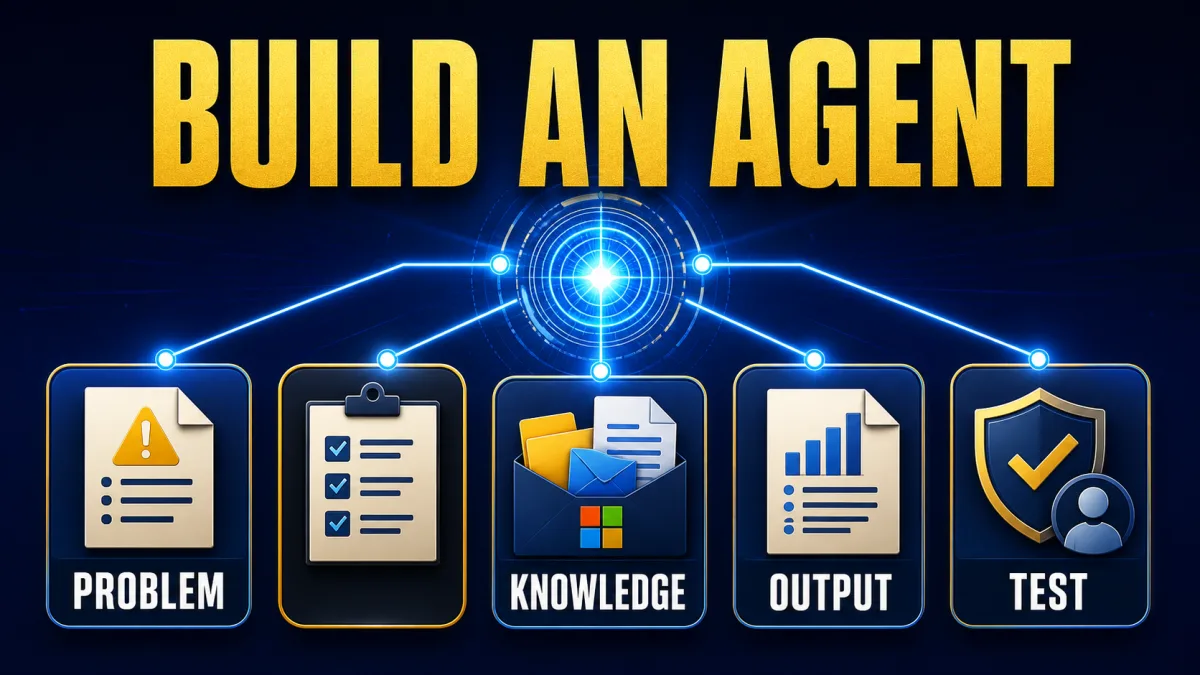
Microsoft Signal published a five-step walkthrough on Aug. 10, 2026 for turning a work problem into a usable AI agent. The Microsoft guide focuses on Microsoft 365 Copilot, but its sequence is broader than one product: define the job, choose a starting point, shape the agent, supply the right knowledge and test what it does.
An AI agent is not just a chat window with a better answer. In Microsoft's example, an agent can monitor a shared inbox, sort incoming messages, draft routine replies and route sensitive cases to a person; that action-oriented workflow is the practical difference the guide asks teams to design for.
Definition: Building an AI agent means turning one defined work problem into a system with instructions, relevant knowledge, a useful output and a way to test its behavior.
Example: A weekly-report agent can review selected emails and messages, identify updates and blockers, and produce a report in the format a team has specified.
Key takeaway: Start with the job and the desired result; choose the AI agent's platform after the problem is clear.
Business impact: A narrow, testable AI agent gives a team a practical way to judge whether automation is useful before expanding it to more workflows.
AI agent actions: what changes when an agent can take action?
An AI agent is valuable when it can move a defined task forward rather than only explain what a person should do. Microsoft Signal uses examples such as tracking deadlines, monitoring shared inboxes and creating nightly reports to show the difference between an AI agent and a chat application. For a business operator, the takeaway is to define the action, the information it may use and the point where a human must take over.
AI agent problem definition: choose the work before the platform
The first step in building an AI agent is to name the job that needs improving, not the technology that might perform it. Microsoft Signal recommends talking with colleagues, narrowing the need and deciding whether the outcome is information retrieval, task completion or independent action. A team should write that outcome in one sentence before opening a builder, because a clear target makes the later instructions and tests more useful.
A weekly status report is the guide's concrete example: workers spend time gathering information from emails, messages and documents, and the resulting report can vary depending on who assembles it. An AI agent for that workflow can be scoped around collecting the relevant updates and producing a first draft; the team should begin with that bounded job instead of attempting to automate reporting in general. The site's practical starting path for AI agents applies the same narrow-task principle.
AI agent starting point: check what exists before building
The second step is choosing the simplest viable starting point for the AI agent. Microsoft Signal recommends checking prebuilt agents first, then considering whether a no-code builder is sufficient or whether developer tools are needed for greater customization and control. That sequence prevents a team from engineering a custom system before it knows whether an existing capability already covers the task. The site's build-versus-buy decision guide covers the same evidence-led choice.
AI agent creation: start the first build in Microsoft 365 Copilot
Microsoft 365 Copilot lets a user start an AI agent by describing the desired behavior in plain language. Microsoft Signal says to open the Agents area, select New Agent and explain what the agent should do, then test and refine the result from the configuration screen. The useful habit is to treat the first generated agent as a draft, not a finished production system. More on this: Cloudflare AI Payment Stack: Identity and Spending Limits. More on this: lessonweaver Turns AI Agent Mistakes into Reviewed Skills.
A shared-inbox team could instruct its AI agent to categorize messages as general questions, urgent issues or complex requests, route each category to a named team member and use approved language for routine replies. The same instructions should tell the AI agent to flag sensitive cases for human review, because the workflow's boundary is part of the design rather than an afterthought.
AI agent knowledge and output: define both explicitly
An AI agent can only produce a dependable work product when its information sources and output are explicit. Microsoft Signal lists emails, documents, SharePoint sites and websites as possible sources, and it recommends deciding whether the AI agent should use curated information or broader material such as a policy PDF. The team should connect only the sources required for the task and state what the agent must not infer.
The output needs the same precision. A reporting AI agent might be told to review the previous seven days of messages and emails, focus on one project, identify updates, decisions, blockers and deadlines, and return a short professional report. Defining the time range, subject focus, fields and format gives the AI agent a concrete target that a person can inspect.
AI agent testing: use realistic cases before scaling
Testing is the fifth step because an AI agent's instructions become useful only when they survive real scenarios. Microsoft Signal describes refining an agent after observing unclear or conflicting updates, and it recommends telling the agent to flag missing information instead of guessing. A team should therefore test ordinary cases, ambiguous inputs and exceptions, then revise the instructions against what actually happened.
AI agent testing can improve length, tone and structure when a team evaluates the first real outputs. In Microsoft Signal's reporting example, a team can instruct the AI agent to flag unclear or conflicting updates instead of guessing, then shorten an overly long report or specify missing fields. The takeaway is to expand an AI agent only after realistic tests show that its current workflow is useful enough to justify more capability.
AI agent rollout: what the five steps mean for operators
Microsoft's guide presents AI-agent building as an iterative workflow, not a single prompt that produces a finished system. The durable sequence is problem, starting point, instructions, knowledge, output and testing. For an operator, the next action is to choose one repetitive job with a clear result, document the boundaries and run the smallest test that can show whether the AI agent helps.
The guide's central lesson is deliberately modest: the goal is not perfection on the first attempt. A useful AI agent starts with a specific task, learns from realistic cases and earns a wider role only after the team can see what it does well and where it needs human judgment.
Frequently asked questions
What is the first step in building an AI agent?
The first step in building an AI agent is defining the work problem and the outcome before choosing a platform. Microsoft Signal recommends starting with a job such as assembling a recurring status report from messages, email and documents, then deciding whether the agent should retrieve information, complete a task or act independently. A narrow outcome gives the AI agent a useful boundary and gives the team something concrete to test.
Can someone build an AI agent without writing code?
Yes, Microsoft Signal describes Microsoft 365 Copilot as a starting point for people with little or no coding experience. A user can open the Agents area, select New Agent and describe the desired behavior in plain language. More customized AI agents may still require developer tools, especially when a workflow needs tighter control or connections beyond the available platform.
What information should an AI agent use?
An AI agent should use the information sources required by its defined task, such as selected emails, documents, SharePoint sites or websites. Microsoft Signal recommends deciding whether the AI agent should rely on curated data or broader sources, then setting boundaries around what it may use. The team should also specify the expected output—such as a report, presentation, spreadsheet, response or code—so the AI agent produces work in a usable form.
How should a new AI agent be tested?
A new AI agent should be tested against realistic scenarios before its scope is expanded. Microsoft Signal's example uses a reporting agent that must flag unclear or conflicting updates rather than infer missing details. The team can then refine the agent's instructions, tone, length and output format in response to what those tests reveal. Testing is an improvement loop, not a one-time demonstration.
What makes an AI agent useful at work?
An AI agent becomes useful at work when it connects a clear goal to relevant information, a defined output and a repeatable review process. Microsoft Signal contrasts agents with chat apps by noting that agents can take action, such as sorting shared-inbox messages, routing them and drafting routine replies. The practical test is whether the AI agent produces a dependable result for a real workflow, not whether its first demo looks impressive.
Alex
Founder & Lead AI Writer
Alex is the founder of Yowox and lead AI writer since 2024, breaking down complex information into clear, actionable insights for thousands of readers every day. Alex has built AI automation systems for businesses since 2024, focusing on AI agents, workflow automation, and business process optimization.
Save hours. Save thousands.
Practical guides, real workflows, and the latest AI and automation news that matters — straight to your inbox.


