By Alex
 7 Business Workflows You Should Automate First
A practical scoring guide for choosing the first AI automation workflows: support triage, lead qualification, documents, reporting, data sync and more.
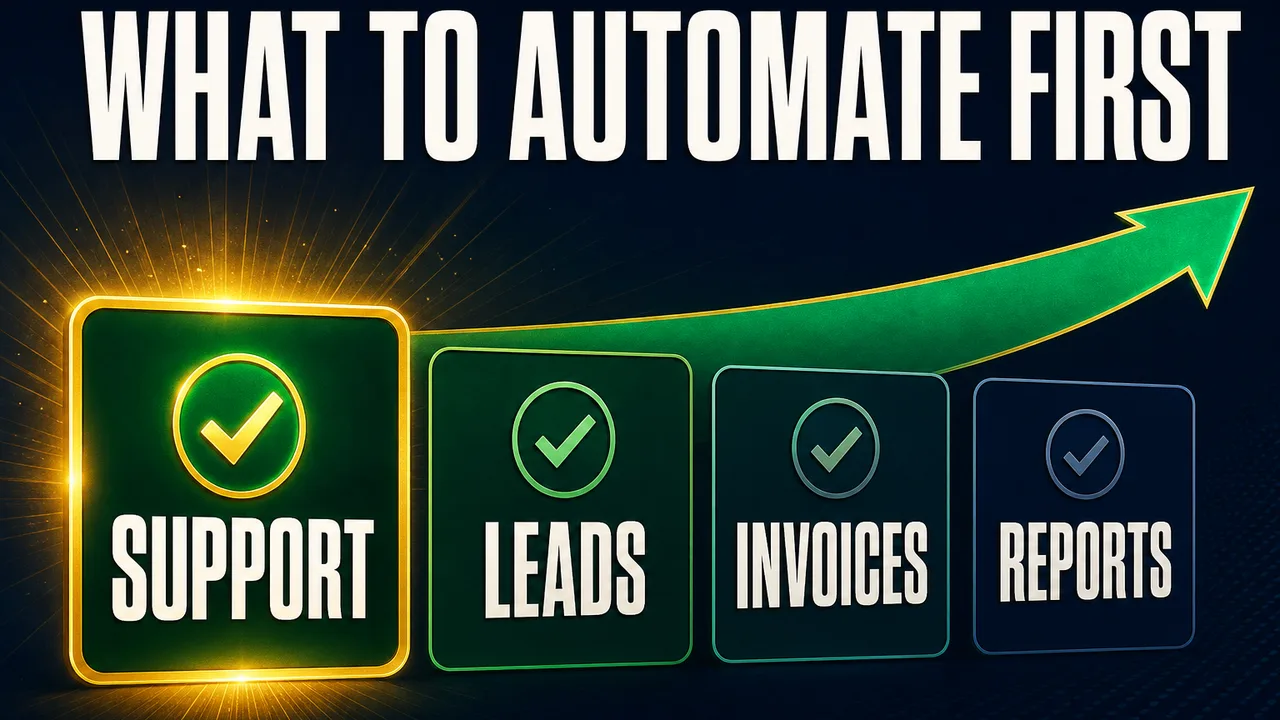
The best business workflows to automate first are repetitive, high-volume, rules-based, and easy to measure. The first automation project should not be the flashiest idea in the company; it should be the workflow where manual effort is visible, exceptions are manageable, and a safer first version can prove ROI quickly.
Definition: A good first automation workflow is a repeated business process with clear inputs, clear outputs, available data, and a measurable manual-cost baseline.
Example: Lead qualification is a strong first workflow when every inbound form needs the same enrichment, fit check, CRM note, and sales notification.
Key takeaway: Start where the work is frequent, structured, and reversible — not where the process is rare, sensitive, or politically messy.
Business impact: The first workflow should create a measurable before/after number: hours saved, faster response, fewer errors, or more qualified work reaching the right person.
How should you choose the first workflow to automate?
Choose the first workflow with a scorecard, not a brainstorm. A good candidate has five traits: high volume, clear rules, available data, measurable time savings, and low downside risk. Academic RPA research describes automation as strongest for high-volume routine work and simple predictable processes, which is still the right starting point even when the system now includes LLMs and AI agents.
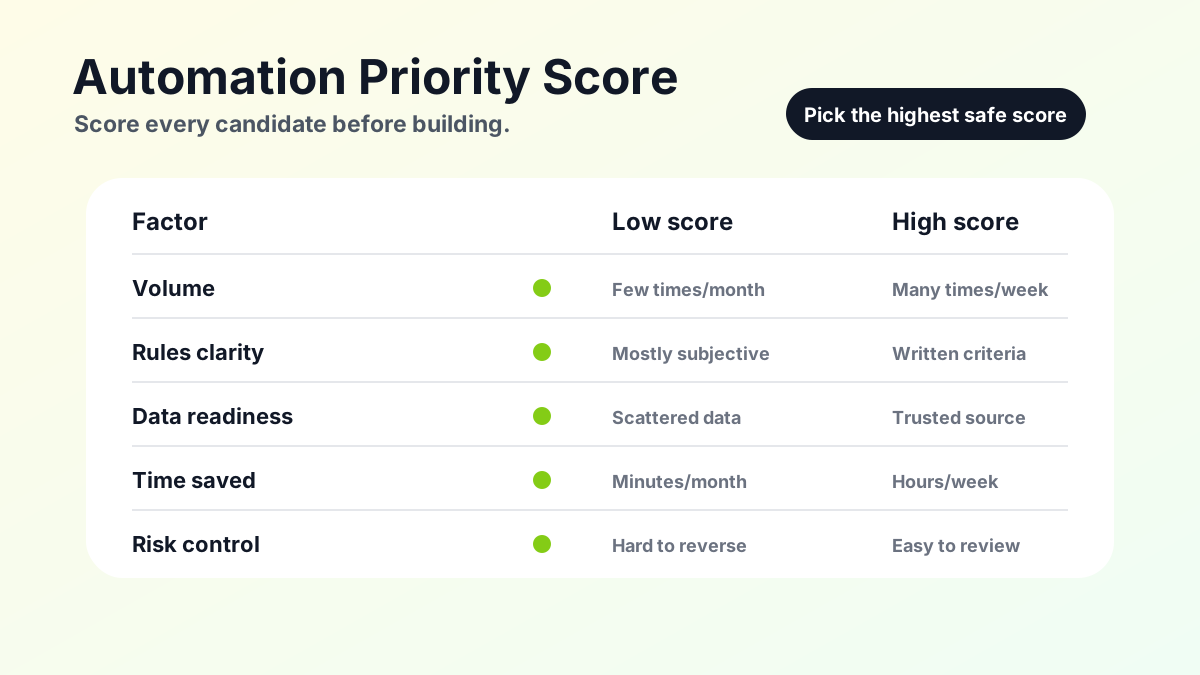
Use this simple score before you build:
| Factor | Score 1 | Score 5 |
|---|---|---|
| Volume | Happens a few times a month | Happens many times a day or week |
| Rules clarity | Decisions are mostly subjective | Decisions follow written criteria |
| Data readiness | Data is scattered or unreliable | Data is available in systems or documents |
| Time saved | Saves minutes per month | Saves hours every week |
| Risk | Mistakes are costly or sensitive | Mistakes are easy to review or reverse |
The Yowox Automation Priority Score
The Yowox Automation Priority Score is a practical way to rank workflow candidates before writing prompts or buying tools. Score each candidate from 1 to 5 on volume, rules clarity, data readiness, time saved, and risk control. The strongest first workflow is not always the highest-volume task; it is the task where volume, structure, data access, and risk control are all good enough at the same time.
The score is deliberately simple because early automation planning fails when teams over-model unknowns. If two workflows score close together, choose the one with the clearest owner and the easiest baseline measurement. A workflow with a motivated owner and a clean before/after metric will teach the business more than a technically interesting workflow nobody owns.
1. Customer support triage
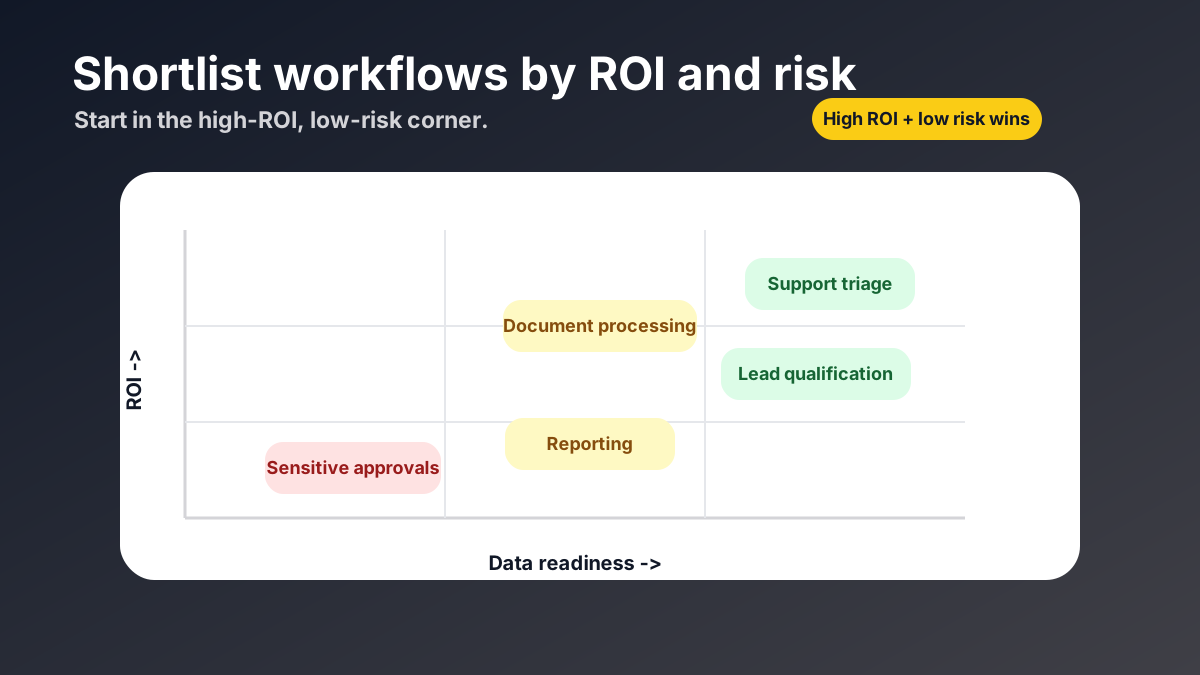
Customer support triage is often the best first workflow because every ticket needs the same first decisions: intent, urgency, account context, likely answer, and escalation path. An AI automation stack can classify the ticket, retrieve order or account data, attach relevant policy context, draft a response, and route exceptions to a human. The first version should usually be supervised: the AI drafts or tags, and a human approves until quality is proven. Related reading: Instagram AI engagement: why human signals still matter.
Start support triage when the team receives repeated questions with known resolution paths. Do not start here if support policy is undocumented, if every issue requires deep human judgment, or if the system cannot access the order/helpdesk data it needs. For the agent mechanics behind this workflow, see What Is an AI Agent, and How Is It Different From a Chatbot?.
2. Lead qualification
Lead qualification is a strong first workflow because the work is repetitive and the output is easy to check. The AI automation stack can enrich the company, classify industry, score fit, summarize the lead, create or update a CRM record, and notify sales when the lead crosses a threshold. A small-scale n8n automation case study reported a large reduction in execution time for a lead-processing workflow, but the useful lesson is narrower: lead handling is measurable because manual and automated runs can be compared step by step. Background: How to Automate Lead Qualification With AI.
Start lead qualification when the qualification criteria are written down and the CRM is reliable. Avoid it first when sales keeps changing the definition of a qualified lead every week. A moving target makes the automation look worse than it is because the system is chasing a process the business has not agreed on.
3. Document processing
Document processing is a good first workflow when the business repeatedly extracts the same fields from invoices, contracts, forms, applications, or claims. The AI automation stack can read the document, extract structured fields, validate totals or dates, flag missing information, and send clean data into the target system. This saves time because the human no longer retypes obvious fields; the human reviews exceptions instead.
Start document processing with one document type and one destination system. Do not start with "all company documents" as the scope. A narrow invoice workflow with 12 fields is a real automation project; a universal document intelligence system is a platform project and belongs later.
4. Meeting notes and follow-ups
Meeting notes and follow-ups are useful first workflows when teams lose time turning conversations into action. The AI automation stack can transcribe the meeting, summarize decisions, extract owners and deadlines, draft follow-up emails, and create tasks in a project tool. The measurable outcome is not just "better notes"; it is fewer missed follow-ups and less admin time after recurring calls.
Start this workflow for recurring sales, onboarding, hiring, or project meetings where the format repeats. Avoid it first for highly sensitive meetings unless retention, access, and consent rules are clear. Meeting automation touches human conversations, so privacy and permission rules matter more here than in a simple data sync.
5. Internal knowledge search
Internal knowledge search is a good first workflow when employees repeatedly ask the same operational questions. The AI automation stack can answer from policy docs, onboarding material, product notes, support tickets, or past project records. This is usually a retrieval workflow: the system should cite or point back to source documents so people can verify the answer.
Start knowledge search when there is a trusted source set and a clear audience. Do not start when company knowledge is scattered across stale files, private messages, and conflicting versions of the same policy. In that case, the first step is cleaning the knowledge base, not adding AI on top of it.
6. Recurring reporting
Recurring reporting is a strong first workflow when the team manually pulls the same numbers every week or month. The AI automation stack can collect data from CRM, ads, support, finance, or product tools; format the numbers; highlight changes; and draft commentary. The first version should separate data collection from interpretation so the team can verify the numbers before trusting the narrative.
Start reporting automation when the source systems already contain the numbers and the report format is stable. Avoid it first if every report requires a new spreadsheet, manual definitions, or political negotiation about which metric is "real." Automation amplifies metric discipline; it does not create it from nothing.
7. Data entry and system sync
Data entry and system sync are ideal first workflows when the same record is copied between tools. The AI automation stack may not need a full agent here: a deterministic workflow can often move records, normalize fields, check duplicates, and notify a person when confidence is low. AI becomes useful when the source data is messy text, when field mapping requires judgment, or when exceptions need summarizing.
Start data sync where the source and destination are clear: form to CRM, CRM to spreadsheet, invoice inbox to accounting, support ticket to product backlog. Avoid it first when no system is the source of truth. If two tools disagree and nobody knows which one wins, automation will make the disagreement faster.
Which workflows should you avoid automating first?
Avoid automating rare, high-risk, poorly documented, or politically sensitive workflows first. A workflow can be valuable and still be a bad first project if mistakes are expensive, data access is unclear, or the business cannot explain how good decisions are made. Legal decisions, employee performance reviews, complex pricing exceptions, and high-value financial approvals usually need stronger documentation and human approval before automation should touch them.
This does not mean those workflows should never use AI. It means the first AI automation project should teach the organization how to scope, measure, review, and improve automation safely. Once the team has a working stack and a review process, higher-risk workflows can be approached with stricter guardrails.
Should the first workflow use an AI agent or simple automation?
The first workflow should use the simplest automation that can complete the job reliably. If the task is "when form arrives, create CRM record and notify sales," a fixed workflow may be enough. If the task is "read the message, decide intent, choose the right system, draft a response, and escalate uncertain cases," an AI agent becomes useful because the work requires reasoning and tool use.
The cleanest approach is often hybrid. A fixed workflow handles predictable triggers and routing, while an AI agent handles messy text, classification, drafting, and exception summaries. For the full production architecture behind that hybrid approach, see The AI Automation Stack: Models, Orchestration and Integrations Explained.
What should your first 30 days look like?
The first 30 days should prove one workflow, not transform the whole company. In week one, define the workflow contract and baseline: task volume, minutes per task, error rate, owner, systems, and acceptable risk. In week two, build the narrowest working version. In week three, run it with human review. In week four, compare the baseline with real outcomes and decide whether to expand, fix, or stop.
This cadence keeps the project honest. If the automation saves no time, creates too many edits, or exposes data-quality problems, the team learns that before spending months on a larger system. If the automation works, the next workflow can reuse parts of the same stack: context access, tool permissions, monitoring, and review process.
Want help choosing the first workflow with real ROI? Get in touch.
Frequently asked questions
Which business workflow should I automate first?
Automate the workflow with the best mix of volume, clear rules, available data, measurable time savings, and low downside risk. Customer support triage, lead qualification, document processing, recurring reporting, and data sync are usually strong first candidates because they repeat often and already follow recognizable patterns. Avoid starting with a workflow that is rare, political, poorly documented, or high-risk if the first version makes a mistake.
How do I calculate automation ROI before building?
Start with a simple estimate: monthly task volume multiplied by manual minutes per task, multiplied by loaded hourly cost. Then subtract the expected cost of building, running, reviewing, and maintaining the automation. This is not a final business case, but it prevents teams from choosing a workflow just because it sounds interesting. The best first AI automation project has a visible manual-cost baseline and a clear metric to compare after launch.
Should I automate a whole department or one workflow first?
Start with one workflow, not a whole department. A narrow workflow lets the team define clear inputs, outputs, systems, approval rules, and success metrics. A department-wide automation project usually combines too many exception cases, tools, stakeholders, and data sources for a safe first version. Once one workflow proves value, the same stack can expand into adjacent steps or additional teams with much less risk.
What workflows should not be automated first?
Do not automate workflows first when they are low-volume, poorly documented, emotionally sensitive, legally risky, or dependent on judgment that the business cannot clearly explain. Also avoid workflows where data lives in unreliable places or where a wrong action would be expensive to undo. These workflows may still be good later, but they need better process documentation, stronger guardrails, or human approval before they become a good first automation target.
Do these workflows need AI agents or simple automation?
Not always. Some first workflows need a simple deterministic automation: move data, send a notification, create a record, or run a report. AI agents are useful when the workflow requires reading messy text, choosing between paths, using several tools, or escalating exceptions. The right first project may combine both: a fixed workflow for predictable steps and an AI agent for classification, drafting, reasoning, or handoff.
Alex
Founder & Lead AI Writer
Alex is the founder of Yowox and lead AI writer since 2024, breaking down complex information into clear, actionable insights for thousands of readers every day. Alex has built AI automation systems for businesses since 2024, focusing on AI agents, workflow automation, and business process optimization.
Save hours. Save thousands.
Practical guides, real workflows, and the latest AI and automation news that matters — straight to your inbox.