 By Alex
 Perplexity Brings Its Personal Computer Agent to Windows
Perplexity is rolling out Personal Computer for Windows, giving paying Max and Enterprise Max users an agent that can work across local files, Microsoft 365, and the web while asking before sensitive actions.
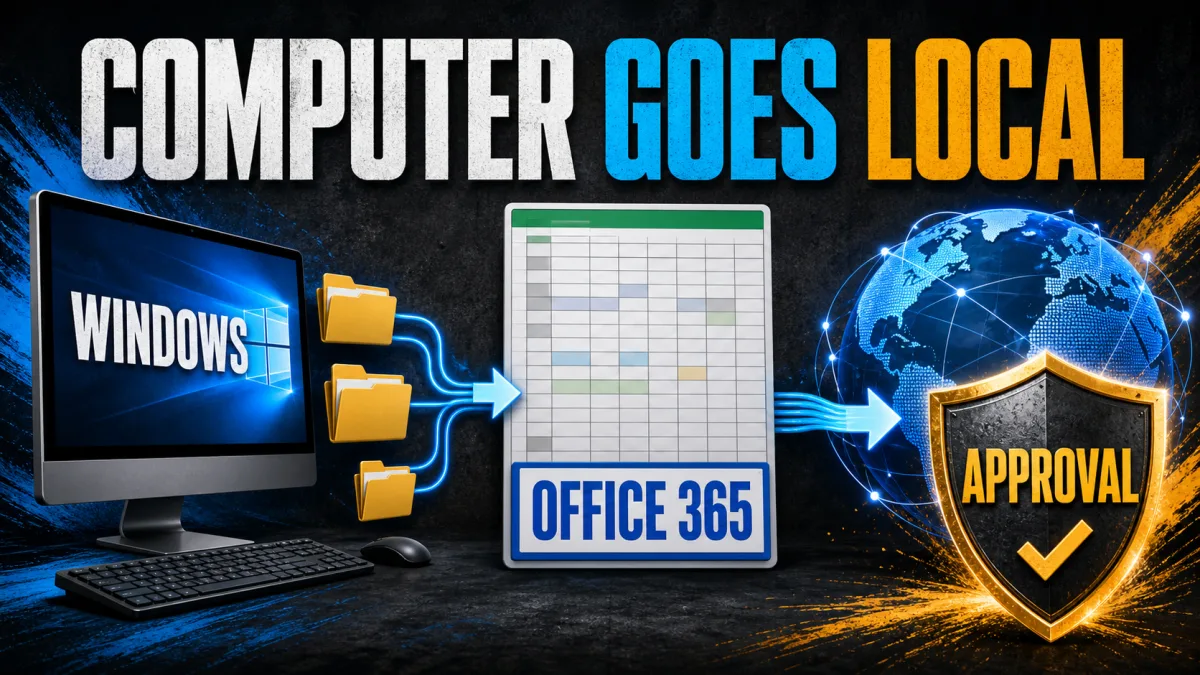
Perplexity is rolling out Personal Computer for Windows, extending its agentic product from Mac into the Windows environment where much enterprise work already happens. The practical change is not another chat interface: Personal Computer is meant to work across local files, Windows apps, Microsoft 365, and the web.
Definition: Personal Computer for Windows is Perplexity's locally operating AI agent for multi-step work across a Windows machine.
Example: A user can ask it to create a document or update a spreadsheet using information spread across local files and online tools.
Key takeaway: Perplexity is moving its agent from a single-app experience toward a computer-level work layer.
Business impact: Windows teams can evaluate an agent against the messy files-and-apps workflows that usually resist clean automation, but access currently starts with expensive plans.
What changed with Perplexity Personal Computer for Windows?
Perplexity Personal Computer for Windows brings the company's agentic workflow into the operating system itself. The source describes a general-purpose digital worker that can access local files and apps and perform actions such as creating documents and updating spreadsheets, rather than stopping after it drafts instructions for a person.
The Windows launch also connects three places where business work is commonly split: local computer files, Microsoft Office 365, and the web. Perplexity's stated goal is to let Microsoft users ask Computer to work across those surfaces in one place, reducing the handoff between a local desktop task and a browser-based research or editing step. Background: Energy brings model-flexible work to the desktop.
Why is Windows important to Perplexity Personal Computer?
Windows matters here because the product is targeting work that happens directly on company PCs. Perplexity says enterprise work often takes place locally on Windows devices and is therefore outside the reach of many cloud-only AI tools. Bringing the agent into that environment gives it a more direct path to documents, spreadsheets, and other files that do not begin in a web app.
Personal Computer for Windows access also makes the product more consequential than a simple platform port. A browser assistant can help with a page; a computer-level agent is being asked to coordinate information and actions across several applications. The value depends on whether Personal Computer for Windows can handle those boundaries reliably, not merely whether it can produce a fluent answer.
What can Perplexity Personal Computer for Windows do on a Windows PC?
Personal Computer for Windows is described as a digital worker for tasks that span files and applications. The examples in the launch coverage are creating documents and updating spreadsheets, while the broader product description includes working across local files, Microsoft 365, and the web. For an operator, that makes document preparation, spreadsheet updates, and web-assisted office work the clearest initial test cases.
Perplexity says the agent does not train on company data and warns users before sensitive actions, including sending emails and deleting files. Those controls matter because local access increases both usefulness and the cost of a mistake: a wrong answer is inconvenient, but an unauthorized file deletion or outgoing email is an operational incident.
Who gets Perplexity Personal Computer for Windows, and what does it cost?
The Windows version is rolling out to paying Max and Enterprise Max users. The source reports that these subscription tiers start at $200 per month, placing the initial release in an enterprise and power-user segment rather than making it a broadly available Windows utility.
The $200-per-month price for Personal Computer for Windows changes how businesses should assess the launch. The relevant question is not whether every employee should receive a computer agent immediately; it is whether a narrow, high-friction workflow saves enough coordination time to justify a premium plan and the added review required for local actions.
What should operators watch after the Personal Computer for Windows launch?
The Windows release makes computer access part of the agent product itself, but it does not remove the need for boundaries. Teams should start with tasks that have clear inputs, reviewable outputs, and limited permissions, then test how Personal Computer handles local files alongside Microsoft 365 and web work before expanding its reach. Related reading: ChatGPT Computer History turns Mac activity into memory.
The larger market signal is straightforward: agent vendors are competing to move from answering questions to completing work wherever that work already lives. Perplexity's Windows launch makes that competition more relevant to the businesses whose operating system, documents, and day-to-day processes are still centered on a PC.
Frequently asked questions
What is Perplexity Personal Computer for Windows?
Perplexity Personal Computer for Windows is an agentic tool that can work across a Windows computer's local files and apps, Microsoft Office 365, and the web. Instead of only returning a chat response, it is designed to carry out office tasks such as creating documents and updating spreadsheets on a user's behalf. It is the Windows expansion of the Personal Computer product that Perplexity previously offered on Mac, but the Windows launch focuses on operating directly inside a local Windows environment. Its significance is the combination of local files, apps, Office 365, and web access in one task surface.
Who can use Personal Computer for Windows right now?
The Windows version is rolling out to paying Max and Enterprise Max users. The source reports that those subscription tiers start at $200 per month, so the launch is aimed at customers on Perplexity's highest-priced plans rather than the general Windows user. The launch is therefore not a free or general Windows feature. Businesses considering Personal Computer for Windows need to account for both plan eligibility and the permissions the agent receives on a local machine.
Can the Windows agent send emails or delete files by itself?
Perplexity says Personal Computer for Windows notifies users before sensitive actions such as sending emails and deleting files. The product is therefore presented as an agent that can act across local systems while retaining a confirmation step for higher-risk operations. That checkpoint matters because a local computer agent can reach files and applications that are not confined to one browser tab. Teams should test those approval steps on representative work before expanding the agent's permissions.
Does Perplexity train on company data from Personal Computer?
Perplexity says it does not train on company data. That statement applies to the Windows Personal Computer launch described by the source; businesses should still review the product's current terms, permissions, and internal data policies before enabling it for sensitive work. The statement is a vendor privacy claim, not an independent audit, so it should be evaluated alongside the controls and data-handling requirements of the deploying organization.
Alex
Founder & Lead AI Writer
Alex is the founder of Yowox and lead AI writer since 2024, breaking down complex information into clear, actionable insights for thousands of readers every day. Alex has built AI automation systems for businesses since 2024, focusing on AI agents, workflow automation, and business process optimization.
Save hours. Save thousands.
Practical guides, real workflows, and the latest AI and automation news that matters — straight to your inbox.


