By Alex
 Perplexity Hybrid Compute Keeps Private Mac Steps Local
Perplexity's Hybrid Compute for Mac lets cloud models handle research and planning while an on-device model processes private files behind a local privacy gate.
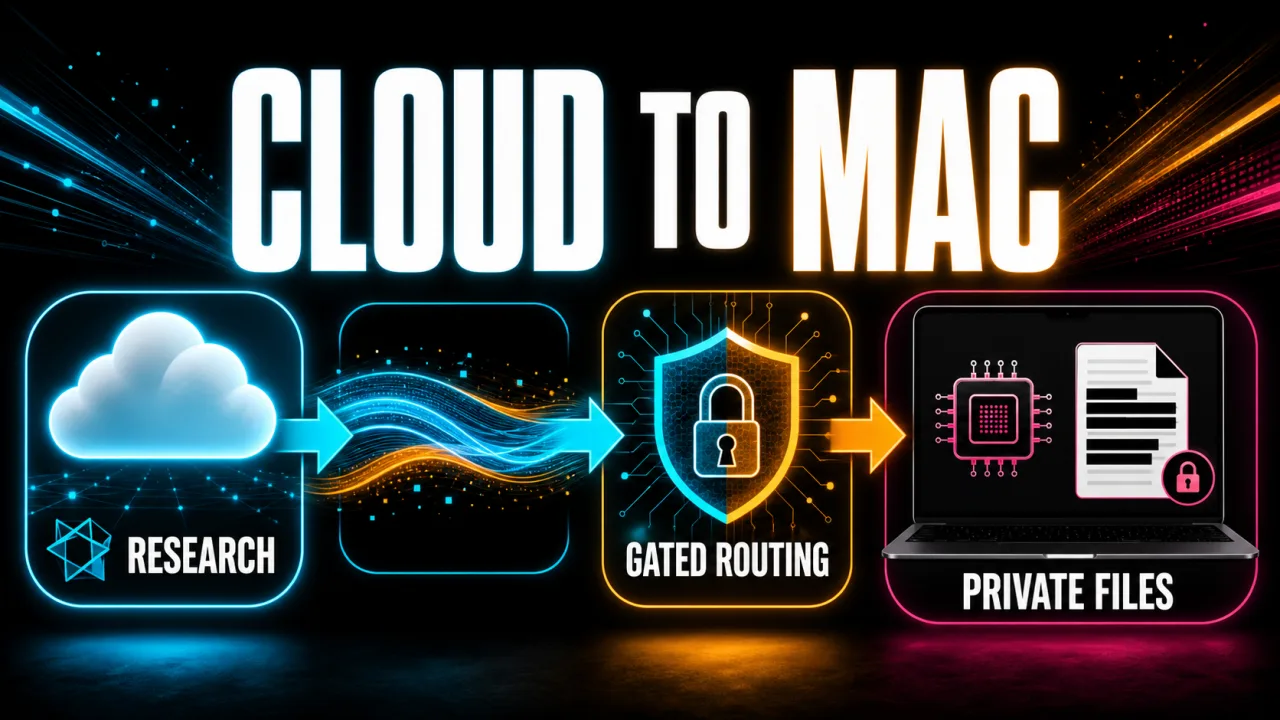
Perplexity's Hybrid Compute for Mac changes where an AI agent runs each part of a task: cloud models handle research and planning, while a local model on the Mac handles private files behind an on-device privacy gate. MarkTechPost's report describes the launch as a cloud-first workflow that can hand sensitive steps down without restarting the task. For operators, the important shift is not simply “local AI”; it is selective routing inside one AI agent task.
Definition: Perplexity Hybrid Compute is a Mac workflow that combines cloud models for research and reasoning with a local model for private files and on-device work.
Example: A finance team can research public comparables in the cloud while a local model on a Mac reviews confidential deal documents.
Key takeaway: Perplexity starts the task in the cloud, then gates sensitive steps down to the Mac instead of forcing a fully cloud or fully local choice.
Business impact: Teams can test agentic workflows against confidential material, but the privacy gate and enterprise policy still need operational validation.
What changed in Perplexity Hybrid Compute?
Perplexity says its Mac app can now add a compact local model to Perplexity Computer, allowing one task to combine frontier cloud reasoning with local processing. The official announcement says the cloud handles web search, planning and reasoning while the Mac works with private files, sensitive information and local actions. The practical takeaway is to evaluate Hybrid Compute as an orchestration change: the model location can change between steps without making the user manually rebuild the task.
The direction is cloud-first rather than local-first. Perplexity Computer begins each task in the cloud, then routes a step involving protected material to the local model on the Mac. This is different from a fully local assistant that escalates outward when it needs the web: Hybrid Compute keeps the cloud as the research and planning layer and uses the Mac as the private execution layer. Businesses comparing architectures should map which steps need outside information and which steps must never leave the device.
How does one task split between cloud and Mac?
Perplexity Hybrid Compute keeps the task context coordinated while the execution location changes. The cloud can research public sources and plan a sequence, while the Mac can read local files or perform on-device work; Computer then combines the outputs into one result. That division is useful for a workflow such as diligence, where public filings and market information are external but deal documents are confidential. Teams should begin with a task whose cloud steps and local steps can be named before they grant access.
The Mac can also act as a remote local inference node. Perplexity's product documentation says a task can start from an iPhone while the Mac accesses local files and runs sensitive steps. That makes an always-on Mac mini a possible dedicated endpoint for remote work, but it also makes device availability, user permissions and local access policies part of the workflow design. Operators should test what happens when the Mac is asleep, unavailable or asked to reach a protected folder.
What does the on-device privacy gate decide?
The privacy gate is the control that determines whether Hybrid Compute's privacy claim holds for a specific piece of content. Perplexity describes four outcomes for protected information: keep the step local, mask sensitive spans before cloud processing, refuse the action, or ask the user for consent. Credentials, payment card numbers and government IDs receive the strictest handling, so a business should define which outcome its own regulated data requires rather than treating masking as equivalent to keeping content local.
Perplexity's accompanying PII-TRACE research post describes PII-Tracer as a 0.6B local detector designed for recurring personal data in long, multilingual conversations. On the reported evaluation, it led 12 detectors on character F1 at 0.629 and found every mention for 79.4% of recurring identifiers and 77.6% of identifiers repeated across turns. Those are Perplexity's benchmark results, not an independent audit; the operational lesson is to evaluate recall across the full conversation, not only the first prompt.
The research also exposes a deployment constraint: detection quality can change as context grows. Perplexity reports that single-window recall falls from 0.975 on conversations shorter than 1,000 characters to 0.687 at 10,000 characters or more, while 50%-overlap sliding windows raise character recall to 0.965 on the same checkpoint. Teams handling long case files or email histories should therefore test the exact context lengths and languages their agent will process before relying on the gate.
Which local models and Macs are supported?
Perplexity lists three local models at launch: Gemma 4 E4B, Qwen3.6 35B-A3B and a Perplexity model post-trained for Computer. The product's setup flow says the model download is one click, with no Ollama installation, separate runtime or API key, and that work handled locally uses no cloud credits. That lowers setup friction, but local inference still depends on the Mac's unified memory, thermals and sustained performance; teams should measure their own task latency rather than infer it from model names.
The stated minimum is an Apple silicon Mac running macOS 15 or later with 24GB of unified memory, with 32GB recommended. Pro, Max and Enterprise subscribers can use the feature. Businesses comparing local-model capacity can use Yowox's Local LLM Hardware Calculator to frame the hardware question, then validate the exact Perplexity model and workflow on a representative machine.
What controls do Enterprise teams get?
Perplexity says Enterprise administrators can set organization-wide rules for information that must stay on the Mac, information that may be masked, and information that requires explicit approval before cloud use. Perplexity also describes audit logs for when information leaves a device. Those controls make Hybrid Compute more relevant to legal, healthcare and financial teams, but the claimed availability of a control is not evidence of a completed compliance program; operators still need to inspect logs, retention, permissions and escalation paths.
The architecture belongs in the broader AI automation stack, where model selection is only one layer alongside orchestration, tools, guardrails and monitoring. A sensible pilot should record which task steps ran locally, what the privacy gate detected, which data was masked or approved, what the cloud model received and whether a human had to intervene. That evidence lets a team decide whether the local boundary is working in practice instead of judging the product from a polished demo.
What should operators watch next?
Perplexity Hybrid Compute makes a specific trade-off easier to test: frontier models can provide cloud research and reasoning while a Mac keeps sensitive processing local. The feature's value depends on the boundary, not on the word “hybrid” alone. Start with a narrow workflow, classify its data, confirm the expected routing decisions, and review the resulting logs before expanding permissions or adding remote triggers.
The remaining uncertainty is operational rather than conceptual. A local classifier can miss a sensitive span, a task can exceed the tested context window, and an organization can configure a policy that is too permissive for its data. Perplexity's release therefore gives businesses a concrete architecture to evaluate, not a reason to remove human review: the strongest deployment is the one that proves what stayed on the Mac, what left it and why.
Frequently asked questions
What is Perplexity Hybrid Compute on Mac?
Perplexity Hybrid Compute is a mode in the Perplexity Mac app that divides one Computer task between cloud models and a local model on an Apple silicon Mac. Cloud models handle work such as web research, planning and reasoning, while the Mac processes private files, sensitive information and local actions. A privacy gate on the device decides whether protected content stays local, is masked before cloud processing, is refused, or is sent after user consent. The task remains one coordinated workflow rather than separate prompts that a person must manually connect.
How does the privacy gate protect files on a Mac?
Perplexity's on-device privacy gate uses a local classifier to look for sensitive information such as names, addresses, account numbers and secrets before protected content crosses to a cloud model. The gate can keep a step on the Mac, mask sensitive spans with stand-ins, refuse the action, or ask the user for permission. Perplexity describes credentials, payment card numbers and government IDs as receiving the strictest handling. This is a product control, not a guarantee that every deployment is risk-free, so organizations still need to test permissions, policies and audit requirements on their own data.
Which Macs and plans support Hybrid Compute?
Perplexity says Hybrid Compute is available to Pro, Max and Enterprise subscribers through the Perplexity Mac app. It supports Apple silicon Macs running macOS 15 or later with at least 24GB of unified memory; Perplexity recommends 32GB. The launch includes three local-model options: Gemma 4 E4B, Qwen3.6 35B-A3B and a Perplexity model post-trained for Computer. Users can download a local model in one click and select Hybrid in the model selector. Teams should verify the current plan, operating-system and memory requirements before standardizing on the feature.
What does Perplexity Hybrid Compute mean for businesses?
Hybrid Compute gives businesses a way to combine cloud intelligence with local handling of confidential work inside one agent task. Perplexity's examples include finance diligence, legal research and agency work where public web information can be researched in the cloud while private documents remain on a Mac. Enterprise administrators can set organization-wide rules for content that must stay on device, content that may be masked and content that needs explicit approval, with audit logs for information leaving a machine. The practical question is whether the workflow's permissions and review controls are strong enough for the organization's risk level.
Alex
Founder & Lead AI Writer
Alex is the founder of Yowox and lead AI writer since 2024, breaking down complex information into clear, actionable insights for thousands of readers every day. Alex has built AI automation systems for businesses since 2024, focusing on AI agents, workflow automation, and business process optimization.
Save hours. Save thousands.
Practical guides, real workflows, and the latest AI and automation news that matters — straight to your inbox.