By Alex
 Google Pics brings prompt-first design to Workspace
Google Pics brings AI image creation and editing into Workspace, giving teams a prompt-first alternative to Canva for posters, social posts and other everyday visuals.
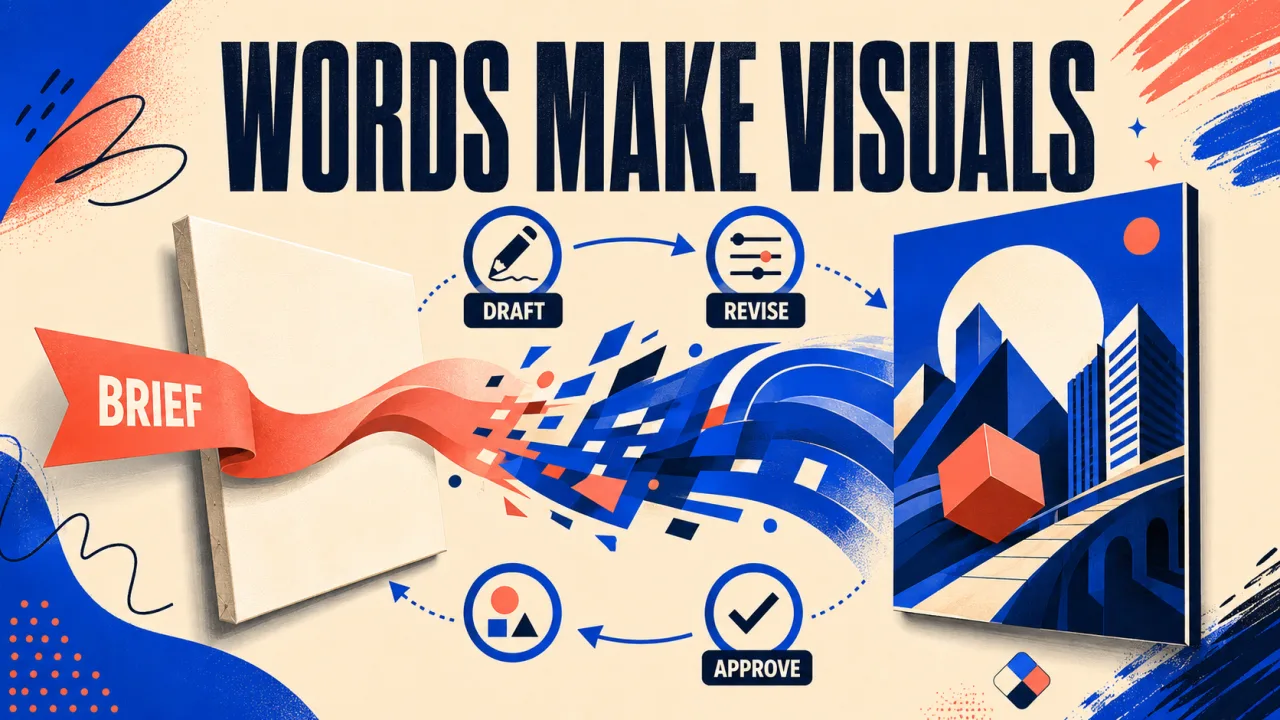
Google Pics is Google's prompt-first image design tool for Workspace. The product creates and edits posters, social posts, illustrations and other everyday visuals from natural-language instructions, then lets users refine the result without starting from a blank canvas. TechCrunch reports that Google is positioning the tool against Canva and Adobe Express, but with AI generation at the center rather than template-based design.
Google Pics is already rolling out to most Workspace business customers and Google AI Pro or Ultra subscribers, according to Google's announcement. The integration starts in Docs and Slides, with Drive support planned for the coming weeks, so operators should evaluate it as a Workspace workflow change—not just another standalone image generator.
Definition: Google Pics is an AI image creation and editing tool built on Google's Nano Banana model and connected to Google Workspace.
Example: A team can prompt Google Pics for a campaign visual, isolate an object, change text inside the image and choose between multiple generated versions.
Key takeaway: Google Pics moves routine design work from manual layout toward prompt, selection and refinement.
Business impact: Teams already working in Google Docs and Slides may be able to create usable visuals with fewer app switches, but they still need a review step for accuracy, brand fit and rights.
What does Google Pics change for business design?
Google Pics changes the first step of everyday design from arranging assets to describing an outcome. For a business operator who needs a flyer, social post or illustration quickly, Google Pics can produce a starting image from a prompt and then support targeted edits; Google lists object isolation, in-image text editing and multiple generations as core capabilities. The practical takeaway is to use Google Pics for fast concept-to-draft work, not to assume that generation removes the need for human review.
Google Pics also changes where that work happens. Google says the tool is both a standalone product and a Workspace integration, beginning with Docs and Slides and extending to Drive in the coming weeks. That placement matters for teams whose source document or presentation already contains the image: Google Pics can keep creation and editing closer to the document instead of requiring a separate design application and a manual copy-paste step.
How does Google Pics work inside Workspace?
Google Pics uses Google's Nano Banana image-generation model to create and refine visuals from prompts. A user can ask for a graphic, select a particular object, describe a change and request several generations; the model supplies the visual options while the editor supplies more targeted control. The useful operating pattern is therefore prompt, inspect, refine and select—not prompt once and publish automatically.
Google Pics can edit text inside an image as well as translate that text without disrupting the rest of the design, according to Google's product description. That matters for teams adapting a visual across markets or correcting a generated label, but it does not prove that every brand treatment will be accurate; operators should still check names, numbers, legal copy and layout before distribution.
Google Pics supports collaboration on image edits, which makes the tool relevant to teams rather than only individual creators. Multiple people can work on the same image and choose among generated options, while the document context remains in Google Workspace. The concrete workflow implication is to assign an owner for final approval, because shared editing improves throughput but does not decide whether an asset is on-brand or safe to publish.
Why is Google Pics not simply Canva with a chatbot?
Google Pics and Canva overlap on everyday business graphics, but their starting models differ. Google Pics asks the user to prompt and refine an AI-generated result, while Canva lets creators work from templates, stock-style assets and a marketplace that can pay contributors royalties; TechCrunch highlights that distinction in its comparison. Teams choosing between them should first decide whether the bottleneck is producing a first draft or controlling a reusable design system.
Google Pics also enters a market where AI image creation is becoming part of larger productivity suites. Meta's Muse Image launch shows another platform company putting image generation directly into consumer and social products, while Google's approach ties the capability to Workspace documents and business accounts. The takeaway for operators is to compare where the image work begins and where it must be delivered, not only which model produces the most attractive single image.
What can Google Pics create and edit today?
Google Pics is aimed at routine visual work rather than a narrowly defined specialist workflow. Google describes posters, social media posts and digital illustrations, while its Workspace positioning also covers business concepts and presentation-ready graphics. That breadth makes Google Pics useful for teams that need many small visual tasks, but a broad menu is not evidence that every output is ready for production; define a review checklist before adopting it.
Google Pics offers object-based editing instead of limiting the user to a new full-image generation. Users can isolate an element, transform it, edit text, translate text and request multiple changes, as described by Google and reported by TechCrunch. For an operator, this means a generated draft can be treated as an editable starting point: keep the useful composition, correct the specific object or wording, and reject the result if the revision introduces a new error.
Google Pics fits into a broader AI automation stack as a content-generation layer, not as a complete marketing workflow. It can help produce an asset, but approvals, brand rules, file organization, publishing schedules and performance measurement remain separate operating decisions. That boundary keeps the launch in perspective: Google is reducing friction in visual creation, not automating the entire content operation.
Who gets Google Pics first?
Google Pics is rolling out to most Workspace business customers and Google AI Pro or Ultra subscribers, with Docs and Slides integrations starting first and Drive support planned later. Google's announcement is the evidence for that rollout sequence, and the practical implication is that access may depend on both account tier and timing. Teams should check availability in the Workspace surfaces they already use before planning a production migration.
Google Pics is therefore best evaluated through a small, controlled use case. Pick one recurring asset type, compare the time from brief to approved draft, and record where human edits remain necessary; the launch materials establish the product's features but do not provide an independent measure of quality or savings. This test separates genuine workflow improvement from the novelty of a prompt-driven demo.
What should operators watch next?
Google Pics matters because it puts prompt-first image creation inside the software where business work already happens. The initial Docs and Slides integration, planned Drive expansion, object-level editing, collaboration and multiple generations give the product a credible role in everyday visual production. Operators should watch adoption, consistency and review effort rather than treating the Canva comparison as proof that one tool replaces the other.
The unresolved question is control at scale. Google Pics can make a first draft easier to produce, but teams still own factual accuracy, brand consistency, permission checks and final approval. The sensible next step is a bounded pilot with a clear asset type and a human sign-off point; that measures whether fewer design steps create a better operating process, not merely a faster way to generate more drafts.
Frequently asked questions
What is Google Pics?
Google Pics is Google's AI image creation and editing tool for everyday graphics such as posters, social posts, illustrations and other business visuals. It is built on Google's Nano Banana image-generation model and is available both as a standalone experience and inside Google Workspace. The core difference from a traditional design editor is the starting point: users describe what they want in a prompt, then refine generated results with object and text editing tools.
How is Google Pics different from Canva?
Google Pics is prompt-first: it generates and edits visuals from natural- language instructions. Canva is a broader design platform where people can assemble work from templates, graphics, photos and other assets, including a marketplace where creators can publish materials and earn royalties. Google Pics therefore competes for some of the same everyday design tasks, but it does not represent the same creator-marketplace model. The practical choice depends on whether a team wants generated starting points or a conventional library-and-layout workflow.
Where is Google Pics available?
Google says Google Pics is rolling out to most Workspace business customers and people with Google AI Pro or Ultra subscriptions. The integration starts with Google Docs and Slides, while Google says Drive support will follow in the coming weeks. Availability is therefore tied to the relevant Workspace or Google AI plan and may arrive progressively rather than appearing for every account at once.
What can Google Pics edit?
Google Pics can isolate and transform individual objects, edit or translate text inside images, support collaborative editing and generate multiple versions from one request. Those controls are designed for practical business graphics rather than only one-shot image generation. Teams can use the tool for posters, social posts, illustrations, product concepts and similar visuals, then select and refine a preferred result.
Alex
Founder & Lead AI Writer
Alex is the founder of Yowox and lead AI writer since 2024, breaking down complex information into clear, actionable insights for thousands of readers every day. Alex has built AI automation systems for businesses since 2024, focusing on AI agents, workflow automation, and business process optimization.
Save hours. Save thousands.
Practical guides, real workflows, and the latest AI and automation news that matters — straight to your inbox.