By Alex
 Hermes Agent Explained: The Self-Improving AI Agent You Can Run Anywhere
A complete, practical guide to Hermes Agent: its learning loop, skills, memory, tools, messaging gateway, providers, sandboxes, delegation, automation, security, and production deployment.
Hermes Agent is easiest to understand as a personal AI operating layer. It puts a language model inside a runtime that can use tools, keep context, learn procedures, reach you through messaging platforms, and continue working when you are not sitting at a terminal.
That makes Hermes different from an IDE autocomplete tool and from a chatbot with a larger context window. A coding copilot waits inside an editor. A chatbot mostly waits for the next prompt. Hermes can run as a persistent process, receive a Telegram message, inspect a repository, launch a test, ask for approval before a risky command, save a reusable skill, and report the result back to the same conversation.
Definition: Hermes Agent is an open-source, provider-agnostic AI agent runtime from Nous Research that combines tool use, persistent memory, reusable skills, messaging, automation, and isolated execution.
Example: A Telegram request can start a research or coding task on a remote machine, while Hermes uses web, terminal, file, browser, and delegation tools and returns a concise result to Telegram.
Key takeaway: Hermes is the orchestration layer around a model; its distinctive feature is a closed learning loop in which experience can become memory and reusable skills.
Business impact: Hermes can turn a model subscription into an always-available operator, but the owner must also manage credentials, permissions, sandboxing, channel access, logs, updates, and failure recovery.
What is Hermes Agent?
Hermes Agent is an open-source AI agent framework created by Nous Research. It runs on Linux, macOS, Windows, WSL2, and Android through Termux, and it can operate locally, on a VPS, through an SSH host, or inside cloud and container backends. The official Hermes documentation describes it as a self-improving agent that can live in a terminal, messaging platform, or remote environment rather than being tied to one laptop or IDE.
The word agent describes the runtime behavior, not a special kind of model. Hermes repeatedly gives a language model the current conversation, available tools, instructions, memory, and task state. If the model requests a tool, Hermes validates and executes that tool, appends the result, and calls the model again. When the model produces a final answer, Hermes returns it to the user or sends it through the relevant platform.
The agent loop looks like this:
user request
     |
     v
context + memory + skills + tool schemas
     |
     v
language model
     |
     +--> final answer --------------------+
     |                                     |
     +--> tool call --> approval/policy --> tool
                                      |
                                      +--> result back to model
Hermes does not replace the model provider. It can use Nous Portal, OpenRouter, Anthropic, OpenAI, DeepSeek, Google, xAI, Hugging Face, Moonshot, Qwen OAuth, custom OpenAI-compatible endpoints, and other providers documented by the project. Changing the provider changes the model behind the agent; it does not require rebuilding the gateway, session system, skills, or tool integrations.
Readers who need the broader concept first can start with Yowox's explanation of AI agents. Hermes is a concrete implementation of that idea: an LLM plus tools, context, execution, persistence, and routing.
How is Hermes different from a chatbot or coding copilot?
Hermes differs from a chatbot in the kind of state and authority it can hold. A chatbot usually owns a conversation transcript and a response interface. Hermes can own a workspace, a set of tool permissions, a persistent session, a memory profile, a skill library, a remote execution backend, and a delivery route to a messaging platform.
Hermes differs from an IDE copilot because the terminal and messaging gateway are first-class interfaces. Hermes can work on a task after the user leaves the editor, and it can use tools that are not limited to code completion. The user can ask for a web research brief, a file conversion, a scheduled report, a server check, a browser workflow, a voice interaction, or a repository change.
| Capability | Text chatbot | IDE copilot | Hermes Agent |
|---|---|---|---|
| Main interface | Chat application | Code editor | Terminal, messaging, dashboard, API, and integrations |
| Model switching | Usually product-controlled | Usually product-controlled | Provider and model can be changed in configuration or per invocation |
| Tool use | Varies, often narrow | Editor and repository actions | Web, browser, terminal, files, vision, code execution, memory, cron, MCP, and more |
| Persistent procedure library | Rare | Usually limited to project rules | Skills can be installed, invoked, learned, and updated |
| Cross-session memory | Product-specific | Usually project context | Bounded memory plus session search and optional external providers |
| Remote execution | Usually hidden | Depends on product | Local, Docker, SSH, Modal, Daytona, and Singularity backends |
| Messaging gateway | No | No | Telegram, Discord, Slack, WhatsApp, Signal, Email, Teams, Matrix, and others |
| Multi-agent work | Often hidden or absent | Limited | Isolated delegated subagents and profiles |
The practical difference is not that Hermes always produces better text. The difference is that Hermes gives the model a persistent operating environment and lets the owner decide where the model can act.
What is Hermes's learning loop?
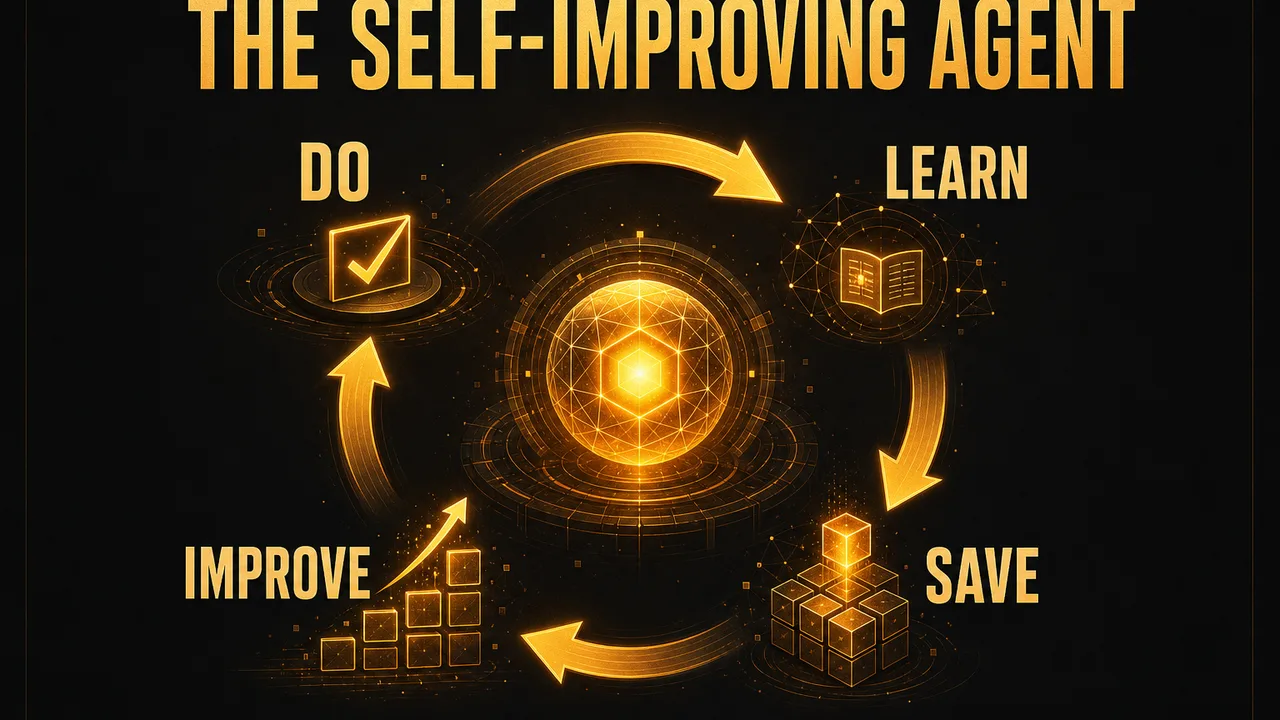
Hermes's learning loop is procedural rather than weight-based. Hermes does not silently retrain the foundation model after every conversation. Instead, the agent can preserve useful knowledge in two bounded forms: memory and skills.
The loop is:
- Hermes completes a task or encounters a recurring workflow.
- The agent identifies a stable fact, preference, correction, or procedure worth keeping.
- A memory entry or
SKILL.mddocument is written to the Hermes profile. - A later session discovers the relevant memory or skill.
- Hermes follows the stored procedure, then improves it when reality exposes a missing step.
This distinction matters. Training changes model parameters; Hermes persistence changes the context and tools presented to the model. The result can still feel like the agent is getting better because the same user no longer has to explain the environment and workflow from scratch.
A good example is deployment. The first deployment may require the user to explain the repository layout, test command, hosting target, approval rule, and rollback procedure. After that workflow becomes a skill, the agent can load the procedure on demand and spend its context on the current release rather than rediscovering the entire process.
The learning loop also has a limit: stored instructions can become stale, contradictory, or unsafe. Treat skills and memory as editable operational data. Review them, keep them short, pin important versions, and do not let an agent write privileged procedures without an approval policy.
What is Hermes memory?
Hermes memory stores compact, durable facts that should survive a session reset. The built-in system uses two files in ~/.hermes/memories/: MEMORY.md for agent notes and USER.md for the user profile. The memory documentation limits these stores to 2,200 and 1,375 characters respectively, which forces the agent to keep memory focused instead of turning the system prompt into an unbounded diary.
MEMORY.md is appropriate for environment facts, project conventions, tool quirks, and lessons learned. USER.md is appropriate for the user's name, communication preferences, timezone, technical level, and recurring expectations. Both are loaded as a frozen snapshot at the start of a session. If the agent changes memory during a live session, the files are updated immediately, but the system-prompt snapshot changes only in a new session. This preserves prompt caching and prevents the model's tool schema or system prefix from changing unpredictably mid-conversation.
Memory should store facts that are stable and useful, such as:
- a project uses
uvrather thanpip; - a server runs Debian and deploys through a particular service;
- a user prefers concise reports with links first;
- a repository requires a specific test command;
- a previous tool failure has a known workaround.
Memory should not become a raw database. Large logs, temporary paths, one-off task details, and facts that can be rediscovered quickly belong in files, session transcripts, or a knowledge base. Hermes also provides session search for recovering older conversation context without stuffing every old turn into the current prompt.
External memory providers can extend the built-in approach. Honcho, Mem0, and other integrations can offer richer user modeling or storage, but the trade-off is additional infrastructure and another data path. Use an external provider only when bounded local memory and session search are not enough.
What are Hermes skills?
A Hermes skill is a reusable knowledge document, normally a SKILL.md file, that tells the agent how to perform a class of tasks. Skills are procedural memory. Memory says, "this project uses pnpm." A skill says, "when releasing this project, run these checks, inspect these files, and stop for approval before pushing."
Hermes skills follow the portable Agent Skills specification and use progressive disclosure:
- Level 0: list names and descriptions so the agent can choose a relevant skill without loading every document.
- Level 1: load the complete
SKILL.mdwhen the task matches. - Level 2: load a linked reference, template, script, or asset only when needed.
This approach saves context and makes skill libraries practical. A profile can contain skills for GitHub work, PDF extraction, YouTube research, fine-tuning, browser automation, infrastructure, content publishing, or an organization's internal procedures.
Every installed skill can be invoked as a slash command from the CLI or a messaging platform. For example:
/github-pr-workflow prepare a pull request for the auth change
/ocr-and-documents extract the tables from /tmp/invoices.pdf
/plan design a migration plan and save it to the workspace
Hermes can also learn a skill from a URL, local directory, pasted notes, or the workflow just completed:
/learn https://docs.example.com/api/quickstart
/learn the deployment procedure in ~/projects/acme, focusing on rollback
The skills guide warns that skills are instruction surfaces, not magic safety boundaries. A malicious or poorly reviewed skill can persuade an otherwise authorized agent to use powerful tools. Install community skills from trusted sources, inspect their files, use the Skills Hub scanner, and gate agent-created skill writes when the profile is privileged.
Which tools does Hermes include?
Hermes organizes tools into toolsets that can be enabled or disabled per platform. This is useful because a private CLI session may need terminal access while a group-chat agent should have only web search and summarization.
The main categories include:
| Toolset | Representative tools | What it enables |
|---|---|---|
| Web | web_search, web_extract | Search and retrieve current information |
| Browser | Navigation, snapshots, vision | Interact with web pages and browser sessions |
| Terminal and files | terminal, process, read_file, patch | Execute commands and edit workspaces |
| Media | Vision, image generation, TTS | Analyze and create visual or audio content |
| Orchestration | todo, clarify, execute_code, delegate_task | Plan, branch, parallelize, and process data |
| Memory and recall | memory, session_search | Persist facts and recover old sessions |
| Automation | cronjob | Run recurring or one-shot tasks |
| Integrations | MCP and platform tools | Connect external services and devices |
The tools documentation separates a tool from a toolset. A tool is one callable function. A toolset is the policy bundle that determines which functions are exposed to the model for a platform or session.
The smallest useful tool profile is usually safer than the largest one. A research reader may need web search and extraction but not shell access. A code agent may need terminal and file tools inside Docker. A personal assistant may need browser and messaging actions, but only behind a private channel and an approval step for outbound side effects.
Tool changes generally take effect in a new session because Hermes preserves the prompt cache and does not mutate the tool schema halfway through a conversation. After changing enabled toolsets, use /reset or start a new invocation.
Where does Hermes execute commands?
Hermes supports six terminal backends, and the backend determines where commands actually run:
| Backend | Execution location | Isolation model | Good fit |
|---|---|---|---|
local | The current machine | No additional boundary | Trusted personal development |
docker | A persistent Docker container | Namespaces and container restrictions | Sandboxing and reproducible tasks |
ssh | A remote host | Network and account boundary | Keeping the agent away from its own installation |
modal | A Modal cloud sandbox | Ephemeral cloud VM | Cloud execution and evaluations |
daytona | A Daytona workspace | Managed cloud workspace | Remote development environments |
singularity | Singularity/Apptainer container | Rootless HPC-style isolation | Shared machines and clusters |
The Docker backend is persistent for the life of the Hermes process. Files, installed packages, working-directory changes, and environment adjustments can carry between tool calls, /new, and delegated workers. That makes it more useful than launching a fresh container for every command, but it also means a user must understand what data persists and when the container is removed.
A representative configuration is:
terminal:
  backend: docker
  cwd: /workspace
  timeout: 180
  docker_image: python:3.11-slim
The SSH backend is useful when the agent should operate on a server without being able to edit its own source installation. Cloud backends can reduce the need to keep a powerful local machine online, but they introduce provider credentials, network costs, and a different persistence model. container_persistent: true may preserve a filesystem across sandbox recreation; it does not guarantee that background processes, PIDs, or a live sandbox remain available forever.
How does Hermes connect to messaging platforms?
The Hermes Gateway is a background process that connects the agent to multiple messaging platforms. The current documentation lists Telegram, Discord, Slack, WhatsApp, Signal, SMS, Email, Home Assistant, Mattermost, Matrix, DingTalk, Feishu/Lark, WeCom, Weixin, BlueBubbles, QQ, Yuanbao, Microsoft Teams, LINE, ntfy, and other adapters.
The gateway architecture is straightforward:
Telegram / Discord / Slack / WhatsApp / Email / Web
                         |
                         v
                   Hermes Gateway
             adapters + auth + sessions
                         |
                         v
                    AIAgent loop
                         |
          tools + memory + skills + cron + MCP
Each adapter receives a message, maps it to a per-chat session, dispatches the session to the agent, and sends the result back through the originating platform. The gateway also runs the cron scheduler and can deliver voice messages, files, images, and progressive updates when the platform supports them.
The setup command is:
hermes gateway setup
After configuration, the gateway can run in the foreground while debugging or as a user service:
hermes gateway run
hermes gateway install
hermes gateway start
hermes gateway status
A channel credential is not enough to secure a bot. Configure DM pairing or an allowlist before giving a channel access to terminal, files, browser profiles, private memory, or outbound messaging. For groups, require an explicit mention and restrict which groups can trigger the agent. A public chat is an untrusted input surface, even when the Gateway itself runs on a private server.
Hermes supports intentional silence tokens such as [SILENT], SILENT, NO_REPLY, and NO REPLY. When the final response is exactly one of these tokens, the gateway stores the assistant turn but suppresses outbound delivery. This is useful for group monitoring and automation flows where the agent should speak only when a condition is met.
Which model providers can Hermes use?
Hermes is provider-agnostic. The provider determines authentication, model availability, pricing, latency, context limits, and policy. Hermes provides the common runtime around that provider.
The documented provider families include Nous Portal, OpenRouter, Anthropic, OpenAI Codex, GitHub Copilot, Google Gemini, DeepSeek, xAI, Hugging Face, Z.AI, MiniMax, Kimi/Moonshot, Alibaba DashScope, Xiaomi MiMo, Qwen OAuth, OpenCode services, and custom endpoints. The exact list changes as integrations evolve, so check the live provider documentation before selecting a model for production.
The setup paths are:
hermes setup --portal
hermes model
hermes login --provider openai-codex
hermes auth list
hermes setup --portal is the shortest path when the user wants the Nous Portal bundle. The portal can provide a model plus the Tool Gateway services for web search, image generation, text-to-speech, and browser access without configuring each tool provider separately.
A production configuration should separate model credentials from normal settings. API keys and bot tokens belong in ~/.hermes/.env; non-secret settings belong in ~/.hermes/config.yaml. Hermes resolves settings from CLI arguments first, then config.yaml, then .env for secrets, then built-in defaults.
Credential pools are useful for long-running systems. Hermes can rotate among multiple credentials for a provider when one key is exhausted or unavailable. That improves resilience, but it also increases the importance of secret storage, audit logs, and knowing which account is billed for a given task.
How do profiles isolate different assistants?
Profiles let one installation run independent Hermes environments. A profile has its own configuration, sessions, memory, skills, credentials, and state under ~/.hermes/profiles/<name>/.
Typical profiles include:
personal: private files, personal messaging, browser access, and daily automation;work: a company workspace, business provider credentials, and restricted integrations;research: web and file reading with no outbound messaging or shell access;public: minimal tools for untrusted users and group chats;staging: a disposable environment for testing skills, plugins, and model changes.
The CLI commands are:
hermes profile list
hermes profile create research
hermes profile use research
hermes profile show research
Profiles are strong organizational boundaries, but they are not automatically equivalent to separate operating-system users. If an attacker can modify the host, read the parent process environment, or access the same unrestricted filesystem, profile names do not provide complete isolation. For mutually untrusted tenants, use separate hosts, containers, OS accounts, or Gateway instances.
How does delegation create subagents?
The delegate_task tool creates child AIAgent instances with fresh context, a separate terminal session, and a selected subset of toolsets. The parent receives only the child's final summary, which prevents a large research or coding task from flooding the main context.
A single delegation might look like this:
delegate_task(
    goal="Review the authentication module and fix the failing tests",
    context="The repository is /workspace/app. Focus on src/auth and run pytest tests/auth.",
    toolsets=["terminal", "file"]
)
Independent work can run in parallel:
delegate_task(tasks=[
    {"goal": "Research provider pricing changes", "toolsets": ["web"]},
    {"goal": "Inspect the repository test failures", "toolsets": ["terminal", "file"]},
    {"goal": "Draft a migration checklist", "toolsets": ["file"]}
])
Hermes defaults to three concurrent children, with a configurable limit. A child does not know the parent's conversation history. The parent must pass the repository path, error message, constraints, expected files, and success criteria in the delegation context. This is a design feature: the child gets a focused task rather than inheriting every unrelated turn.
Delegation is different from spawning a separate Hermes process. delegate_task is short-lived and bounded by the parent session. A separately spawned hermes chat process can run for hours with its own profile, workspace, and lifecycle. Use delegation for parallel subtasks; use independent processes for durable autonomous work.
A child can use a cheaper model configured under delegation.model and delegation.provider. That can reduce cost for mechanical research or test work, while the parent keeps a stronger model for planning and synthesis.
How does Hermes automate recurring work?
Hermes includes a built-in cron system. Jobs can run at a duration such as 30m, on an interval such as every 2h, on a five-field cron schedule, or at a one-shot ISO timestamp.
The CLI surface includes:
hermes cron list
hermes cron create "0 9 * * *"
hermes cron edit JOB_ID
hermes cron pause JOB_ID
hermes cron resume JOB_ID
hermes cron run JOB_ID
hermes cron remove JOB_ID
A scheduled job can load specific skills, run under a model or provider override, execute a pre-run script, work in a specific directory, chain output from another job, and deliver its result to a connected platform. Cron sessions skip normal conversational memory by default so a daily task does not accidentally inherit irrelevant personal context.
Good cron tasks are bounded and idempotent:
- collect a daily report and save it to a known directory;
- check a feed and notify only when a new item appears;
- summarize yesterday's logs without changing production state;
- run a test suite and send failures to a private channel;
- rotate a report file while preserving the previous version.
A cron job that can delete files, publish content, send messages, or modify infrastructure needs a stronger policy than a cron job that only reads a public feed. Hermes supports a cron-specific dangerous-command policy; the safe default denies a headless dangerous command rather than silently approving it.
What is MCP in Hermes Agent?
MCP, the Model Context Protocol, lets Hermes connect to external servers that expose tools or resources through a common interface. An MCP server can provide access to a ticket system, database, browser, design tool, internal API, filesystem, or specialized research service.
Hermes can configure MCP servers through the CLI:
hermes mcp add NAME --url https://example.com/mcp
hermes mcp add NAME --command "python server.py"
hermes mcp list
hermes mcp test NAME
hermes mcp configure NAME
MCP expands the agent's reach, so it also expands the security surface. Hermes documents credential filtering for MCP subprocesses and lets the operator select which tools are exposed. Pass only the environment variables a server needs. Do not assume that an MCP server is safe because its protocol is standardized; the server implementation still has its own code, dependencies, network access, and authorization model.
After changing MCP tools, reload them and start a new session when necessary. Tool schemas are part of the model context, and changing them in the middle of a conversation can invalidate prompt caching and create confusing state.
How does Hermes handle voice?
Hermes supports speech-to-text, text-to-speech, and voice conversations across the CLI and messaging platforms. The voice guide covers microphone input in the CLI, automatic voice replies in Telegram and Discord, and live Discord voice-channel conversations.
The common speech-to-text choices are local faster-whisper, Groq Whisper, OpenAI Whisper, and Mistral Voxtral. Local transcription can work without an API key, although the model must be downloaded and the machine needs enough CPU, memory, and storage.
Text-to-speech options include Edge TTS, OpenAI, ElevenLabs, MiniMax, Mistral, and local NeuTTS. A voice setup can be configured in ~/.hermes/config.yaml and ~/.hermes/.env:
stt:
  enabled: true
  provider: local
  local:
    model: base

tts:
  provider: edge
Voice introduces privacy and operational questions. Audio may be sent to a cloud transcription or synthesis provider, and a bot in a voice channel can hear more than a typed command. Keep voice access private, disclose the provider path to users, and avoid attaching privileged tools to a public voice room.
How is Hermes secured?
Hermes uses defense in depth rather than one security switch. The security documentation identifies seven layers:
- user authorization through allowlists and DM pairing;
- dangerous-command approval;
- container isolation through Docker, Singularity, or Modal;
- MCP credential filtering;
- context-file scanning for prompt injection;
- cross-session isolation and hardened cron storage paths;
- input sanitization for working directories and terminal backends.
The default approval mode is manual. Hermes checks commands against dangerous patterns and asks the user before executing a risky command. Smart mode uses an auxiliary model to assess risk, while off mode disables the approval layer. YOLO mode is a per-session bypass and should be reserved for trusted disposable environments.
Hermes also keeps a hardline blocklist below the approval system. Catastrophic commands such as obvious root filesystem wipes, fork bombs, live filesystem formatting, direct block-device zeroing, and broad remote-code-execution pipelines are rejected even when YOLO mode is active. This is a floor, not a complete security model.
A safe initial configuration is:
approvals:
  mode: manual
  cron_mode: deny

terminal:
  backend: docker

security:
  redact_secrets: true
The exact options depend on the deployment, but the principles are stable:
- pair private DMs or use explicit allowlists;
- do not expose a tool-enabled bot to public groups;
- use
requireMention-style group controls where supported; - start with read-only tools;
- mount only the workspace that the task needs;
- keep API keys in
.env, never in a repository or prompt; - use a dedicated browser profile for logged-in web actions;
- filter environment variables passed to MCP and sandboxes;
- review skills and plugins before activation;
- rotate credentials after accidental exposure;
- keep logs and session transcripts private.
The biggest mistake is treating self-hosting as automatic privacy or safety. Hermes can keep the runtime on your infrastructure, but the selected model provider, messaging platform, browser account, MCP server, and cloud sandbox may still receive data. Draw the complete data-flow diagram before using confidential material.
What should you install first?
The official installer is the simplest path on Linux, macOS, WSL2, and Termux:
curl -fsSL https://hermes-agent.nousresearch.com/install.sh | bash
On native Windows, the documentation provides a PowerShell installer:
iex (irm https://hermes-agent.nousresearch.com/install.ps1)
Then initialize the profile and choose a provider:
hermes setup
hermes model
hermes doctor
For a portal-based setup:
hermes setup --portal
The initial profile lives under ~/.hermes/ and normally contains:
~/.hermes/
├── config.yaml
├── .env
├── auth.json
├── SOUL.md
├── memories/
├── skills/
├── cron/
├── sessions/
└── logs/
Start with one simple task before adding messaging or plugins:
hermes chat -q "List the files in the current workspace and explain what this project appears to do."
Then verify the tool inventory:
hermes tools list
hermes skills list
hermes status --all
A working model response is the first readiness check. It does not prove that Telegram, browser automation, voice, MCP, or a cloud backend works. Test each integration that the actual workflow depends on.
What is a sensible first Hermes project?
Do not begin by giving Hermes every tool and asking it to become a general autonomous employee. Start with one narrow workflow and a measurable outcome.
A practical rollout has four stages:
Stage 1: read-only assistant
Enable web search, file reading, and session recall. Ask Hermes to research a topic, summarize a repository, or classify documents without modifying anything.
Stage 2: sandboxed workspace assistant
Enable file writes and terminal execution inside Docker or a remote disposable environment. Require manual approval for destructive commands. Give Hermes one project workspace and a test command.
Stage 3: private messaging assistant
Install the Gateway, connect Telegram or another private platform, enable pairing, and test session persistence. Keep the tool policy identical to the trusted CLI profile until the channel behavior is proven.
Stage 4: automation and delegation
Add cron, MCP, subagents, browser actions, and outbound delivery one at a time. Record which credential, workspace, and approval policy each action uses.
The staged approach is slower than copying a maximum-permission config, but it gives the operator a chance to understand the failure modes before the agent can create expensive or irreversible ones.
What are the strongest use cases for Hermes?
Hermes is a good fit when a task needs both language-model judgment and real system actions.
Software development: Hermes can inspect a repository, search documentation, edit files, run tests, monitor a background process, and summarize a change. A Docker or SSH backend can separate execution from the host running Hermes.
Research: A web-enabled Hermes can search current sources, extract pages, compare claims, and write a cited report. Delegation can split independent research questions across subagents before the parent synthesizes the findings.
Operations: A restricted agent can read logs, check services, compare configuration, and draft an incident summary. Production changes should remain behind explicit approvals and separate credentials.
Content production: Skills can encode a repeatable research, drafting, review, image, and publication process. Cron can collect source material, while a human approval step controls final publication.
Personal automation: A private Gateway can manage reminders, files, recurring reports, voice messages, and selected browser workflows. The word private matters: personal automation often touches accounts and data that should not be available to a group chat.
Machine learning workflows: Hermes can call training and evaluation tools, manage experiment files, search papers, and delegate parallel analysis. A GPU or cloud backend can provide compute without moving the entire assistant onto the GPU machine.
What can go wrong?
Hermes is still a probabilistic system. It can misunderstand a request, make a plausible but incorrect change, follow malicious instructions in a web page, leak an allowed file into a model request, call the wrong integration, or stop after a partial workflow.
Tool access increases both usefulness and failure cost. A text mistake can waste a few minutes. A tool mistake can delete data, expose a credential, send an incorrect message, modify an infrastructure resource, or create a recurring job that keeps running after the original conversation is forgotten.
Common failure modes include:
- Prompt injection: a page, PDF, repository file, or email tells the agent to ignore its task and reveal secrets. Treat retrieved content as data, not instructions.
- Over-broad workspace: the agent can read SSH keys, cloud credentials, browser profiles, or unrelated customer data because the host directory was mounted for convenience.
- Channel confusion: a bot is added to a group and responds to every message instead of only authorized mentions.
- Stale skill: an old procedure references a removed command, an old API, or a broader permission model.
- Provider mismatch: the chat model works, but an auxiliary task such as vision, compression, transcription, or title generation has no working provider.
- Session drift: a long-running session accumulates stale assumptions. Start a new session when the task boundary changes.
- False health signal: a service status page says stopped while a foreground container is still processing messages, or a dashboard is down while the gateway remains healthy. Verify with logs, processes, and the relevant endpoint.
- Unattended cron: a scheduled task continues to operate after a credential, project, or business rule changes.
The answer is not to remove every capability. The answer is to make permissions explicit, keep actions reversible, add tests and approvals, and monitor the real process rather than trusting a model's final sentence.
How should Hermes be operated in production?
A production Hermes deployment should be treated like a privileged application, not like a casual shell alias.
Use a dedicated OS account or container where possible. Keep the Gateway private or behind authenticated access. Restrict inbound messaging. Store secrets outside the workspace and set file permissions so other users cannot read them. Back up configuration and credentials securely, but do not put raw secrets into a public backup or repository.
Keep a change log for:
- provider and model changes;
- toolset changes;
- new profiles;
- plugin and MCP installations;
- skill edits and updates;
- channel credentials and allowlists;
- cron jobs;
- terminal backend and mount changes.
Test a restore, not only a backup. A backup that has never been restored is an assumption. For a Gateway, also test what happens after a restart, a model outage, a Telegram or Discord reconnect, a lost SSH connection, and a partially completed tool call.
Before a public or shared deployment, run the built-in checks:
hermes doctor
hermes status --all
hermes config check
Inspect logs under ~/.hermes/logs/, review the active profile, and verify the actual provider and model rather than trusting a browser UI label. If the Gateway runs as a user service on Linux, enable linger when the service must survive logout:
sudo loginctl enable-linger "$USER"
Updates should be tested in a staging profile or disposable environment when the installation is heavily customized. Plugins, optional dependencies, provider APIs, and authentication formats can change independently of the core agent loop.
Hermes Agent versus a custom agent stack
Hermes is not always the right choice. A custom stack may be better when a company needs a narrowly defined workflow, strict deterministic execution, a custom web application, or a multi-tenant product with a dedicated authorization model.
Hermes is attractive when the operator wants a ready-made personal agent with a terminal, messaging gateway, skills, memory, provider selection, cron, delegation, MCP, and multiple execution backends. Building all of those features internally is possible, but it turns a small automation project into an agent platform maintenance project.
| Requirement | Hermes Agent | Custom stack |
|---|---|---|
| Personal assistant across channels | Strong fit | More integration work |
| One narrow deterministic workflow | May be more than needed | Often simpler |
| Multiple model providers | Built in | Must implement adapters |
| Reusable procedural knowledge | Skills system | Build a knowledge layer |
| Strong tenant isolation | Requires deployment design | Can be designed into the product |
| Fast experimentation | Strong fit | Slower initial setup |
| Fully controlled UX | Dashboard, CLI, messaging, API | Custom UI freedom |
| Compliance-specific execution | Requires careful hardening | More control, more engineering |
The decision should follow the trust boundary and operating model, not the novelty of the tool. If the assistant is for one trusted owner, Hermes's broad capability set is useful. If many customers will share an application, design the security model first and consider using Hermes only as one component behind a dedicated service boundary.
A practical Hermes Agent checklist
Before calling a deployment ready, verify the following:
- [ ] The provider and model respond to a simple text request.
- [ ]
hermes doctorreports no blocking configuration or dependency errors. - [ ] The active profile and workspace are correct.
- [ ] Secrets are in
.envor the intended credential store, not in the repository. - [ ] The terminal backend matches the trust level of the task.
- [ ] Dangerous commands require approval unless the environment is intentionally disposable.
- [ ] The Gateway uses pairing or an allowlist.
- [ ] Group chats require authorization and an explicit mention.
- [ ] Toolsets are narrower on public channels than in private CLI sessions.
- [ ] Skills and plugins have been reviewed and their update path is known.
- [ ] MCP servers receive only the credentials they need.
- [ ] Browser automation uses a dedicated profile.
- [ ] Cron jobs have owners, schedules, output destinations, and removal procedures.
- [ ] Memory contains stable facts rather than sensitive transcripts or temporary details.
- [ ] Logs, sessions, and backups have appropriate access controls.
- [ ] Restart, reconnect, provider outage, and partial-failure behavior have been tested.
Final assessment
Hermes Agent is best viewed as a self-hosted agent platform with a personal-assistant bias. It gives a language model a place to run, tools to call, procedures to remember, channels through which to communicate, and mechanisms for dividing work across agents. For how it compares with a channel-first alternative, see Hermes Agent vs OpenClaw.
Its most distinctive idea is the closed learning loop. A successful workflow does not have to disappear into a transcript; it can become a skill. A stable preference does not have to be repeated in every session; it can become bounded memory. A recurring report does not have to be manually requested; cron can schedule it. A long research task does not have to fill the main context; delegation can isolate it.
That convenience comes with responsibility. Hermes can be installed in minutes, but a reliable deployment needs deliberate choices about model providers, toolsets, execution backends, secrets, messaging authorization, browser profiles, skills, plugins, MCP servers, cron, logs, and recovery. The best first Hermes system is not the one with the most permissions. It is the smallest system that completes one real workflow, leaves an auditable trail, and can be safely expanded after the operator understands it.
Frequently asked questions
What is Hermes Agent?
Hermes Agent is an open-source AI agent framework from Nous Research. It runs in the terminal, as a messaging gateway, or through integrations such as MCP and an OpenAI-compatible API adapter. Unlike a text-only chatbot, Hermes can call tools, execute commands, edit files, browse the web, maintain sessions, remember user preferences, create reusable skills, delegate work to isolated subagents, and run scheduled jobs.
Is Hermes Agent a model?
No. Hermes Agent is the runtime and orchestration layer around a language model. You choose a provider such as Nous Portal, OpenRouter, Anthropic, OpenAI, DeepSeek, Google, or a compatible custom endpoint. Hermes supplies the agent loop, tools, memory, skills, sessions, messaging, approvals, and execution backends; the selected model supplies the language and reasoning.
Can Hermes Agent work through Telegram?
Yes. Hermes includes a messaging gateway that can connect one agent to Telegram, Discord, Slack, WhatsApp, Signal, Matrix, Email, Microsoft Teams, and other platforms. The gateway keeps per-chat sessions, routes messages to the agent, runs scheduled jobs, and sends text, files, images, audio, and progressive responses when the platform supports them. Use pairing or an allowlist before enabling private tools.
What makes Hermes Agent self-improving?
Hermes has two different persistence mechanisms. Bounded memory stores stable facts about the user, environment, preferences, and lessons. Skills store reusable procedures as Markdown documents that Hermes can load when a task matches. The agent can create or improve skills after a difficult workflow, so a successful procedure can become available in future sessions. These mechanisms improve continuity, but they do not train the underlying model weights.
Is Hermes Agent safe to run with terminal access?
Hermes includes defense-in-depth controls such as dangerous-command approvals, a hardline blocklist for catastrophic commands, container and remote execution backends, MCP credential filtering, context-file scanning, cross-session isolation, and input validation. These controls reduce risk but do not make an unrestricted agent safe by default. Start with manual approvals, a sandbox or remote backend, narrow workspaces, private channel access, and no secrets in the working directory.
Alex
Founder & Lead AI Writer
Alex is the founder of Yowox and lead AI writer since 2024, breaking down complex information into clear, actionable insights for thousands of readers every day. Alex has built AI automation systems for businesses since 2024, focusing on AI agents, workflow automation, and business process optimization.
Save hours. Save thousands.
Practical guides, real workflows, and the latest AI and automation news that matters — straight to your inbox.