By Alex
 Do AI Agents Need RAG? A Practical Decision Guide
AI agents do not automatically need Retrieval-Augmented Generation. RAG is useful when an agent must work with fresh, private, or specialized knowledge; this guide explains when to add it, when tools are enough, and how to decide.
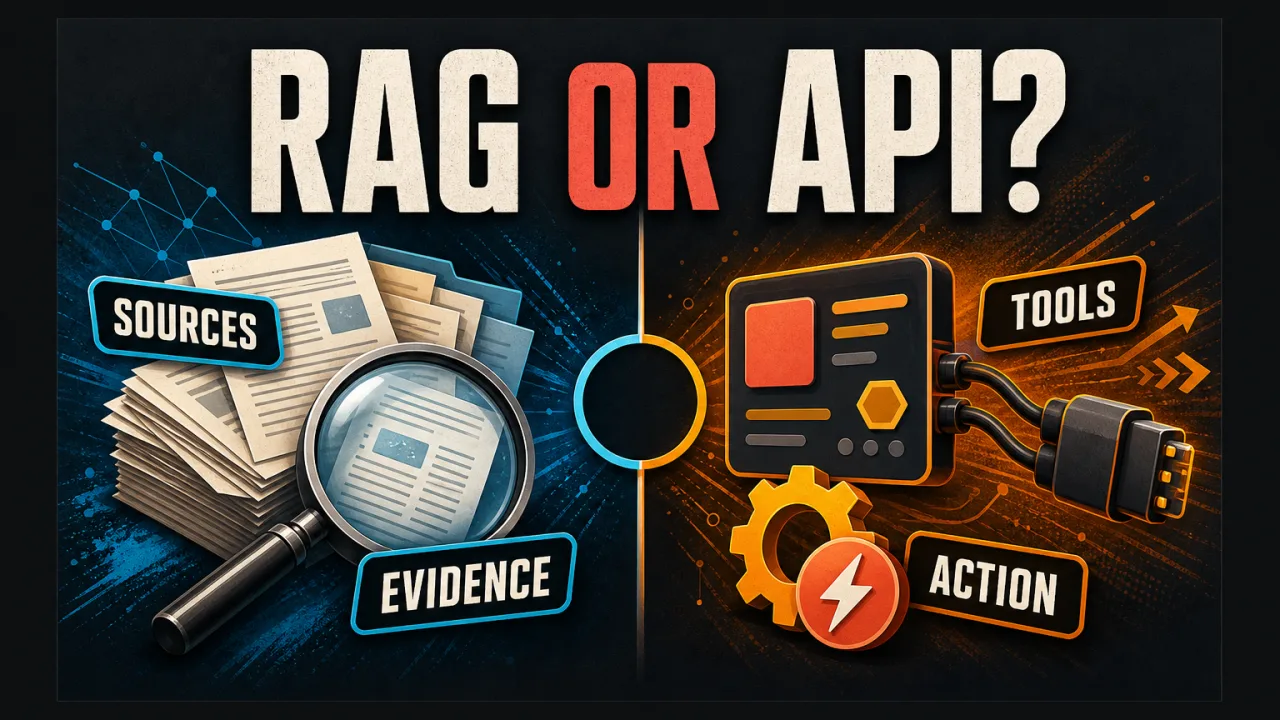
AI agents do not automatically need RAG. An agent needs Retrieval-Augmented Generation when it must find fresh, private, or specialized knowledge before deciding what to do; an agent can work without RAG when reliable tools or structured APIs already provide the information it needs. If you would rather assemble retrieval visually than build it, there are open-source no-code platforms for LLM apps, RAG and agents.
Definition: RAG is a knowledge-retrieval layer that finds relevant external information and adds it to an AI model's context before the model answers or acts.
Example: A support agent can call an order-status API without RAG, but it may need RAG to find the correct refund exception in a changing internal policy library.
Key takeaway: RAG answers the question “what knowledge should the model see?” while agent tools answer “what can the system do?”
Business impact: Adding RAG only when the workflow needs it keeps an agent simpler, faster, cheaper, and easier to evaluate.
What does an AI agent need in order to work?
An AI agent needs a goal, a model that can interpret the task, a way to observe relevant state, and tools or actions that can change the world. An agent that schedules meetings needs calendar access; an agent that handles orders needs commerce or CRM APIs; an agent that explains internal procedures needs a dependable knowledge source. RAG is one possible knowledge source, not a mandatory component of every agent.
The distinction matters because an AI agent is defined by the work it can complete, not by the database technology behind it. An agent can use function calling, direct APIs, SQL queries, web search, RAG, human approvals, or several of these together. The architecture should follow the task's information and safety requirements.
When does an AI agent need RAG?
An AI agent usually needs RAG when the answer depends on information that is private, specialized, frequently updated, or too large to include manually in every prompt. Internal policies, technical manuals, product documentation, contracts, support history, and research archives are common examples because the relevant evidence is stored outside the model's general training data.
RAG is especially useful when the agent must explain why it reached a conclusion. Retrieved passages can be retained and shown as citations, giving a reviewer an evidence trail instead of only a fluent final answer. That does not make the answer automatically correct, but it makes the information path more inspectable.
An agent can also use RAG when a user asks a broad question that requires selecting a few relevant pieces from a much larger collection. The retrieval layer narrows the evidence before generation, which can reduce prompt size and avoid sending an entire document library to the model.
When is RAG unnecessary?
RAG is often unnecessary when the agent can get the required fact from a structured, authoritative tool. An order-status agent should call the order system; an expense agent should query the accounting platform; a scheduling agent should use the calendar API. Searching a collection of documents for a precise live value adds ambiguity when a system of record already exposes the answer directly.
RAG is also unnecessary when the agent's task is purely generative and does not depend on external facts. A writing agent that transforms user-provided text, a calculator agent that uses deterministic arithmetic, or a workflow router that classifies requests may need no retrieval layer at all.
A useful test is simple: if the agent's answer would be wrong without a particular external document or fact, ask whether a direct tool can provide that information. Use RAG when the evidence is document-based or distributed; use an API when a structured system already owns the truth.
What is the difference between tools and RAG?
Tools let an agent access capabilities or perform operations. RAG lets an agent retrieve relevant knowledge. A CRM tool may return a customer's current account status; RAG may retrieve the policy that explains which response is allowed for that account. The two mechanisms often work together in one workflow, but they should not be treated as interchangeable.
| Requirement | Better first choice | Why |
|---|---|---|
| Current order status | API or database tool | The value lives in a structured system of record |
| Refund policy explanation | RAG | The answer depends on document language and exceptions |
| Send a customer email | Action tool | The agent needs permission to perform an operation |
| Calculate a discount | Calculator or business-rule tool | Deterministic logic is easier to validate |
| Search internal troubleshooting guides | RAG | Relevant evidence is distributed across documents |
| Check available appointment slots | Calendar API | Availability changes in a live system |
The best architecture may combine all of these. An agent can retrieve a policy with RAG, query the customer's order through an API, calculate an allowed refund with a rules tool, and then ask a human to approve the final action.
How should an agent use RAG in a workflow?
A basic agentic workflow can treat retrieval as one tool among several: decide whether external knowledge is needed, formulate a search query, retrieve relevant passages, assess whether the evidence answers the question, and then continue to an answer or action. The agent should not retrieve by default for every request because unnecessary searches increase latency and can introduce irrelevant context.
A robust RAG step should enforce source permissions, filter stale or out-of-scope documents, limit the amount of context sent to the model, and preserve the retrieved sources for auditing. The agent should also have a defined behavior for missing evidence: ask a clarifying question, escalate to a human, or refuse to make an unsupported claim.
The retrieval result should not silently override structured data from a trusted system of record. If a policy document says one thing but a live account service says another, the workflow needs an explicit precedence rule and an escalation path rather than allowing the model to choose arbitrarily.
What is agentic RAG, and do you need it?
Agentic RAG uses an AI agent to control the retrieval process itself. Instead of one fixed retrieve-then-generate sequence, the system can rewrite a query, choose among several knowledge sources, retrieve in parallel, check the quality of the evidence, and search again when the first result is incomplete. IBM describes agentic RAG as adding agents to the RAG pipeline so retrieval can adapt to more complex workflows.
Agentic RAG is useful for multi-part research, cross-document comparison, and questions that require several retrieval decisions. It is not automatically better than traditional RAG: more planning steps mean more tokens, latency, tool failures, and evaluation complexity. Start with a deterministic retrieval flow, then add agentic routing only when fixed search cannot handle the real query patterns.
A recent survey of Agentic RAG architectures groups design choices around factors such as the number of agents, control structure, autonomy, and knowledge representation. Those dimensions are useful for architecture discussions, but they do not replace a simple business test: does adaptive retrieval improve the workflow enough to justify its additional failure modes?
How do you decide whether to add RAG?
Use this decision sequence before building a vector index:
- Name the agent's task. Write the exact question or action the agent must complete.
- Identify the evidence. Decide whether the answer comes from a live API, structured database, user input, or documents.
- Prefer the authoritative interface. Use a system-of-record API for precise transactional facts.
- Add RAG for document knowledge. Retrieve when relevant evidence is private, distributed, specialized, or frequently updated.
- Define failure behavior. Specify what happens when sources conflict, permissions block access, or no evidence is found.
- Measure before expanding. Test retrieval relevance, answer groundedness, citation accuracy, latency, cost, and action safety.
This approach prevents a common mistake: adding RAG because an agent sounds sophisticated, then discovering that the real problem was a missing API, a weak business rule, or an unclear approval boundary. RAG is a powerful knowledge layer, but a well-designed AI agent uses it selectively.
The practical answer: use RAG when knowledge is the bottleneck
AI agents need RAG when external knowledge is the bottleneck between a goal and a correct decision. They do not need RAG when a direct tool, structured query, deterministic rule, or user-provided context solves the problem more reliably.
Start with the smallest architecture that can complete the workflow safely. Add RAG when real requests show that the agent lacks document-based knowledge, then evaluate whether retrieval improves the answer enough to justify its cost and complexity. The right question is not “Does this agent have RAG?” but “What information must this agent access, and what is the safest way to access it?”
Frequently asked questions
Do all AI agents need RAG?
No. An AI agent needs RAG only when its task depends on external knowledge that is private, specialized, frequently changing, or too large to place reliably in the prompt. An agent that calls a calculator, creates a calendar event, or updates a CRM record may work with tools and structured APIs alone. An agent that answers questions about internal policies or technical documentation usually benefits from retrieval. Decide based on the agent's information requirements, not on whether RAG is popular.
What is the difference between an AI agent and RAG?
An AI agent is a system that can reason about a goal, choose steps, use tools, and sometimes take actions. RAG is a knowledge-access pattern that retrieves relevant external information and places it in a model's context before generation. RAG can be one tool used by an agent, but it does not make an application autonomous by itself. An agent may use RAG, APIs, calculators, databases, and human approvals in the same workflow.
Can an AI agent use tools without RAG?
Yes. Tools and RAG solve different problems. A tool lets an agent perform an operation or query a system, such as checking an order status, sending an email, or reading a live database record. RAG helps an agent find and use relevant unstructured or semi-structured knowledge, such as a policy paragraph or troubleshooting guide. Many agents should begin with a small set of reliable tools and add RAG only when a real knowledge gap appears.
When should an agent use an API instead of RAG?
Use a direct API when the required answer is a precise value in a system of record, such as an account balance, inventory count, order status, or appointment slot. APIs return structured, current data and are easier to validate than asking a retrieval system to find the value in documents. Use RAG for explanatory, policy, or document-based questions where the relevant evidence is distributed across text and the user needs a grounded natural-language answer.
What is agentic RAG?
Agentic RAG adds an agentic control layer to retrieval. Instead of running one fixed search followed by one generated answer, an agent can decide which source to query, rewrite an ambiguous question, retrieve from several systems, check whether the evidence is sufficient, and search again. This can help with complex tasks, but it also adds latency, cost, and more failure paths. A simple RAG pipeline is usually easier to test and should be the starting point.
Alex
Founder & Lead AI Writer
Alex is the founder of Yowox and lead AI writer since 2024, breaking down complex information into clear, actionable insights for thousands of readers every day. Alex has built AI automation systems for businesses since 2024, focusing on AI agents, workflow automation, and business process optimization.
Save hours. Save thousands.
Practical guides, real workflows, and the latest AI and automation news that matters — straight to your inbox.