By Alex
 Google Pics brings Canva-style AI editing to Workspace
Google Pics brings prompt-based image generation, object-level editing, text translation, upscaling and collaboration into a standalone Workspace app and Docs and Slides.
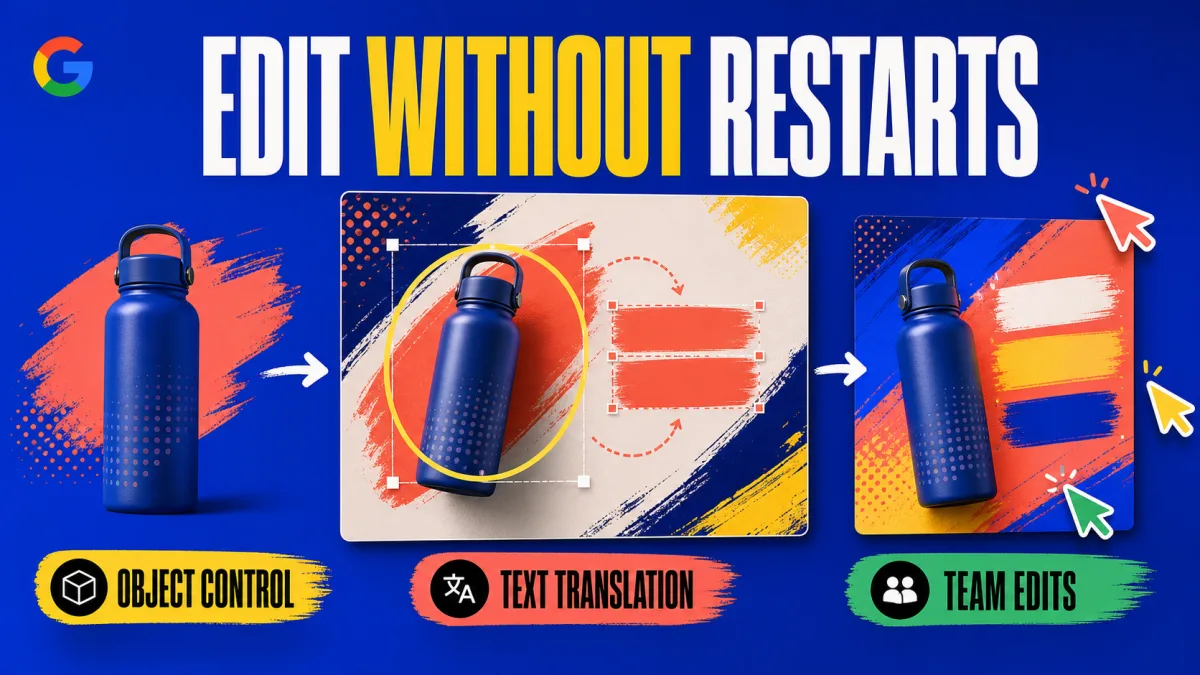
Google Pics is Google's new AI image creation and editing app for Workspace, and its most important change is not another text-to-image box: it lets users revise specific objects and text without rebuilding the whole composition. Google announced the rollout on September 1, 2026, with Pics available as a standalone app and integrated into Google Docs and Slides. The official Google Workspace announcement says Drive integration is coming in the following weeks.
Definition: Google Pics is a Workspace-native AI design tool built on Google's Nano Banana image model for generating and editing business visuals.
Example: A team can create a social post, select one object or text element, describe the correction, and keep refining the same image.
Key takeaway: Google Pics combines image generation with targeted editing, resizing, translation and collaboration.
Business impact: Workspace teams can test AI-assisted design inside the apps where they already write documents and presentations, but they still need to compare the result with their existing brand and review workflow.
What is Google Pics for?
Google Pics is designed for teams making marketing imagery, customer presentations, product storytelling, posters, flyers and social posts. Google says users can either start with a text prompt or import an image from a computer, Google Drive or Google Photos, then refine the result with object-based controls. The practical takeaway for a business operator is to treat Google Pics as a visual production workspace, not only as a generator for first drafts.
Google positions Pics as a response to a familiar business problem: teams often get inconsistent outputs from AI image tools, spend time retrying prompts, and move files between several applications. The The Verge report describes the same product as a Canva-like creative layer with more AI control, while noting that Canva and Adobe Express already offer overlapping editing features. The useful distinction is workflow placement: Google is putting generation and editing alongside Workspace documents and slides rather than asking users to leave them for every visual change.
How does Google Pics edit images?
Google Pics can isolate individual objects and apply descriptive changes without altering the rest of an image, according to Google's product announcement. That makes the editing step more specific than asking an image model to redraw an entire scene. A team working on a product visual can use object selection for a targeted correction, then review the changed element before keeping the composition.
Google Pics also supports editing, reformatting and translating text inside an image. Google says the tool can preserve the original font and design while modifying the text, which is particularly relevant to global marketing assets. Businesses should still inspect every translated or edited asset for brand, legal and factual accuracy before publication; the source describes the capability, not an accuracy guarantee.
Google Pics includes cropping for web, social media, print and digital formats, plus upscaling to 2K or 4K. Google also says users can process multiple edits at once, revert unwanted changes, and generate several alternatives from one prompt. Together, those controls turn the tool from a one-shot image generator into an iterative production loop: create, target the weak element, compare alternatives, then export the format the channel requires.
Where does Google Pics fit inside Workspace?
Google Pics is available as a standalone Workspace app at pics.new, while Google is adding it directly to Docs and Slides. Google says users can select an image in a document or presentation and open Pics' editing tools without switching applications; Drive integration is scheduled to roll out in the coming weeks. For teams that already keep source files and approvals in Drive, the integration timeline is the main operational detail to watch.
Google Pics also carries Workspace-style collaboration features. Google says users can share creations with teammates, invite others to collaborate on the same image, and create or open Pics images in Google Drive. That matters when the bottleneck is review rather than generation: a shared image can stay close to the document or presentation it supports instead of becoming a detached export passed around in messages.
Who gets access to Google Pics?
Google says Google Pics is rolling out to Business Standard, Business Plus, Enterprise Standard and Enterprise Plus customers, plus personal Google AI Pro and Ultra subscribers and the Google AI Pro for Education plan. The rollout began on September 1, 2026, so an eligible account may not receive the feature at the same moment as another account. The practical next step for an eligible user is to check pics.new and then look for the image-editing entry point inside Docs or Slides.
Google has not published the pricing, usage caps or a feature-by-feature comparison with Canva in the announcement reviewed for this article. That leaves several buying questions open for businesses: how many generations a team can run, how brand controls behave in production, and whether Drive integration changes the review path enough to justify a switch. A pilot using the team's real recurring assets is safer than choosing on feature lists alone.
What should businesses watch next?
Google Pics makes AI image editing more useful for Workspace teams by moving the hard part from regeneration to controlled revision. Google has named the pieces clearly: object segmentation, text editing and translation, multi-edit processing, multiple alternatives, format-aware cropping, 2K or 4K upscaling and shared collaboration. The broader shift toward practical AI image editing shows why those controls matter more than a prettier first generation: production work is usually won or lost during corrections.
The unresolved question is not whether Google Pics can make a compelling draft. It is whether its precision controls, collaboration model and Workspace integrations are reliable enough for repeatable business production. Teams should measure correction time, brand consistency, approval friction and export quality on a small set of real assets before treating Google Pics as a replacement for a dedicated design platform. For context, Meta's Muse Image launch shows that image products are converging on generation plus editing; Google Pics' differentiator is the Workspace home around that capability.
Frequently asked questions
What is Google Pics?
Google Pics is Google's AI image creation and editing app for Workspace. It can generate an image from a text prompt, import an existing image, isolate individual objects, edit or translate text inside the image, crop assets for different formats, and upscale them to 2K or 4K. Google offers Pics as a standalone app at pics.new and is also integrating it into Google Docs and Slides, with Drive integration rolling out in the coming weeks.
How is Google Pics different from a normal AI image generator?
Google Pics combines generation with object-level editing and Workspace collaboration. Instead of regenerating an entire composition when one part is wrong, users can select an object or text element and describe the change they want. Google also says Pics can process multiple edits, revert unwanted changes, generate several alternatives from one prompt, and let teammates collaborate on the same image. That makes Pics closer to an AI-assisted design workspace than a prompt-only image generator.
Which Google Workspace users can access Google Pics?
Google says Google Pics is rolling out to customers on Business Standard, Business Plus, Enterprise Standard, and Enterprise Plus plans, as well as personal Google AI Pro and Ultra plans and the Google AI Pro for Education plan. Access is rolling out rather than arriving for every account at once. Eligible users can start at pics.new, while the Docs and Slides integrations are becoming available inside those apps.
Can Google Pics replace Canva for a business?
Google Pics is a credible alternative for teams that already create visuals in Google Workspace, because it combines AI generation, precise edits and collaboration without requiring a separate design app. The available source material does not establish that Pics replaces Canva across every workflow, however. Canva's broader template and publishing ecosystem is not evaluated here, and Google has not published a feature-by-feature comparison. Businesses should test their own recurring assets, brand controls and approval process before switching tools.
Alex
Founder & Lead AI Writer
Alex is the founder of Yowox and lead AI writer since 2024, breaking down complex information into clear, actionable insights for thousands of readers every day. Alex has built AI automation systems for businesses since 2024, focusing on AI agents, workflow automation, and business process optimization.
Save hours. Save thousands.
Practical guides, real workflows, and the latest AI and automation news that matters — straight to your inbox.