By Alex
 Introducing Muse Image and Muse Video
Meta launches Muse Image across selected products and previews Muse Video, pairing image generation with reasoning, editing, tool use, native audio and provenance signals.
Meta is turning its generative-media strategy into a two-part product story: Muse Image is shipping, while Muse Video is being previewed.
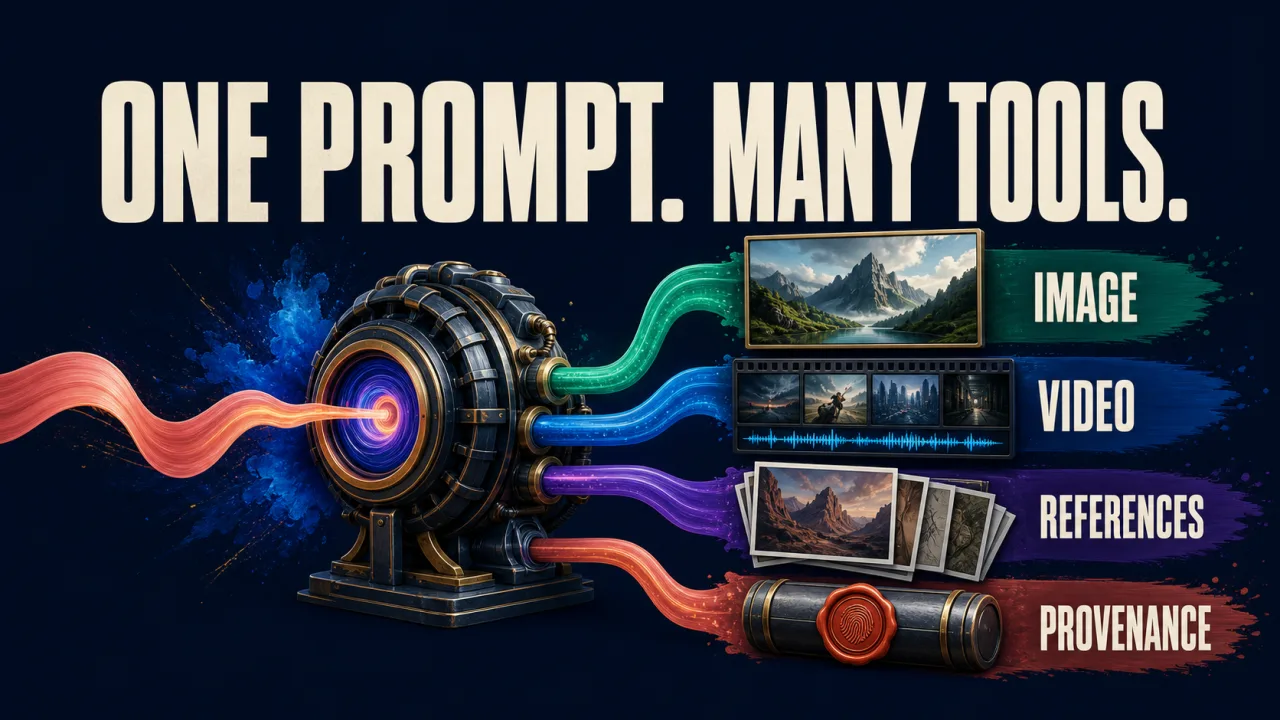
In Meta’s announcement of Muse Image and Muse Video, Meta Superintelligence Labs presents Muse Image as its first media-generation model and describes Muse Video as a sibling built on the same pretraining base. The announcement is notable less for a single benchmark number than for the product direction: generation is being connected to reasoning, editing, search, code, multiple references, social context and provenance.
Definition: Muse Image is Meta’s currently available image-generation model; Muse Video is a not-yet-released video model preview.
Example: A person can start with a prompt or photo, sketch an edit, combine references, and refine the result conversationally inside Meta’s ecosystem.
Key takeaway: Meta is treating media generation as an agentic product workflow, not only as a prompt-to-picture endpoint.
Business impact: Creators, advertisers and everyday users get a lower-friction creative surface, while Meta gains a first-party generation layer across its apps and a provenance story for the resulting media.
What launched and what remains a preview
The cleanest way to read the announcement is to separate present capability from future intent.
| Capability | Status in Meta’s announcement | What it means |
|---|---|---|
| Muse Image | Available across selected Meta AI surfaces | People can generate and edit images now, subject to market and product availability |
| Muse Video | Early preview | Meta is showing direction and sample performance, not offering general access yet |
| Muse Spark integration | Part of the Muse Image workflow | Meta says a reasoning model can help plan and coordinate complex image tasks |
| Content Seal for images | Included in Muse Image outputs | Generated images carry an invisible provenance signal according to Meta |
| Content Seal for video | Planned extension | Video provenance is a stated direction, not a currently documented launch feature |
That distinction matters. A preview can demonstrate product ambition without proving broad availability, stable behavior, developer access or production readiness. Meta’s announcement does not provide a public model card, parameter count, full benchmark methodology or standalone API contract for the Muse family, so those details should not be inferred from the launch language.
Muse Image is more than a prompt box
Meta describes Muse Image as a model that follows instructions faithfully, edits with precision and composes from multiple references. That puts the emphasis on the complete creative loop rather than one-shot generation.
A user can begin with a blank prompt, upload an existing photo, combine several images, or mark an area to change. The interaction then becomes iterative: describe a revision, inspect the result, add another constraint and continue from the conversation’s context.
This is a product decision as much as a model capability. Most people do not think in the syntax of image prompts. They think in corrections: remove the person in the background, make the lighting warmer, use the jacket from the second reference, or turn this into a clean instruction graphic. Direct manipulation and conversational refinement make those corrections part of the interface.
Meta also says Muse Image can render text cleanly inside visuals, including infographics and functional QR codes. Those are useful claims, but they are not a reason to assume every generated diagram will be accurate. Text rendering can improve the production workflow; a user still needs to verify the words, numbers, links and instructions before publishing or scanning anything.
Reasoning and tool use move into the creative workflow
The most strategically interesting part of the launch is the connection between Muse Image and Muse Spark. Meta says the system can reason through a prompt before generating, plan a layout, use real-time web context and intelligently blend multiple visual references.
Meta’s related product announcement describes Muse Image as a creative partner that can use advanced reasoning to understand complex instructions, support sketch-based edits and draw on context from the conversation (Meta’s product overview). The practical implication is a shift from “generate this image” to “help me complete this visual task.”
A task-oriented system may need several steps:
- interpret the goal and constraints;
- identify which references matter;
- retrieve factual context when the request needs it;
- decide whether image editing, code or another tool is appropriate;
- generate a draft;
- inspect and revise the result.
That workflow resembles an AI agent that uses tools and feedback to pursue a goal. The image is the final artifact, but the product experience is the orchestration around it.
There is also a tradeoff. More reasoning and tool calls can make a result more useful, but they create more places for a system to misunderstand the user, retrieve irrelevant information, or make an unsupported visual claim. The interface needs to make the result easy to inspect, not merely easy to request.
Distribution is part of Meta’s advantage
Muse Image is not launching as an isolated creative website. Meta says it is available in the Meta AI app and on meta.ai, in Instagram Stories in the United States, and in WhatsApp in limited countries. It is also coming to additional Meta surfaces.
That distribution changes the adoption curve. A user does not need to discover a new specialist tool before trying an image workflow. The capability can appear where the user is already writing a message, editing a story or sharing a photo.
For creators, the integration can shorten the path from idea to publishable variation. For advertisers, Meta says Muse Image will support Advantage+ creative, giving businesses a way to produce more image variants inside an existing ad workflow. For Meta, the benefit is a tighter feedback loop between generation, sharing, audience context and monetized creative production.
The same integration raises questions about consent, reference images and identity. A model that can blend multiple photos is useful precisely because it can work with personal material. Product controls need to explain which images are used, how long they are retained, what happens when another person appears in a reference, and how users can correct or remove generated content.
Muse Video extends the direction, not the product surface
Muse Video is the more speculative half of the announcement. Meta says it is built on the same pretraining base as Muse Image, has native audio support, and is competitive in prompt adherence, visual fidelity and temporal consistency. It is coming soon to creators and Meta AI.
The wording signals the gaps Meta is still working on: audio-video synchronization and physically accurate fast motion. Those are not minor polish issues. They affect whether generated video can support believable scenes, dialogue, movement, product demonstrations and creator workflows.
Native audio also changes what users will need to review. A video is no longer only a sequence of images. It can contain speech, sound effects, music and implied events. Timing, identity, attribution and safety all become part of the output. Until Meta publishes more details about the model and release surface, it is more accurate to treat Muse Video as a direction than as a competitor users can immediately evaluate.
Content Seal makes provenance part of the launch
Meta says Muse Image outputs in the Meta AI app and on meta.ai carry Content Seal, an invisible watermarking system intended to survive cropping, compression, resizing and screenshots. Meta is also previewing a detection tool that can check whether an image carries the signal, and says it plans to extend Content Seal to video.
This is useful because ordinary visual inspection cannot reliably identify how an image was made. A provenance signal can give platforms and users another piece of evidence when an image is reposted or modified.
It is not the same as a complete authenticity system. A watermark can indicate that a particular tool generated an image; it does not prove that every element is factual, that the person pictured consented, or that a caption is truthful. Detection coverage, interoperability and how the signal behaves after transformations will determine how useful it becomes outside Meta’s own products.
The best mental model is “provenance hint,” not “truth label.” That distinction should remain visible in the product interface and in the way platforms describe generated media.
What creators should test first
Creators do not need to wait for Muse Video to understand the product strategy. Muse Image’s current workflow can be evaluated with a small set of practical tests:
Instruction fidelity
Give the model a prompt with several independent constraints: subject, composition, text, style, lighting and exclusions. Check which constraints survive together rather than judging only the aesthetic quality of the output.
Reference blending
Use multiple references with clearly different roles. Ask whether the result preserves the important identity and geometry from each source without producing accidental details or an incoherent composite.
Direct editing
Start from a real image and request local changes with a sketch or circled region. Verify that the untouched areas remain stable and that the edit does not introduce misleading objects, text or people.
Text and QR verification
If the model creates instructions, labels or a QR code, inspect every character and test the code using a trusted scanner. Visual legibility is not proof that the destination or information is correct.
Provenance inspection
Use Meta’s detection experience when available and note what it can and cannot establish. Treat the result as one signal in a broader content-review process.
The important unknowns
Meta has made a clear consumer-product announcement, but several questions remain open for builders and businesses:
- Will Muse Image receive a public developer API, and under what limits?
- What are the model’s evaluation results across editing, text, references and safety?
- How does Meta handle personal images used as references?
- What exactly does native audio include in Muse Video?
- Will Content Seal interoperate with provenance systems outside Meta?
- How will subscription limits and advertiser access work in different markets?
Those questions are not gaps to fill with speculation. They are the next facts to watch as the models move from launch announcement to broader availability.
Meta’s media strategy is becoming an agent strategy
Muse Image and Muse Video show Meta moving toward media tools that can reason about a creative goal, call supporting tools, refine an output and distribute it through a social product surface. The image model is available now in selected places; the video model is still a preview. Content Seal adds a parallel effort to make generated media easier to identify.
The result is not simply another image generator. It is a test of whether a large platform can make multimodal creation feel like a natural conversation while keeping the artifacts inspectable and the provenance claims precise.
The next phase will be judged less by launch demos than by everyday reliability: whether edits preserve what users care about, whether references are handled responsibly, whether text and facts remain accurate, whether video motion and audio hold together, and whether provenance survives the way people actually share media.
Frequently asked questions
What is Muse Image?
Muse Image is Meta Superintelligence Labs’ image-generation model, available across selected Meta AI surfaces. Meta says it can follow detailed instructions, edit images precisely, combine multiple references, render text, use tools through its integration with Muse Spark, and preserve an invisible Content Seal provenance signal in generated images.
Is Muse Video available now?
No. Meta describes Muse Video as an early preview that is coming soon to creators and Meta AI. The company says it is built on the same pretraining base as Muse Image, supports native audio, and is being improved in areas such as audio-video synchronization and physically accurate fast motion.
Where can people use Muse Image?
Meta says Muse Image is available in the Meta AI app and on meta.ai, in Instagram Stories in the United States, and in WhatsApp in limited countries. Meta says it is coming soon to Facebook, with broader availability across its products planned over time.
What is Content Seal?
Content Seal is Meta’s invisible watermarking and provenance signal for Muse Image outputs. Meta says the signal is designed to remain intact after cropping, compression, resizing, or screenshots, and the company is previewing a detection tool to help check whether an image carries the watermark. Meta says it plans to extend the system to video.
Alex
Founder & Lead AI Writer
Alex is the founder of Yowox and lead AI writer since 2024, breaking down complex information into clear, actionable insights for thousands of readers every day. Alex has built AI automation systems for businesses since 2024, focusing on AI agents, workflow automation, and business process optimization.
Save hours. Save thousands.
Practical guides, real workflows, and the latest AI and automation news that matters — straight to your inbox.